 BambooForge Labs

- No live instruction, no viewingA viewing or an offer under a mandate that is not live is refused, unless the applicant's introduction is still protected.
- One accepted offerAccepting one rejects the others; below the floor it needs the owner's approval, recorded with a name.
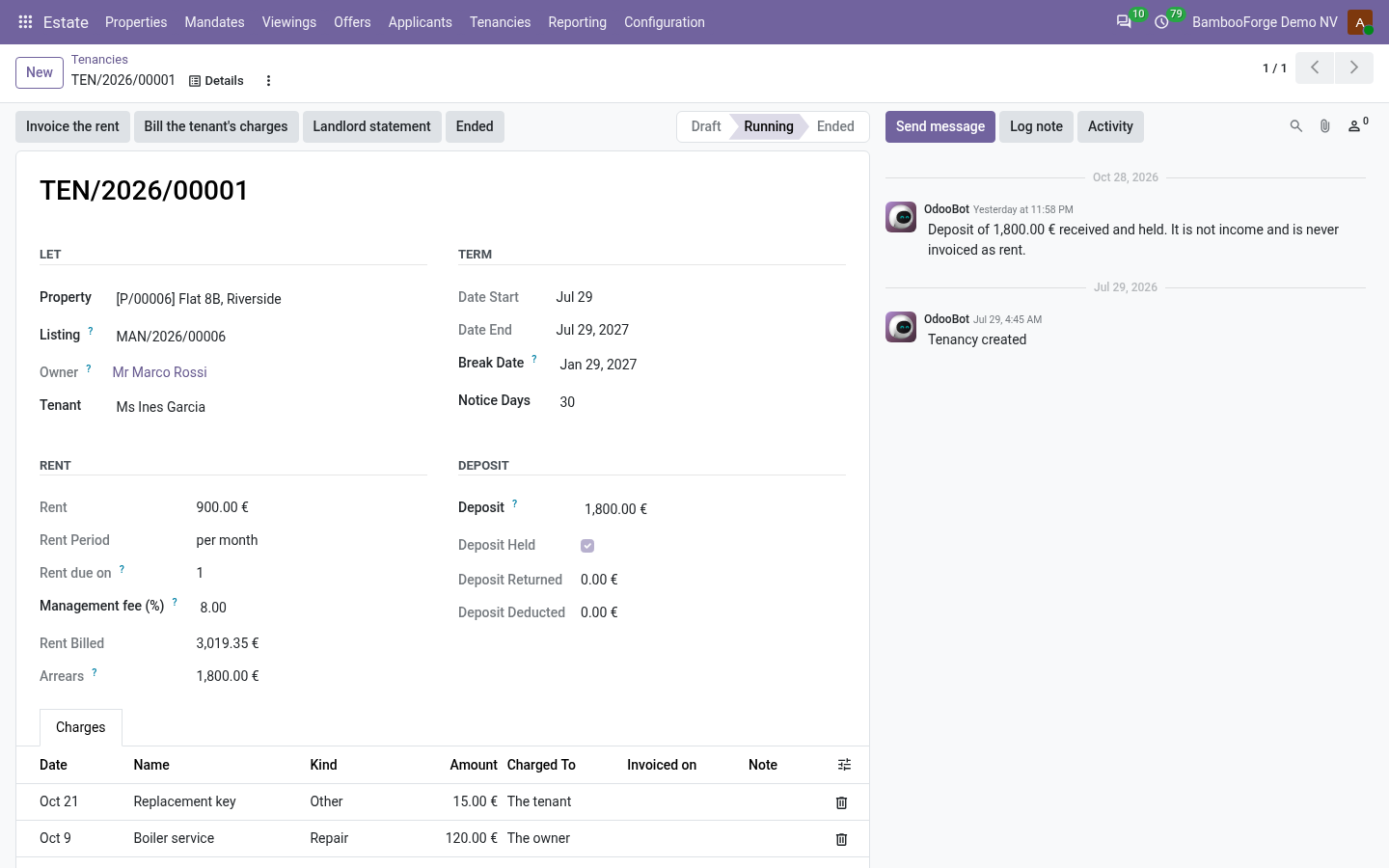
- A deposit that is not incomeHeld on the tenancy, settled once with a reason, never invoiced.
bambooforge_real_estate114 automated checks run before every release of this app, the same suite on every series it ships for. The complete list is in the source you receive; run it yourself with --test-enable.
For the people who decide
What your managers see
Estate > Reporting is the branch manager's menu. Each analysis opens on a chart, with the pivot one click away, and the pivot downloads to Excel from its toolbar.
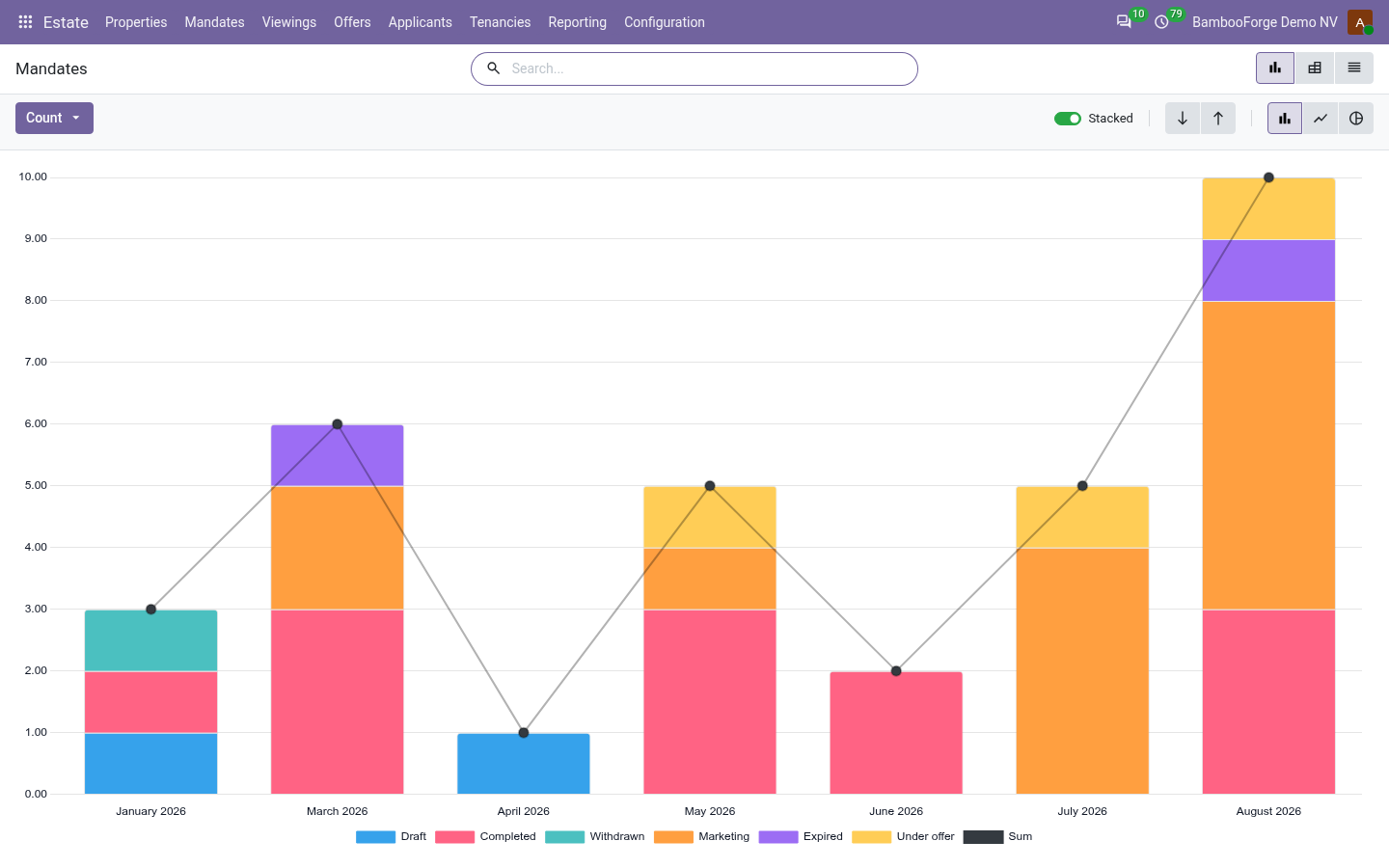
Mandates
the mandates by agent, type, status and month: how many, the asking and agreed prices, the fee agreed.
The branch manager sees who wins instructions and what they earn.
Portfolio
how many properties are available, under offer, let or sold, by type, city and owner.
The branch manager sees what is on the market and what is let.
Rent Roll
every running let: the rent, a month's worth of it and of the fee, the deposit held and the rent still unpaid, by owner.
The director sees the rent under management and the fee it brings each month.
Rent Arrears
rent invoiced, posted and not paid, by tenancy, tenant and the month it fell due.
The lettings manager sees whom to chase.
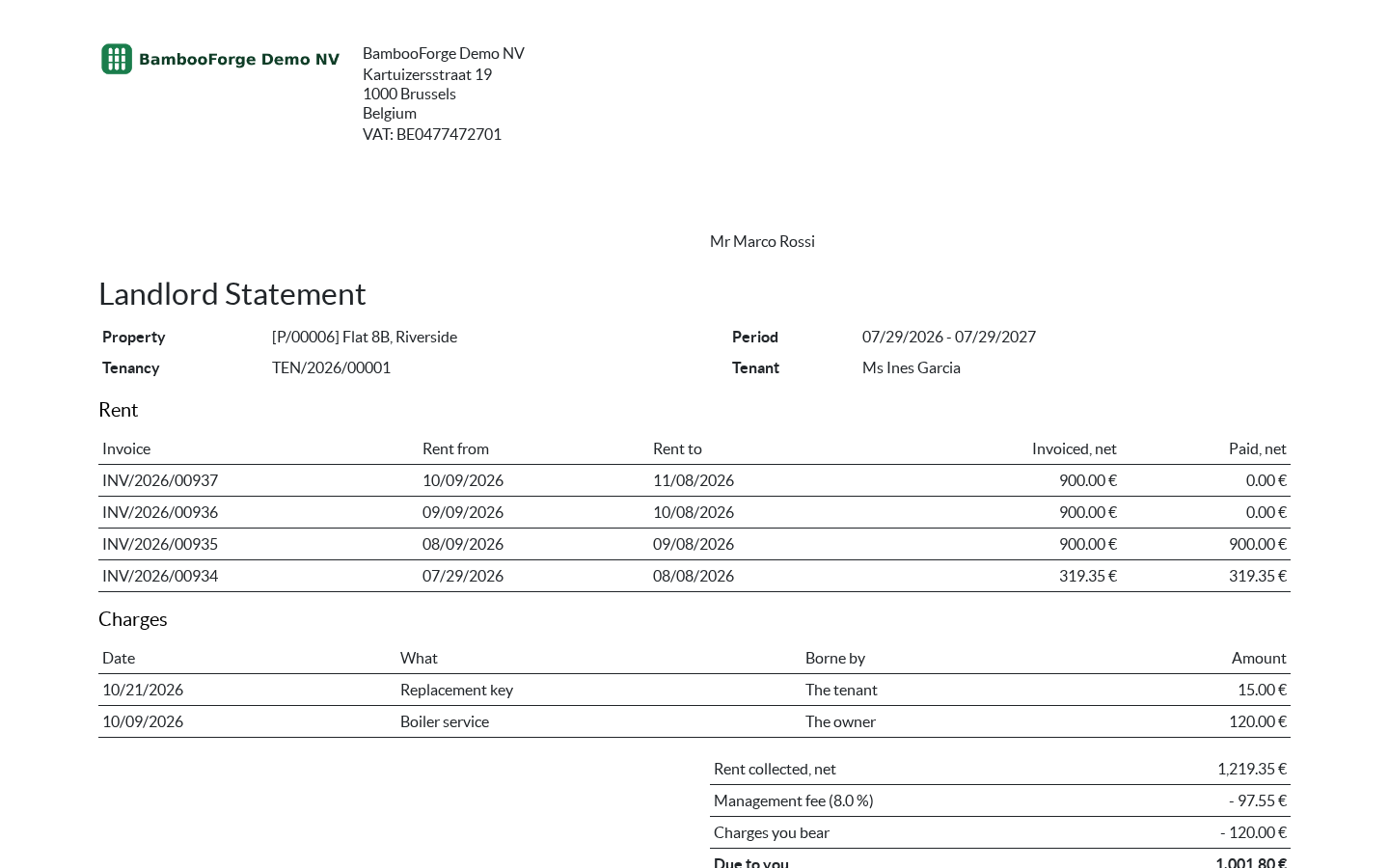
One document prints from the landlord statement, with Print:
- Landlord Statement: the period, the rent invoices behind it line by line, the management fee, the owner's charges and what is paid over.
How you use it
From the instruction to the landlord statement
Take an instruction
For the agent.
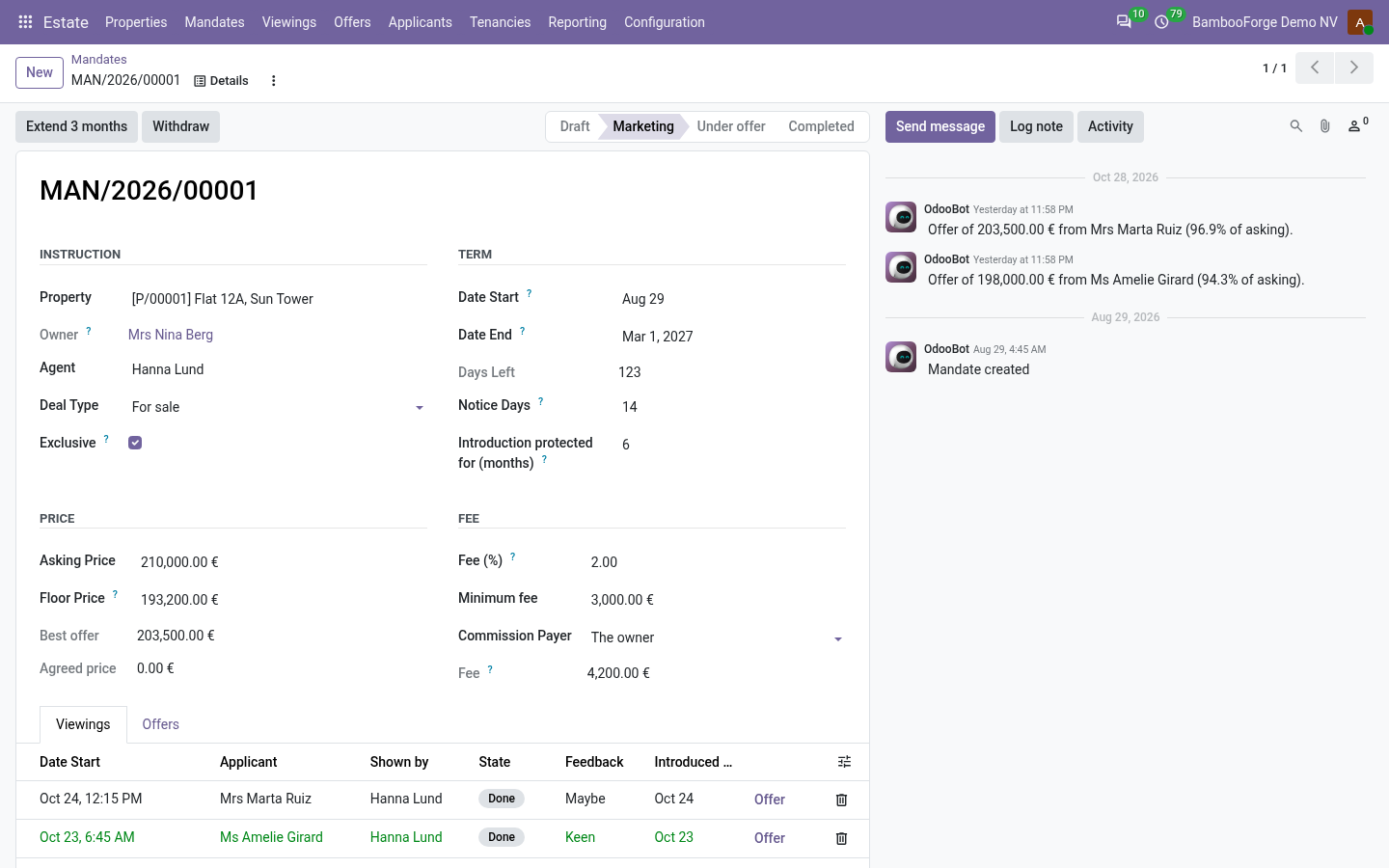
- Estate > Mandates > New: the term, exclusive or open, the prices and the fee.
- Put on the market; Extend 3 months when it runs short.
- A daily job expires mandates and warns the agent 14 days ahead.
Show it round
For the negotiator.
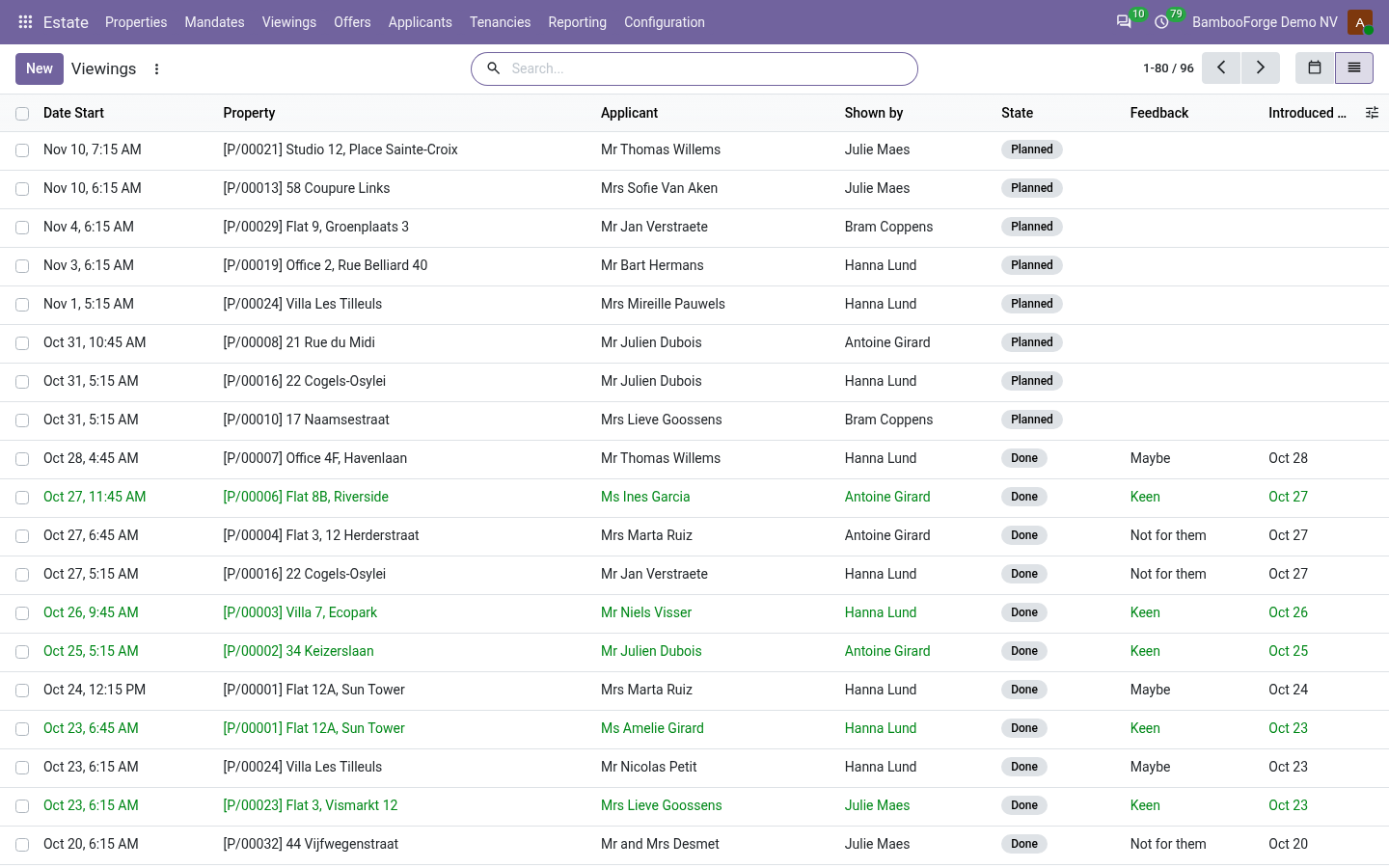
- Estate > Viewings > New, under a live mandate.
- Done stamps the day the applicant was introduced.
- The introduction is protected for the mandate's months.
Take offers and agree a sale
For the agent.
- Take an offer from a viewing.
- Accept: the others are rejected; below the floor, accept with the owner's approval.
- Completed freezes the fee; Invoice the fee bills the owner, the buyer or both.
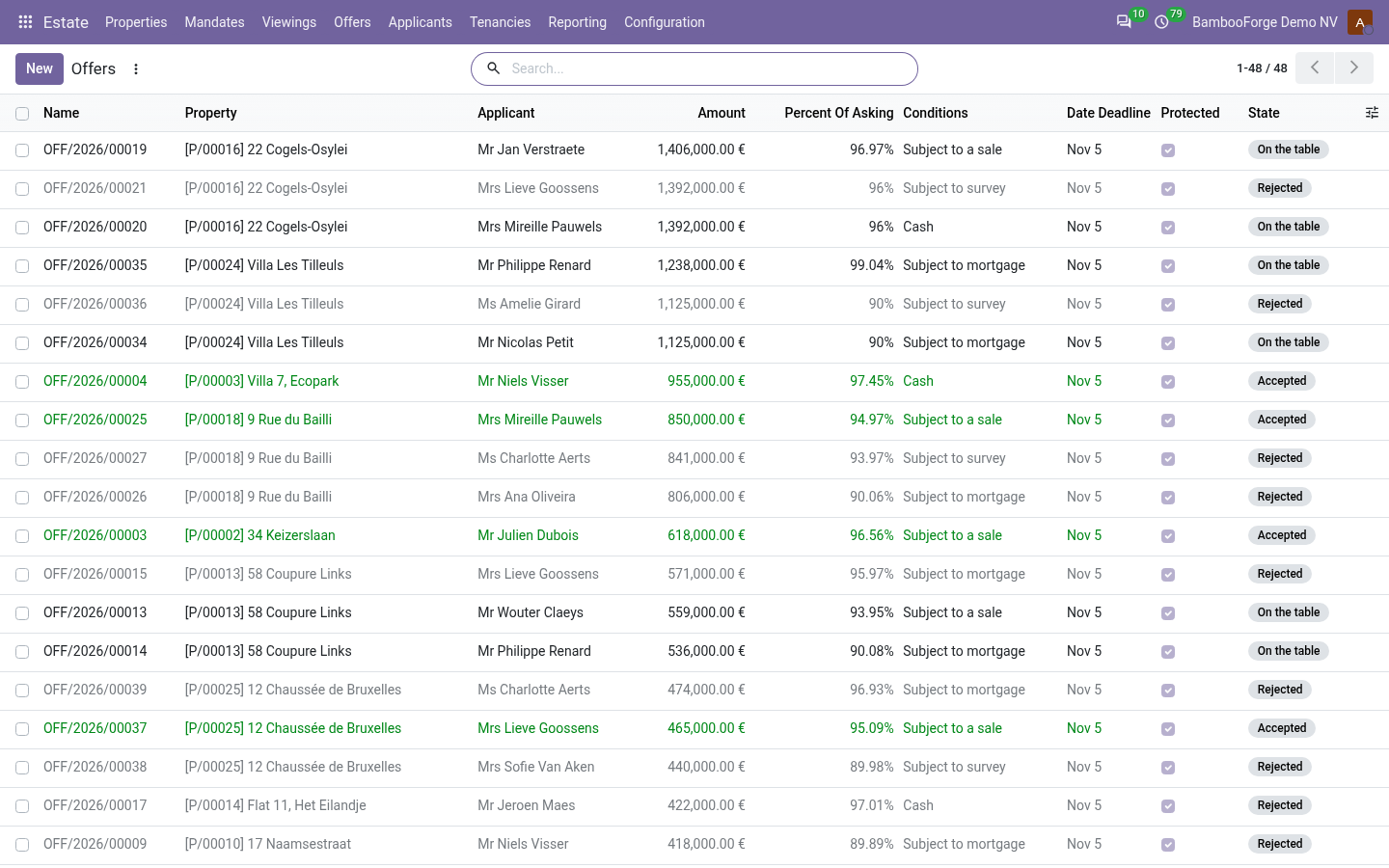
Let it
For the agent.
- Estate > Tenancies > New: rent, rent day, deposit.
- Deposit received, then Start the tenancy.
- Invoice the rent period by period; bill the tenant's charges.
Report to the owner
For the agent.
- Landlord statement for a period: rent paid net of tax, the fee and the owner's charges.
- Print it for the owner.
Price and where to buy
179 EUR, one payment per Odoo series, on the Odoo Apps Store. Pick your series:
Twelve months of support by the people who wrote the code; bug fixes and improvements within the series free for as long as it is published. Report a bug within two months of purchase and, if it is not resolved within fifteen days, you get a full refund. Full source under OPL-1, no licence key, no phone-home. The whole promise.