 BambooForge Labs

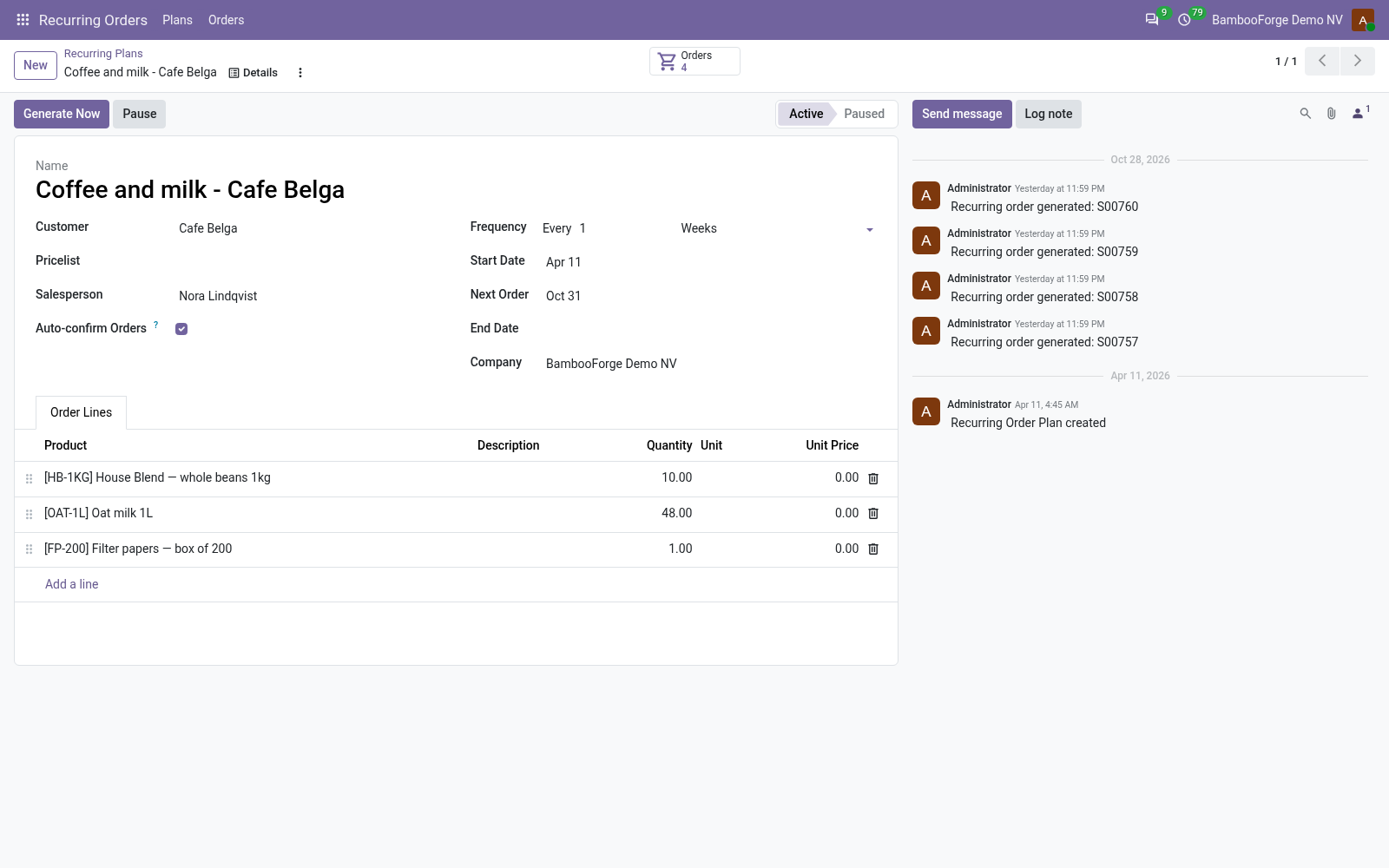
- Orders on the dayEvery active plan whose next order date has come gets its order, and Generate Now makes one at once.
- Prices you chooseFrom the order's price list every time, or kept from the plan's lines.
- The customer's own handsPause, resume, skip the next order, change quantities up to a multiple of a baseline.
bambooforge_recurring_order24 automated checks run before every release of this app, the same suite on every series it ships for. The complete list is in the source you receive; run it yourself with --test-enable.
For the people who decide
What your managers see
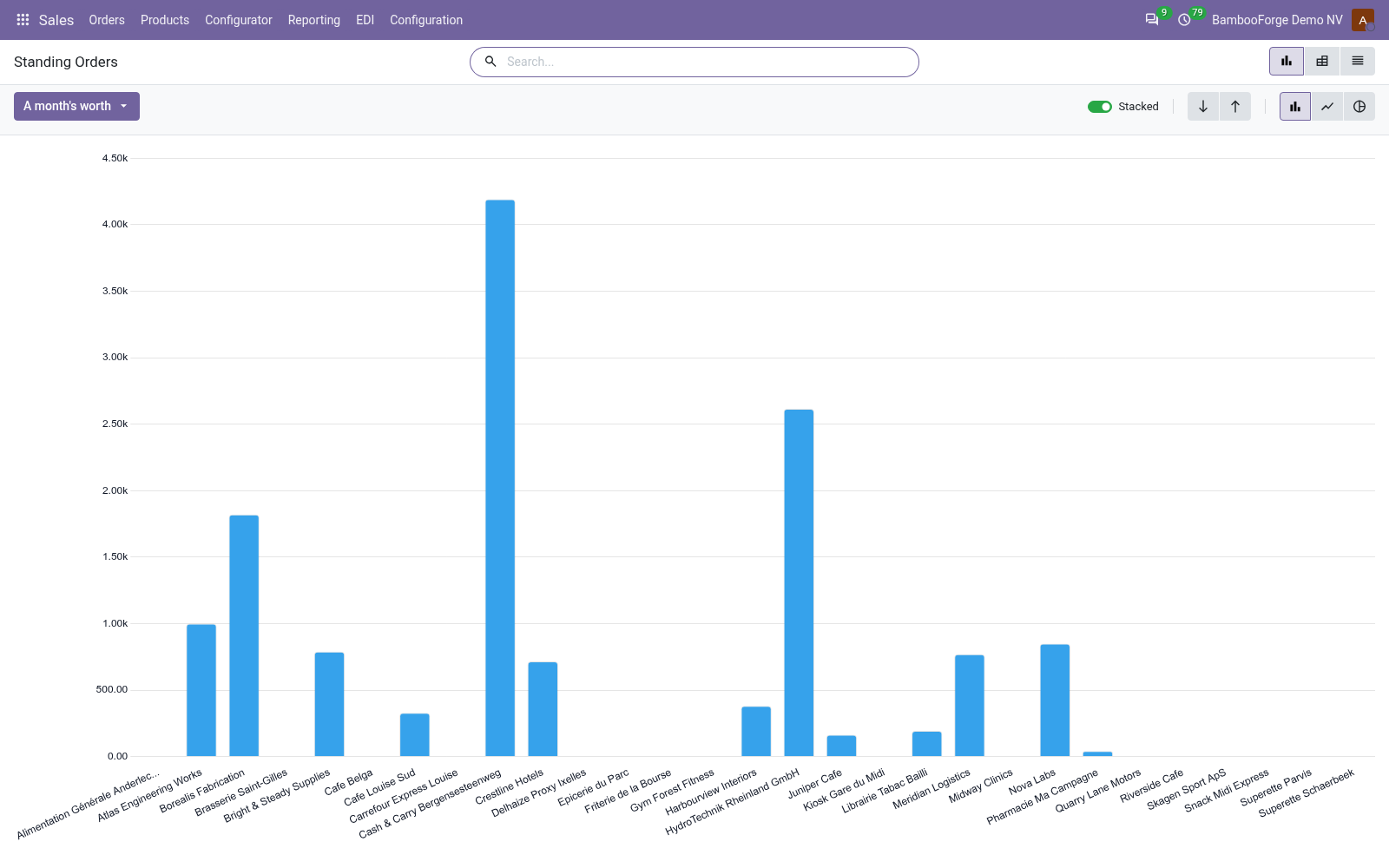
Two analyses join Sales > Reporting, the sales manager's menu. Each opens on a bar chart, with the pivot one click away; the pivot downloads to a spreadsheet.
Standing Orders
the active plans by customer, salesperson and rhythm: one delivery at the prices on its lines (a line at 0 counts nothing) and a month's worth of it, 52 deliveries a year for a weekly plan, a twelfth for a yearly one.
The sales manager sees the recurring book, and which customers carry it.
Generated Orders
the orders the plans made, month by month and customer by customer, and whether they were confirmed.
The manager sees whether the book turns into sales.
How you use it
From the plan to the order
Set up a plan
For a salesperson.
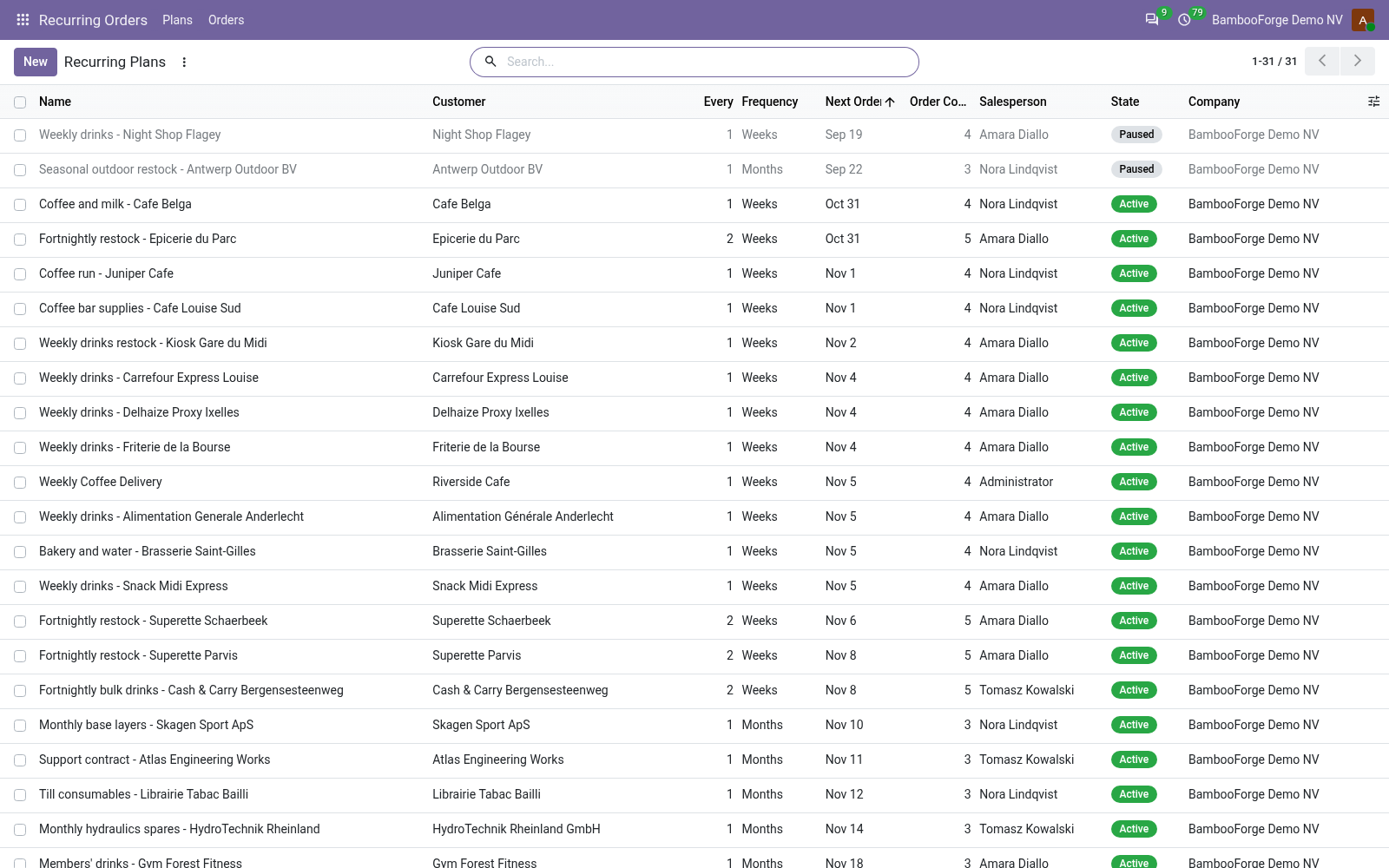
- Recurring Orders > Plans, New: the customer, the price list, Pricing.
- The rhythm: every N days, weeks, months or years, a start and an end date.
- The lines, with the baseline the customer's changes are bounded by.
Orders on schedule
Every day.
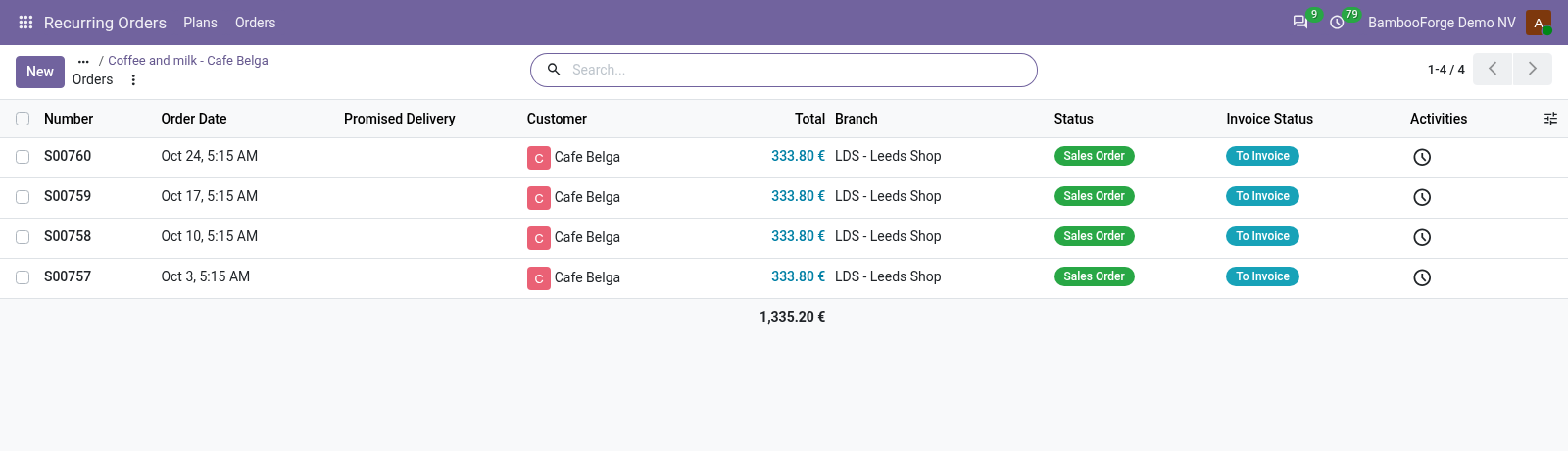
- The daily job makes the order of every active plan that is due.
- Each order carries its plan as source document.
- The plan's next order date moves on by the rhythm.
Read the book
For the sales manager.
- Sales > Reporting > Standing Orders: what each plan brings in a month.
- Sales > Reporting > Generated Orders: what the plans made, month by month.
- Both download to a spreadsheet from the pivot.
Price and where to buy
89 EUR, one payment per Odoo series, on the Odoo Apps Store. Pick your series:
Twelve months of support by the people who wrote the code; bug fixes and improvements within the series free for as long as it is published. Report a bug within two months of purchase and, if it is not resolved within fifteen days, you get a full refund. Full source under OPL-1, no licence key, no phone-home. The whole promise.