 BambooForge Labs

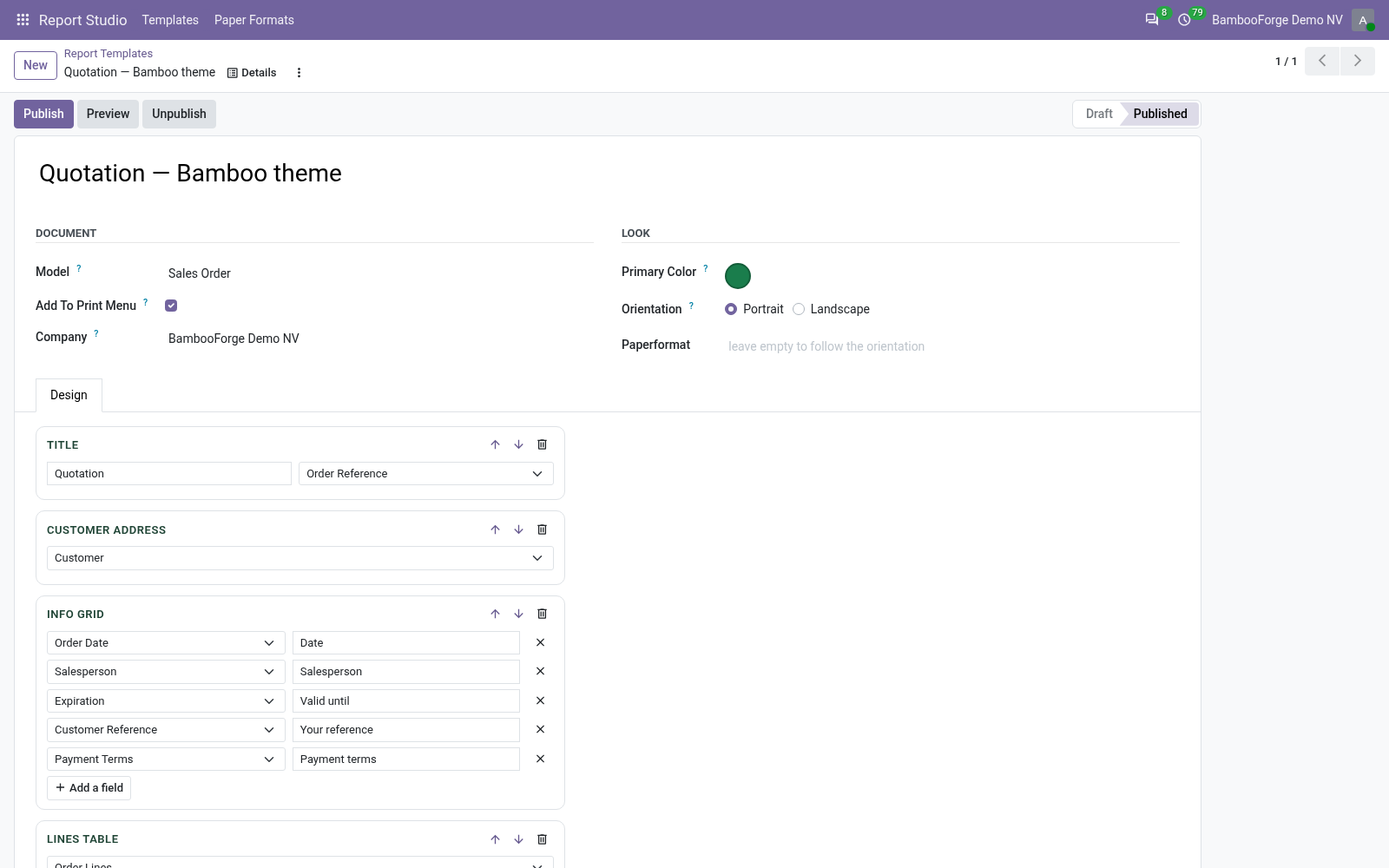
- Blocks, not XMLTitle, customer address, info grid, lines table, totals, free text and signatures, in any order.
- Fields from a listEvery picker is filled from the model you chose, and every field is checked when you publish.
- An ordinary Odoo reportPublish makes a QWeb template and a report in the Print menu; Unpublish removes them.
Runs onOdoo 16 to 20Community or Enterprise, self-hosted or Odoo.sh
NeedsOdoo onlyno Enterprise module
Price169 EURone-time, per series, on the Odoo Apps Store
Demodemo20.bambooforge.devlogin page already filled in
Supportsupport@bambooforge.devfirst reply within one business day
Version20.0.1.1.5
bambooforge_report_studio33 automated checks run before every release of this app, the same suite on every series it ships for. The complete list is in the source you receive; run it yourself with --test-enable.
How you use it
How it is used
Flow 01
Design a report
Under Report Studio > Templates.
- Pick the model, then stack the blocks.
- Choose the lines field and its columns, with your headers.
- Add the totals; the last one prints in bold.
Flow 02
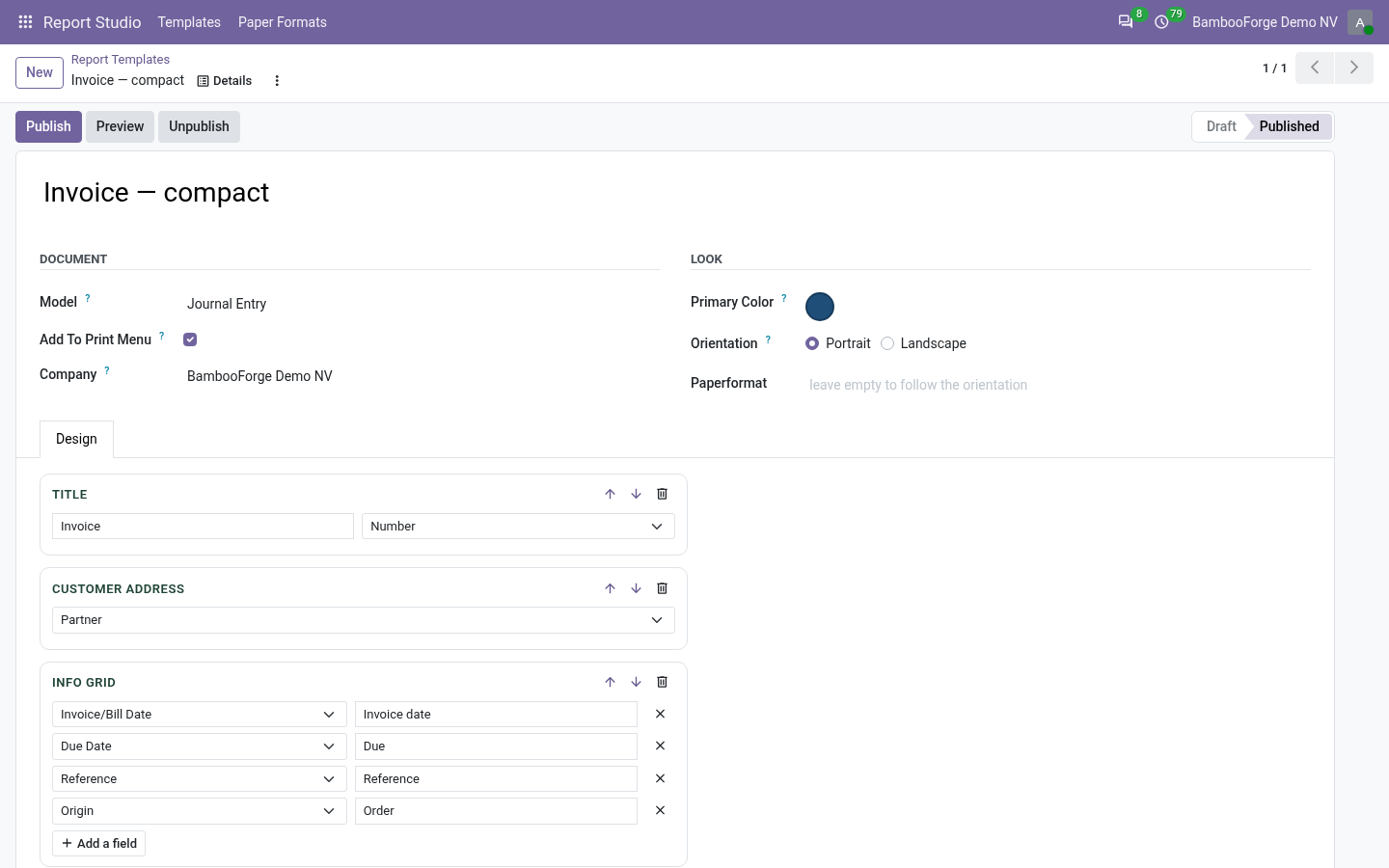
Preview and publish
With the buttons at the top of the template.
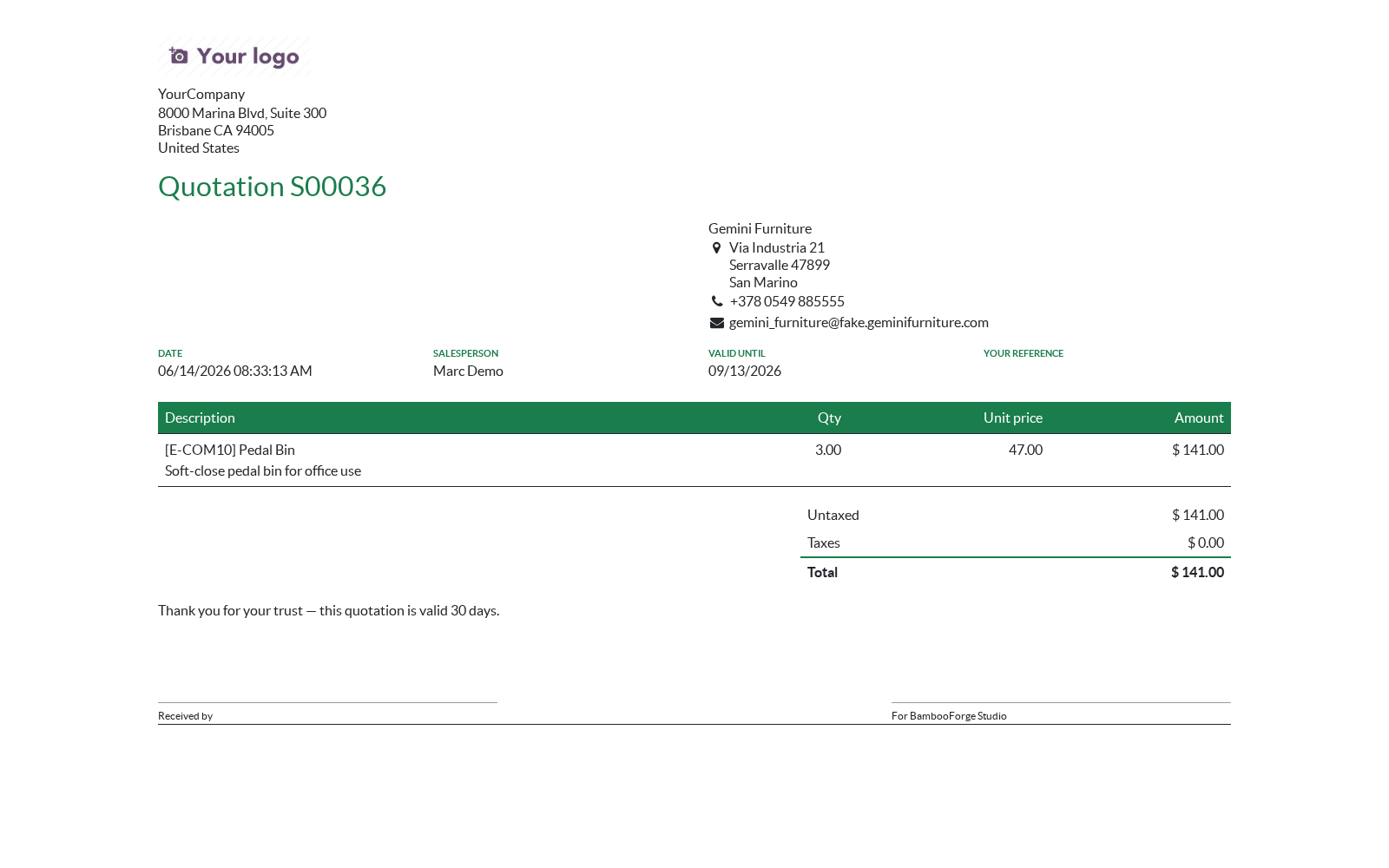
- Preview opens the report of the newest document as a web page.
- Publish puts it in the Print menu of the model.
- Print it from any document like Odoo's own reports.
Flow 03
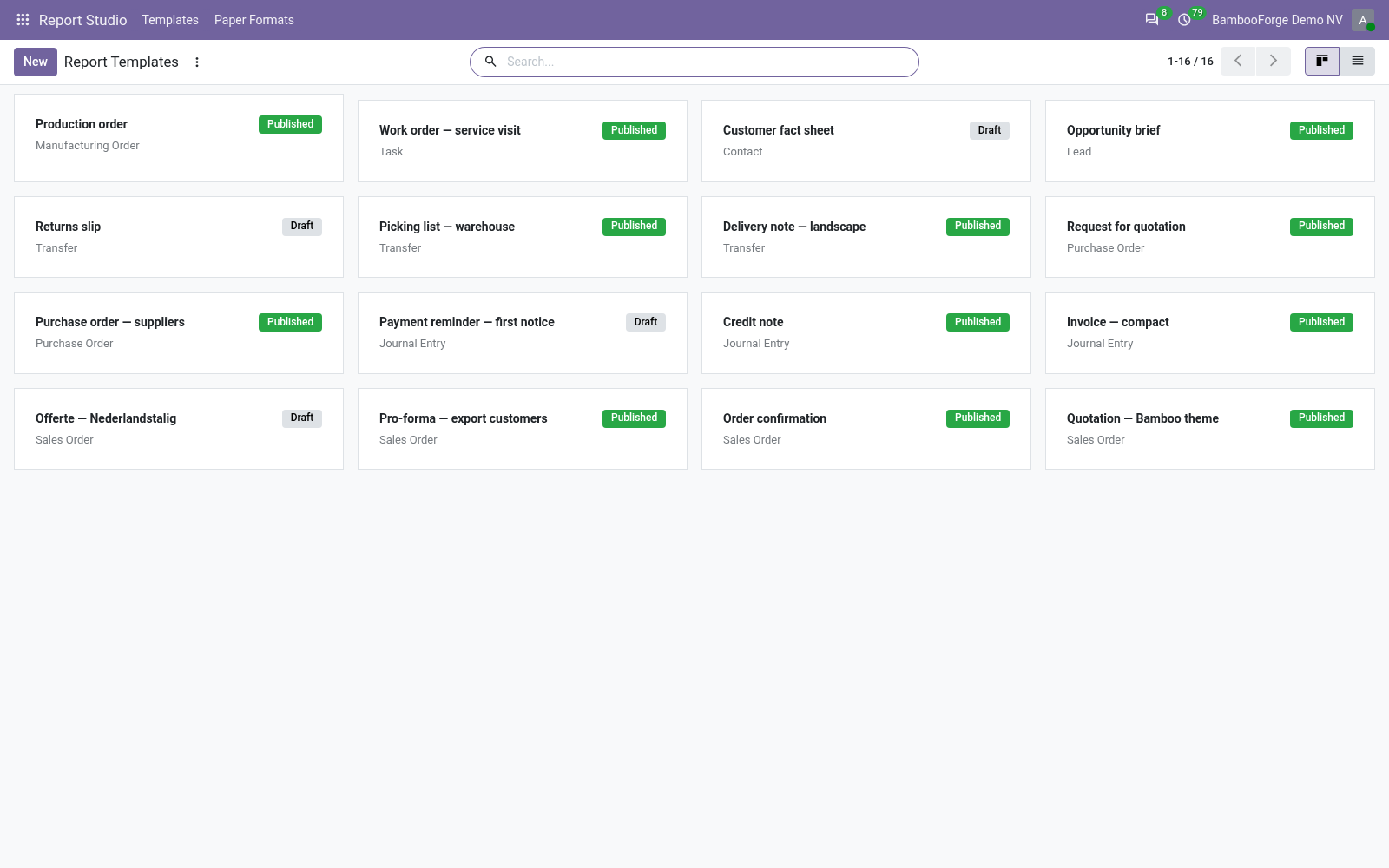
Keep the templates in order
In the templates' kanban.
- Draft and Published cards, one per template.
- Duplicate a template to start a second report from it.
- Unpublish or delete: the report goes with it.
Price and where to buy
169 EUR, one payment per Odoo series, on the Odoo Apps Store. Pick your series:
Twelve months of support by the people who wrote the code; bug fixes and improvements within the series free for as long as it is published. Report a bug within two months of purchase and, if it is not resolved within fifteen days, you get a full refund. Full source under OPL-1, no licence key, no phone-home. The whole promise.