 BambooForge Labs

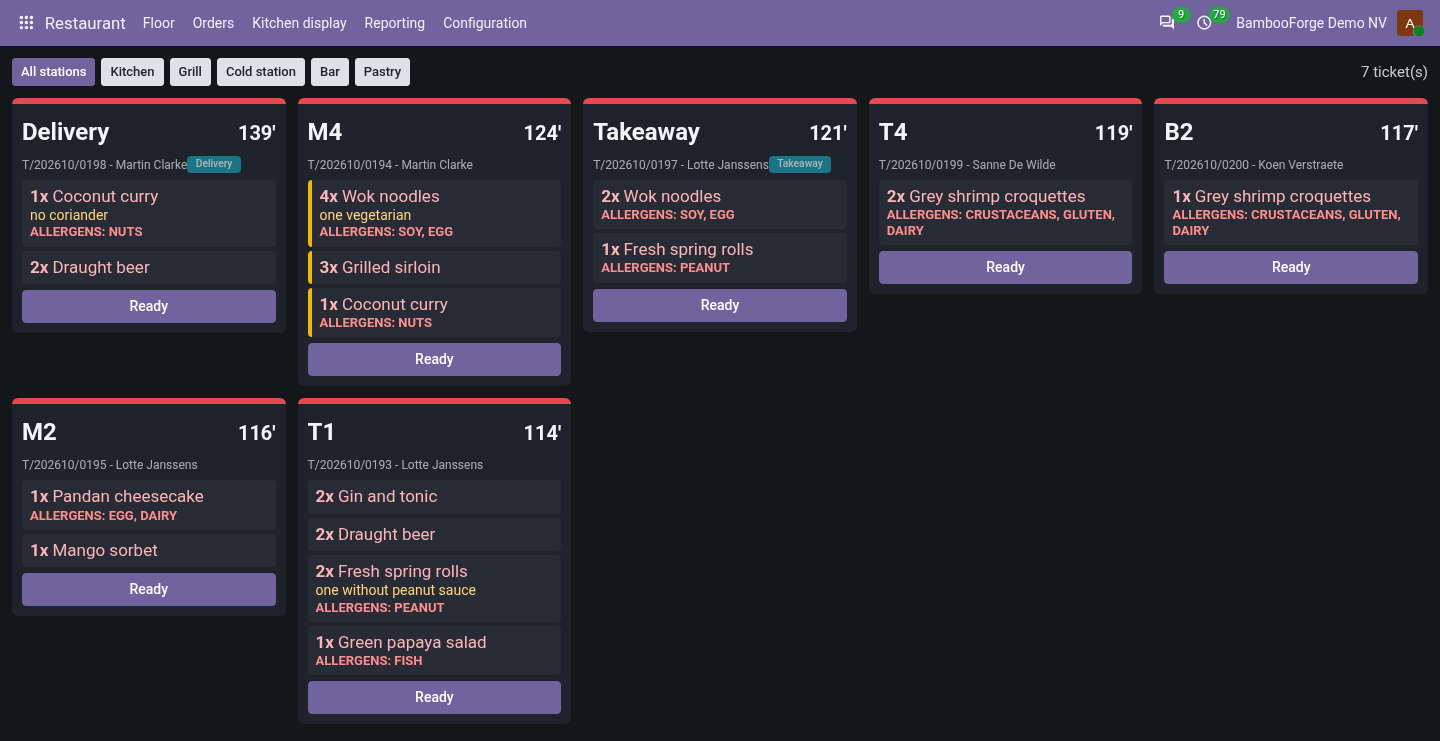
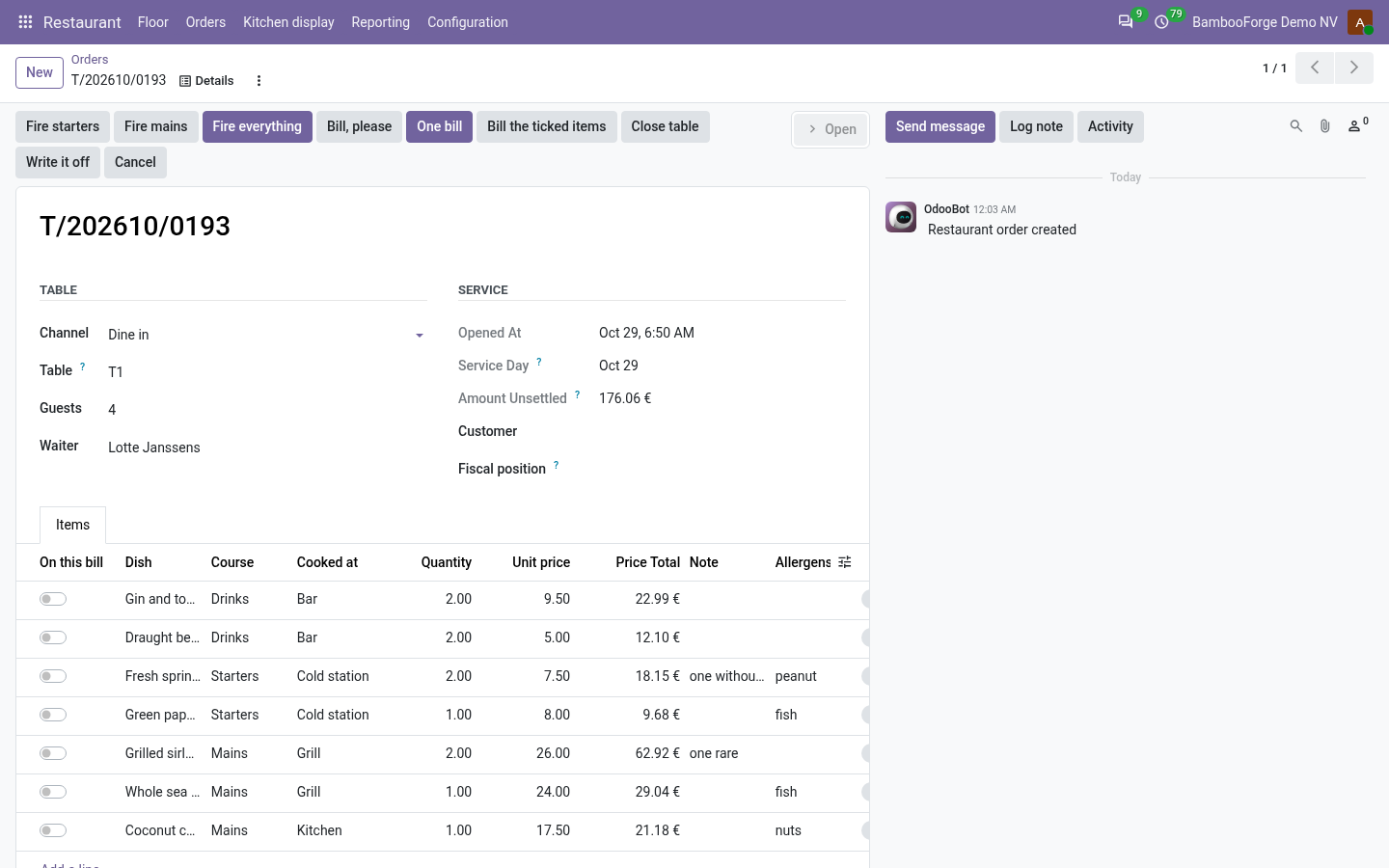
- Food that arrives togetherItems wait as ordered until a waiter fires the course; only then do they reach the kitchen screen, by station.
- A pass you can readThe longest wait first, red past the prep time, struck through when voided, and the last tickets kept on show when the connection drops.
- Bills the way guests payOne bill or the ticked items, posted at once; cancelling a bill hands its items back to the tab.
bambooforge_restaurant114 automated checks run before every release of this app, the same suite on every series it ships for. The complete list is in the source you receive; run it yourself with --test-enable.
For the people who decide
What your managers see
Restaurant > Reporting is the restaurant manager's menu. Each analysis opens on a chart, with the pivot one click away, and the pivot downloads to Excel from its toolbar.
Services
tabs, covers and takings by service day, week, channel, zone and waiter, with takings and covers side by side, so the spend per guest is takings divided by covers.
The manager sees which services and which channels carry the week, and staffs for them.
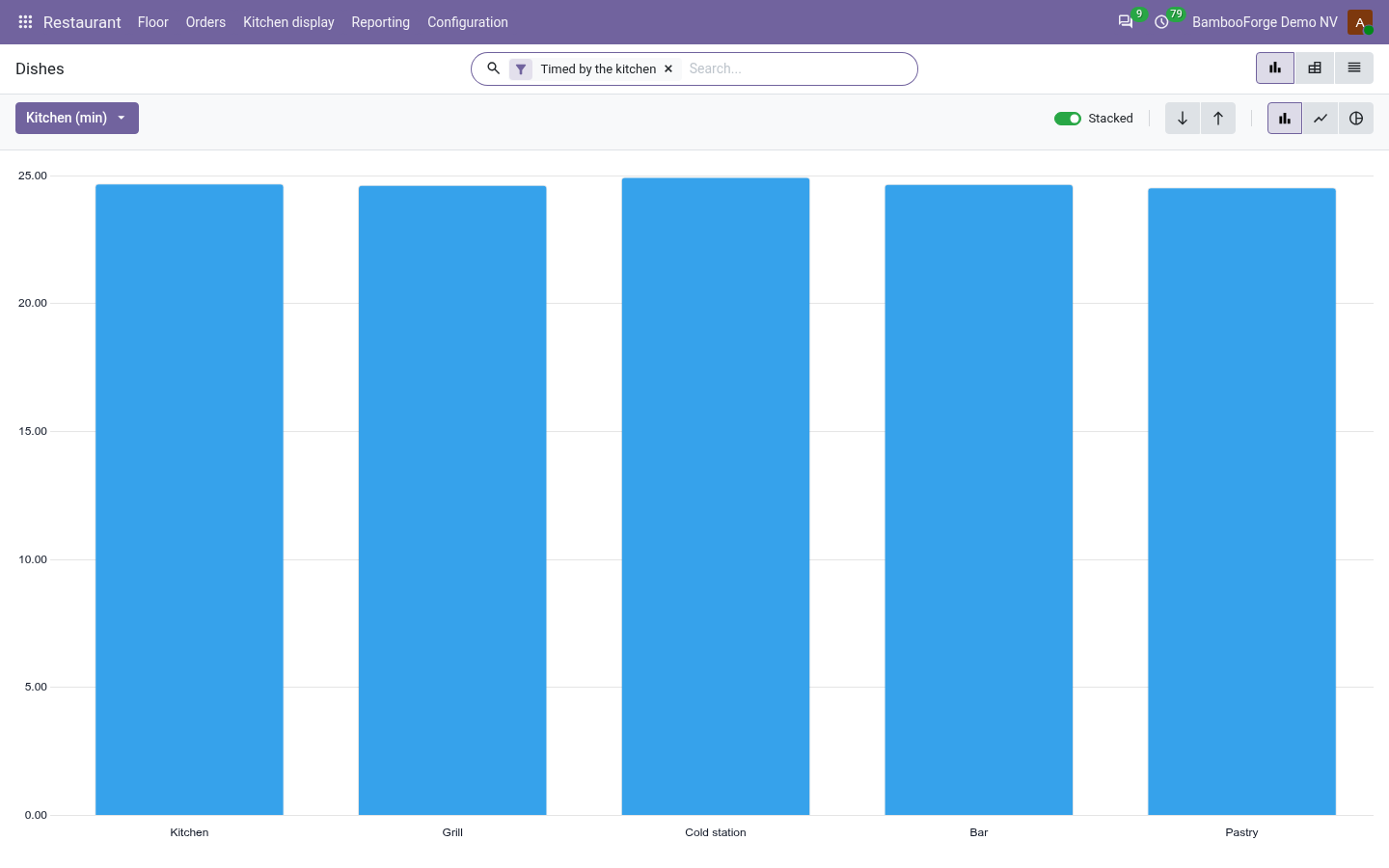
Dishes
by dish, course, station and service: how many, what they took, the voids, and the average minutes from the ticket to the pass.
The chef sees which station holds the pass up; the manager sees what to keep on the menu and what gets voided.
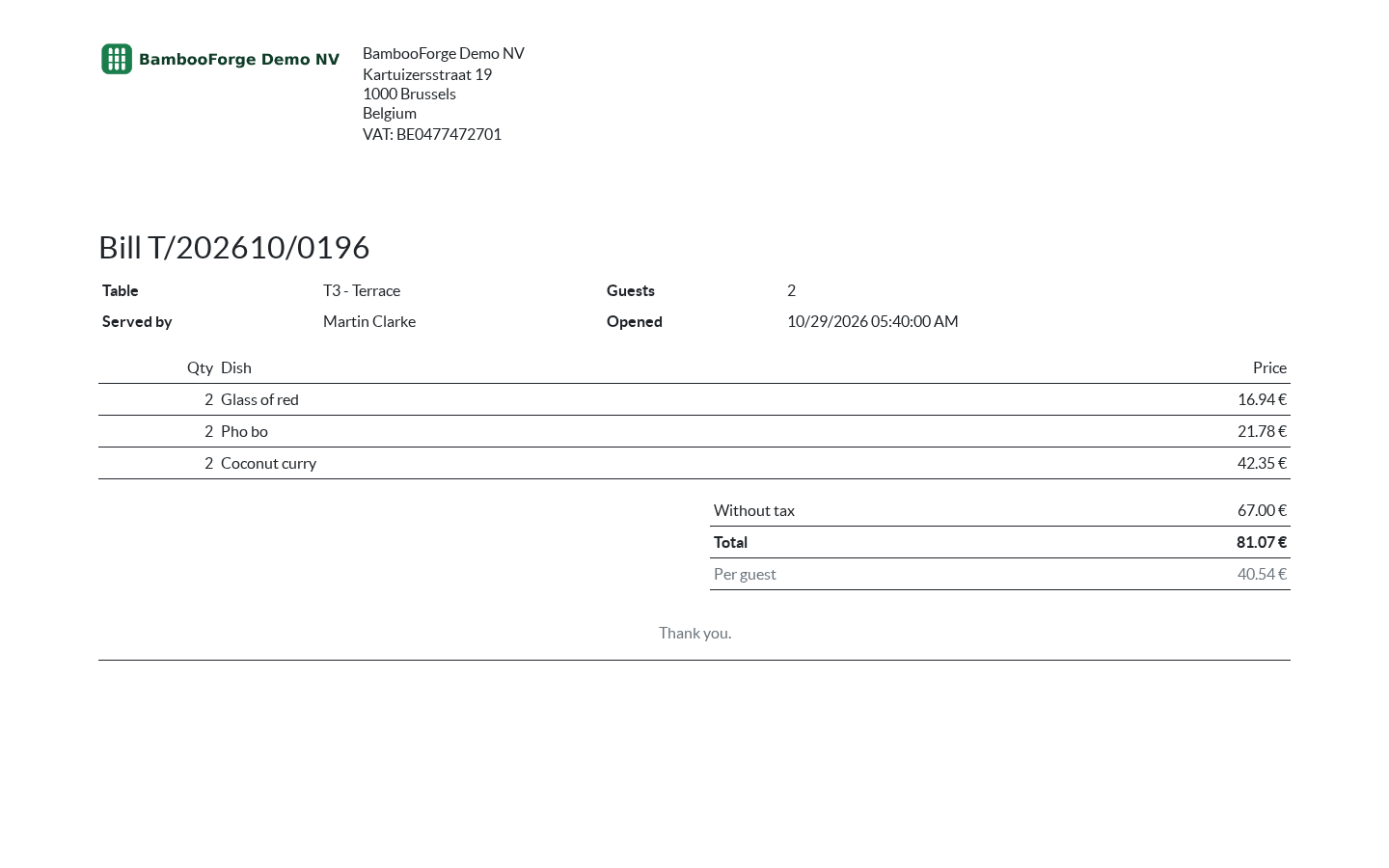
One document prints from the tab, from the Actions menu of its form:
- Bill: for the guest: the table, the guests, who served them, every dish with its quantity and price, the total with its tax, and the share per guest. Voided dishes are not on it.
How you use it
A service, table by table
Seat and fire
For the waiter.
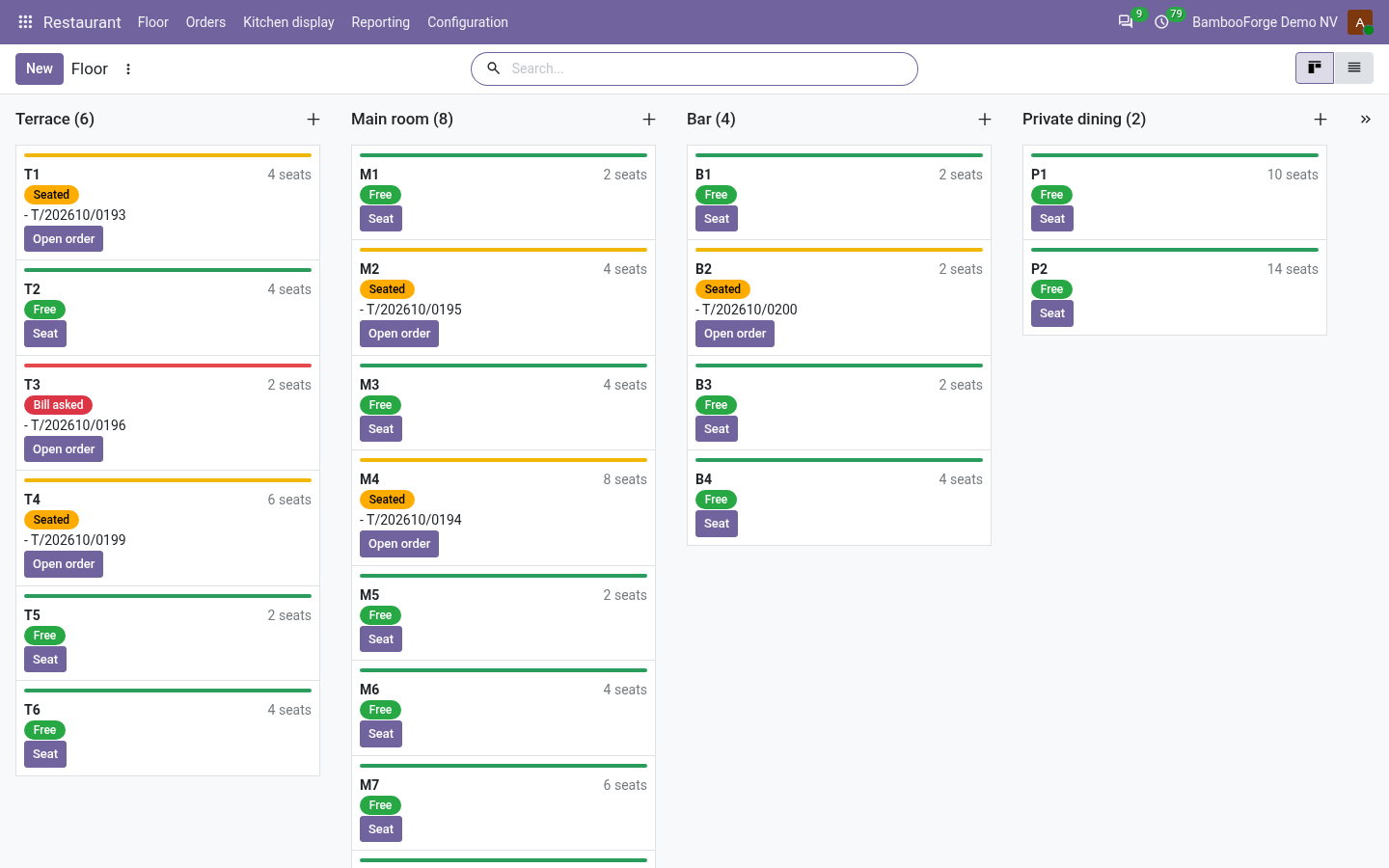
- Restaurant > Floor: Seat on a free table.
- Add the dishes: course, station, prep time and allergens come from the menu.
- Fire starters, Fire mains or Fire everything.
Cook and bump
For the kitchen.
- Kitchen display: all stations, or one.
- Tap an item: cooking, then ready.
- Ready on the ticket bumps it off the screen.
Bill
For the waiter.
- One bill, or tick the items of one payer and Bill the ticked items.
- The bill is posted at once, on the service day.
- Close table once everything is billed.
Price and where to buy
149 EUR, one payment per Odoo series, on the Odoo Apps Store. Pick your series:
Twelve months of support by the people who wrote the code; bug fixes and improvements within the series free for as long as it is published. Report a bug within two months of purchase and, if it is not resolved within fifteen days, you get a full refund. Full source under OPL-1, no licence key, no phone-home. The whole promise.