 BambooForge Labs

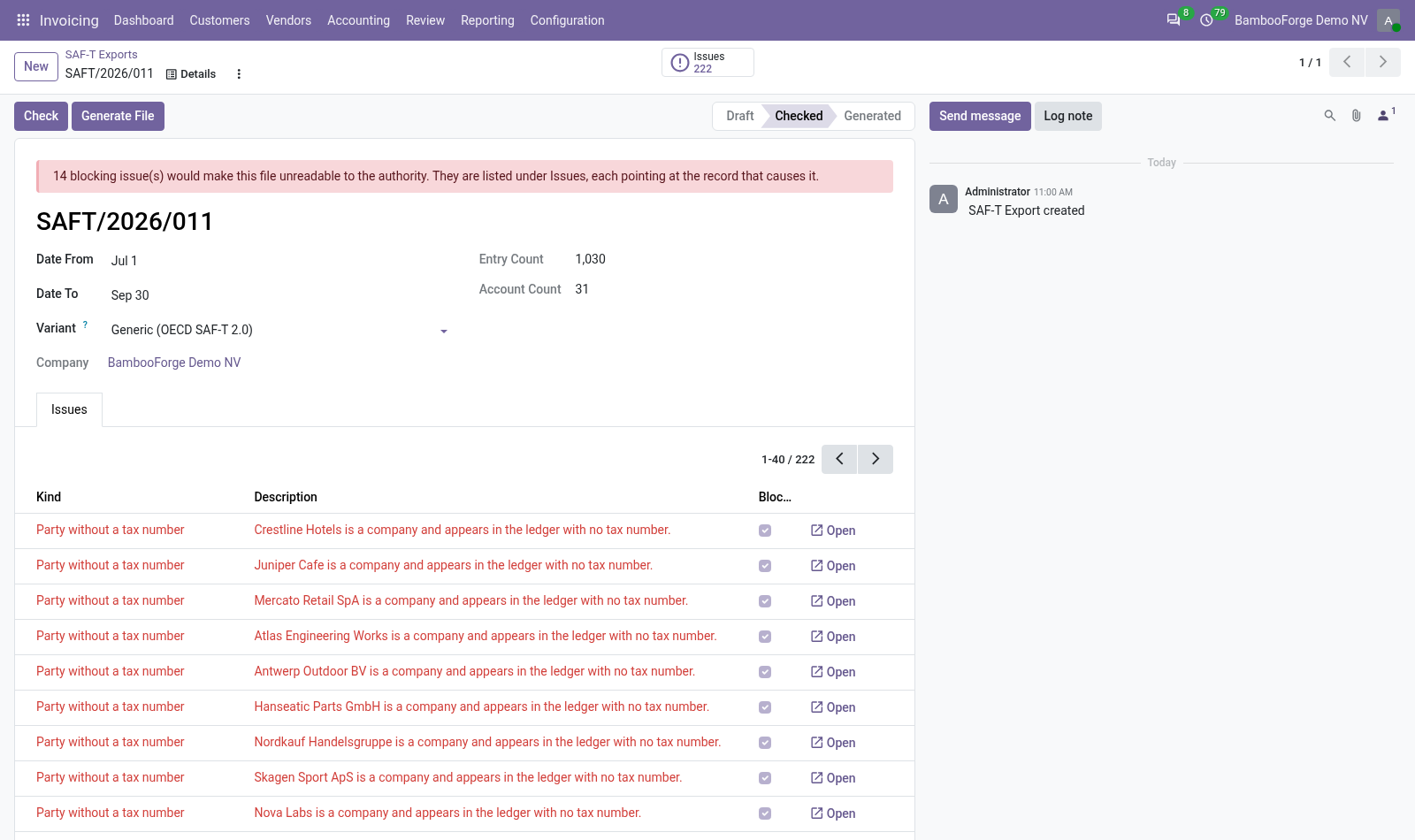
- A check before the fileAccounts without a taxonomy code, parties and the company without a tax number, each with an Open button to the record. Blocking issues stop the file.
- Only the parties of the periodCustomers and suppliers are those on receivable and payable lines of the period, not the whole address book.
- A substitute for people without a tax numberA person without a tax number is written with the identifier you set, 999999990 unless changed, and noted without blocking.
Runs onOdoo 16 to 20Community or Enterprise, self-hosted or Odoo.sh
NeedsInvoicingno Enterprise module
Price249 EURone-time, per series, on the Odoo Apps Store
Demodemo20.bambooforge.devlogin page already filled in
Supportsupport@bambooforge.devfirst reply within one business day
Version20.0.1.1.2
bambooforge_saft23 automated checks run before every release of this app, the same suite on every series it ships for. The complete list is in the source you receive; run it yourself with --test-enable.
How you use it
Two things you do with it
Flow 01
Set it up
Once per company.
- Invoicing > Configuration > Settings, SAF-T Audit File: the tax registration number and the substitute identifier your authority publishes.
- On each account you use, fill in SAF-T Taxonomy Code.
- Give the right SAF-T: Prepare audit files to whoever prepares the file.
Flow 02
Check and write a period
Each time a file is asked for.
- Invoicing > Reporting > SAF-T > New: choose the first and the last day.
- Press Check and fix the red issues through their Open button.
- Press Generate File and download the XML.
- Validate it against your authority's schema before you send it.
Price and where to buy
249 EUR, one payment per Odoo series, on the Odoo Apps Store. Pick your series:
Twelve months of support by the people who wrote the code; bug fixes and improvements within the series free for as long as it is published. Report a bug within two months of purchase and, if it is not resolved within fifteen days, you get a full refund. Full source under OPL-1, no licence key, no phone-home. The whole promise.