 BambooForge Labs

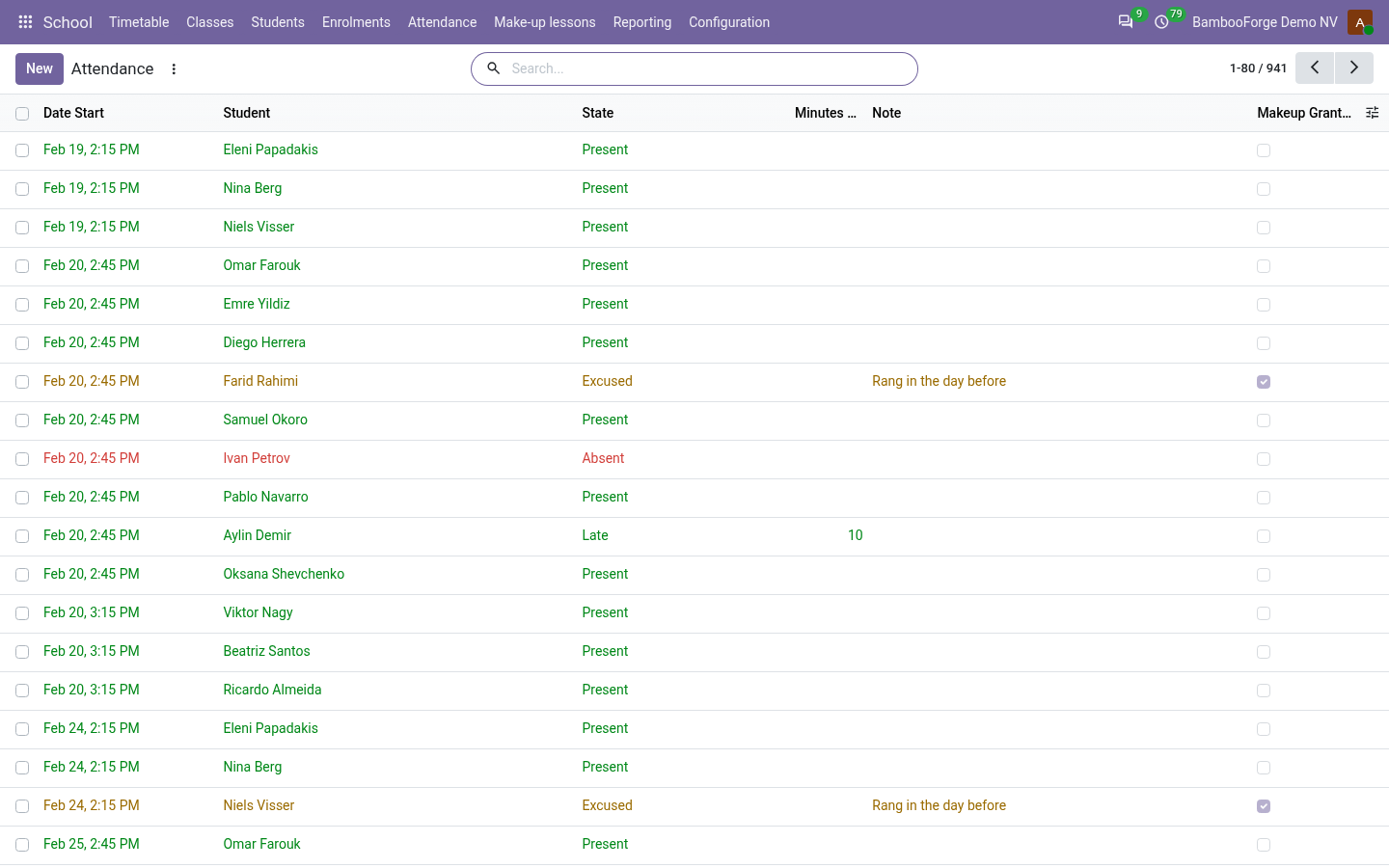
- Who was in the roomOne register row per student per lesson; a lesson left open is closed by the nightly job, the unticked marked absent.
- Who owes whatThe fee note goes to the payer with the child's name on the line, for the lessons left on the day the student joined.
- Lessons owed backAn excused absence or a cancelled lesson earns a make-up, spent on a named lesson.
bambooforge_school118 automated checks run before every release of this app, the same suite on every series it ships for. The complete list is in the source you receive; run it yourself with --test-enable.
For the people who decide
What your managers see
School > Reporting is the school manager's menu. Each analysis opens on a chart, with the pivot one click away, and the pivot downloads to Excel from its toolbar.
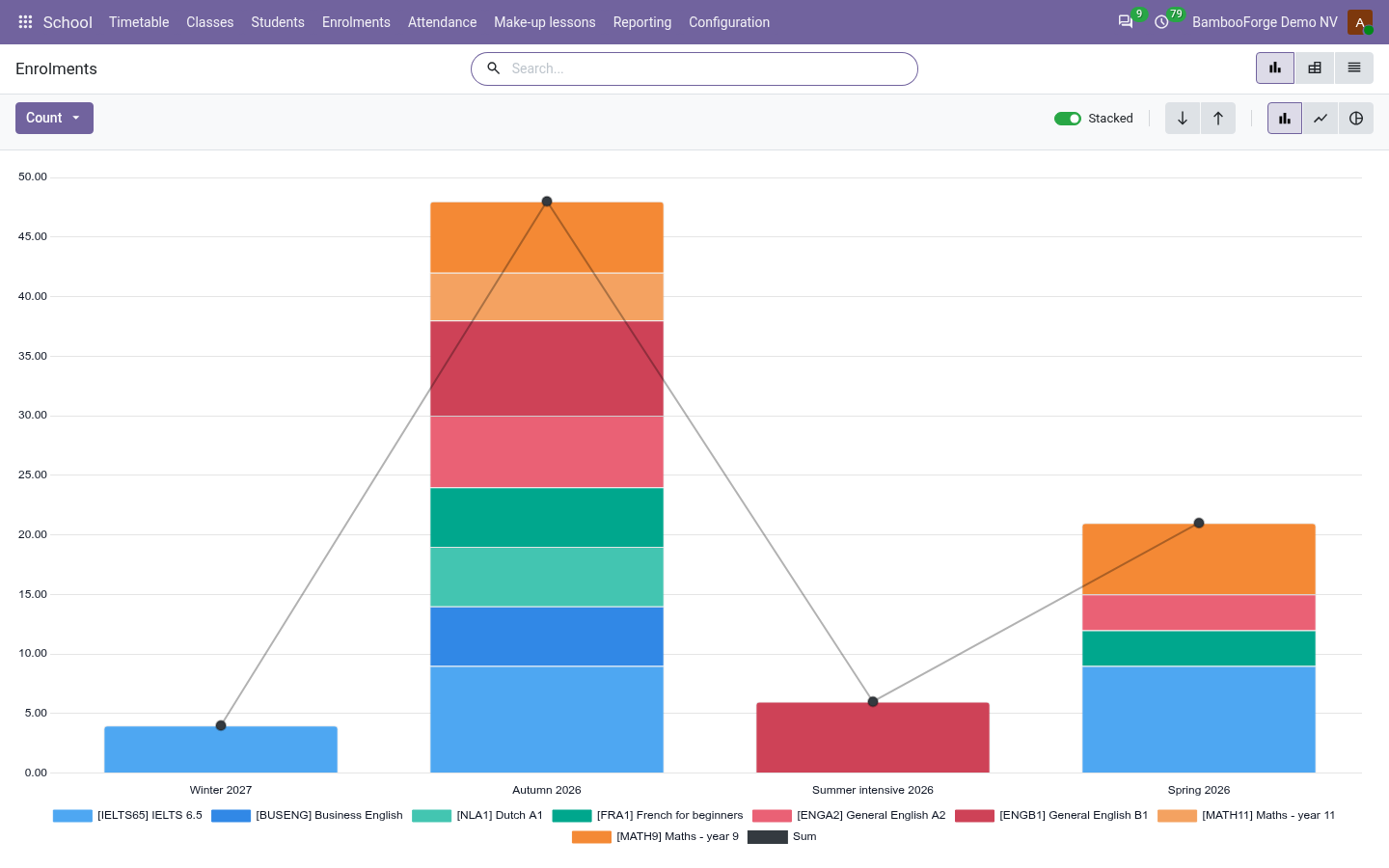
Enrolments
by course, class and term: the fees, the average attendance and final mark, the students who withdrew and those below the pass mark.
The director sees which courses fill and pay, and which lose their students.
Attendance
present, late, excused and absent by class, student and month.
The office sees whom to call before a student drops out.
Fees Outstanding
tuition invoiced and not paid, by payer, enrolment and the month it fell due.
The office decides whom to remind; the school manager reads it without being given the company's ledger.
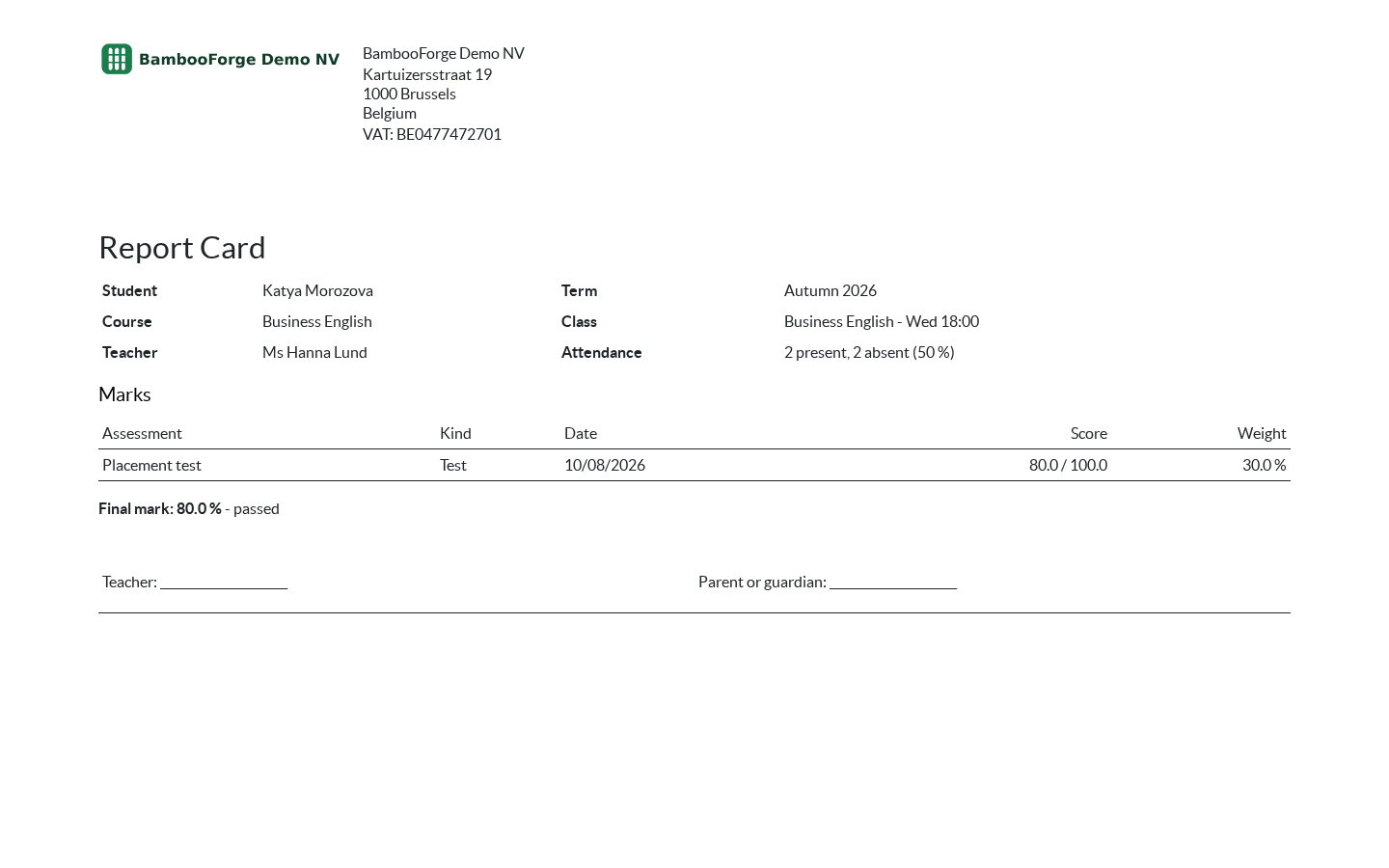
One document prints from the enrolment, from the Actions menu of its form:
- Report Card: the student, the course, the class and the teacher, lessons attended and missed, the published marks test by test with their weight, and the final mark worked out from those, with whether it passes. A mark not yet published is not on it and does not count in its final mark.
How you use it
A term at the school
Set up a class
For the office.
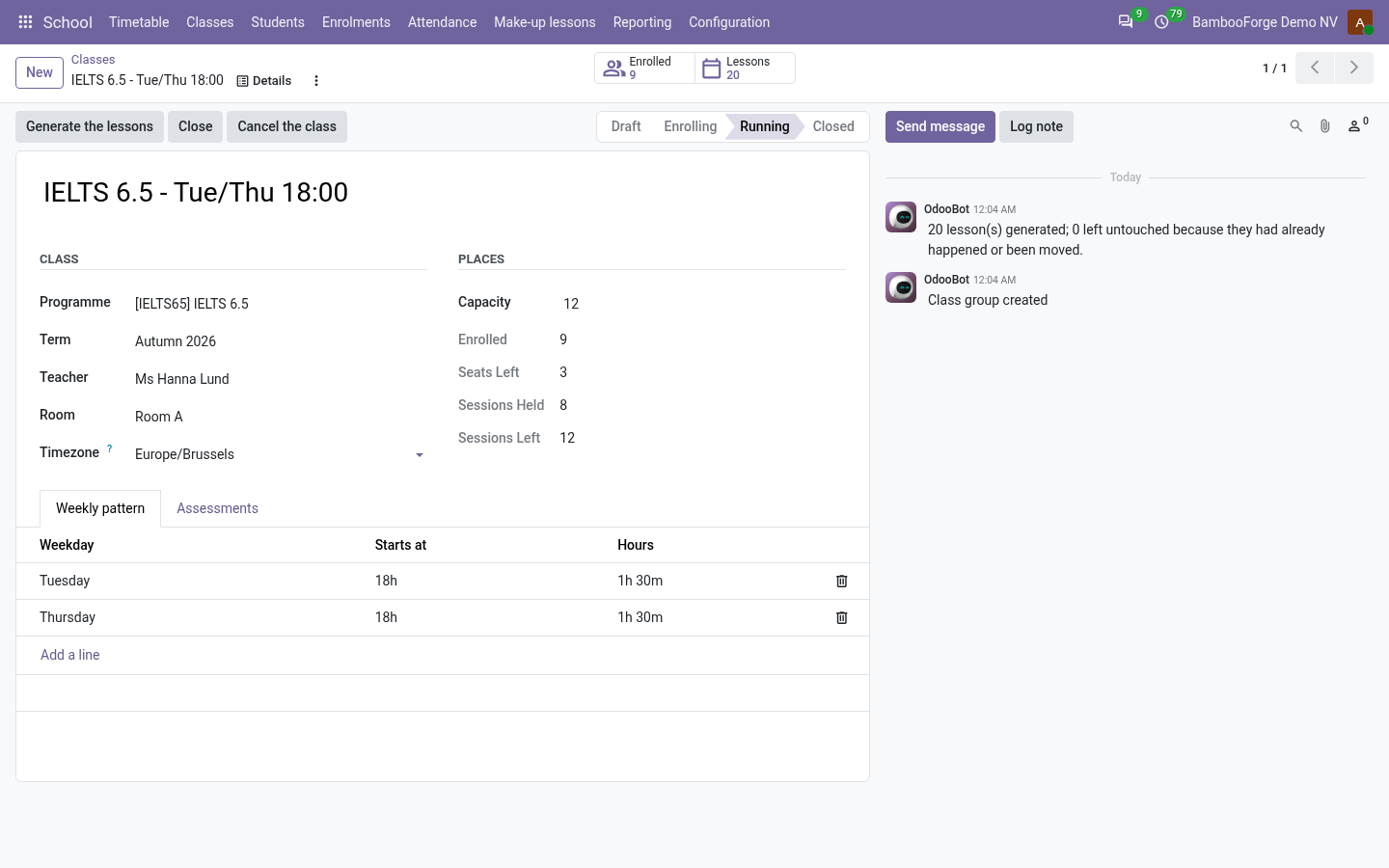
- School > Classes: programme, term, teacher, room and the weekly pattern.
- Generate the lessons across the term.
- Open for enrolment.
Enrol and invoice
For the office.
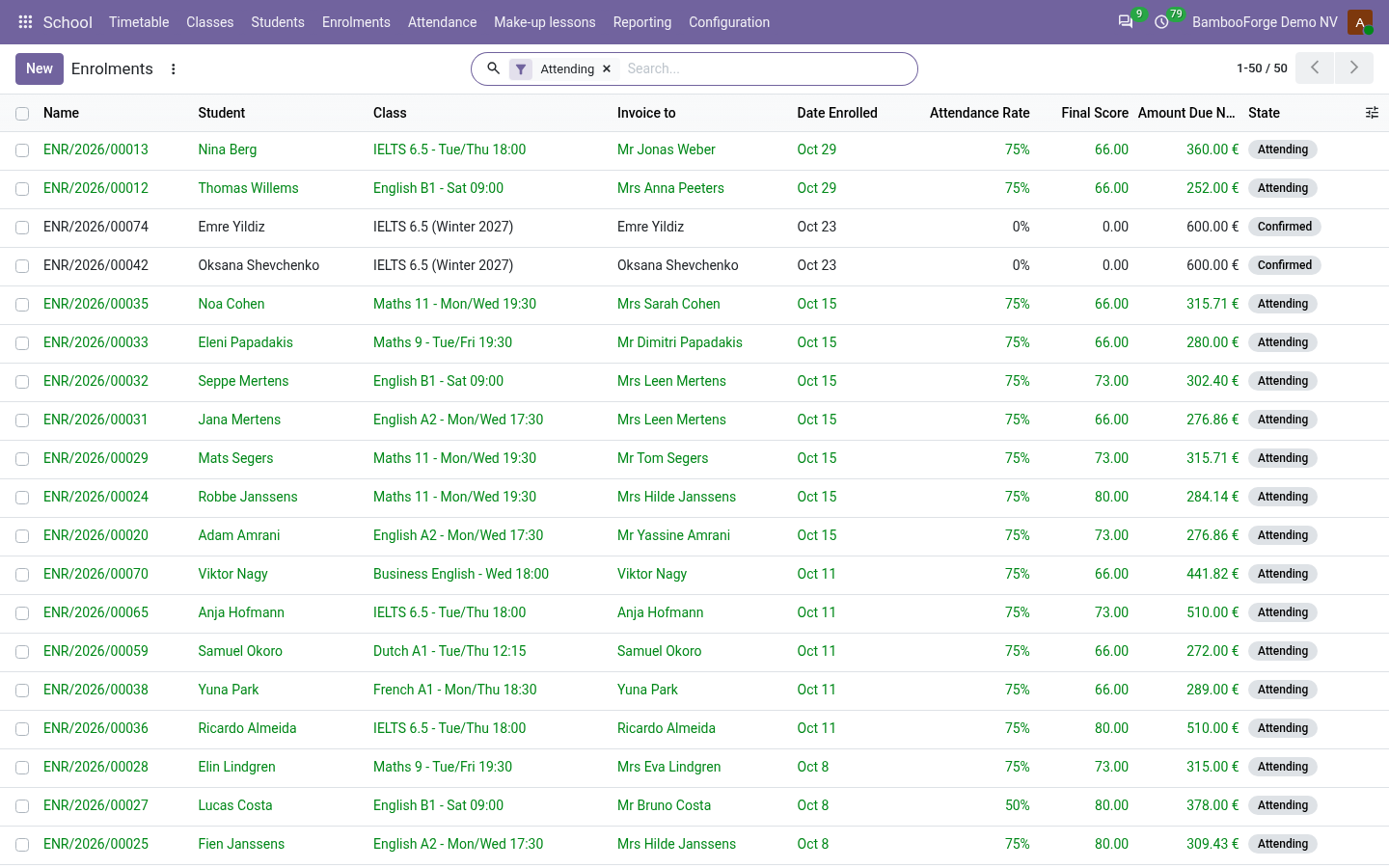
- School > Enrolments: the student, the class and Invoice to.
- Confirm: the class must have a seat.
- Invoice: the fee for the lessons left.
Take the register
For teachers.
- Open a lesson and press Register.
- Present, late, excused or absent.
- Lesson given: the rest are absent.
Price and where to buy
159 EUR, one payment per Odoo series, on the Odoo Apps Store. Pick your series:
Twelve months of support by the people who wrote the code; bug fixes and improvements within the series free for as long as it is published. Report a bug within two months of purchase and, if it is not resolved within fifteen days, you get a full refund. Full source under OPL-1, no licence key, no phone-home. The whole promise.