 BambooForge Labs

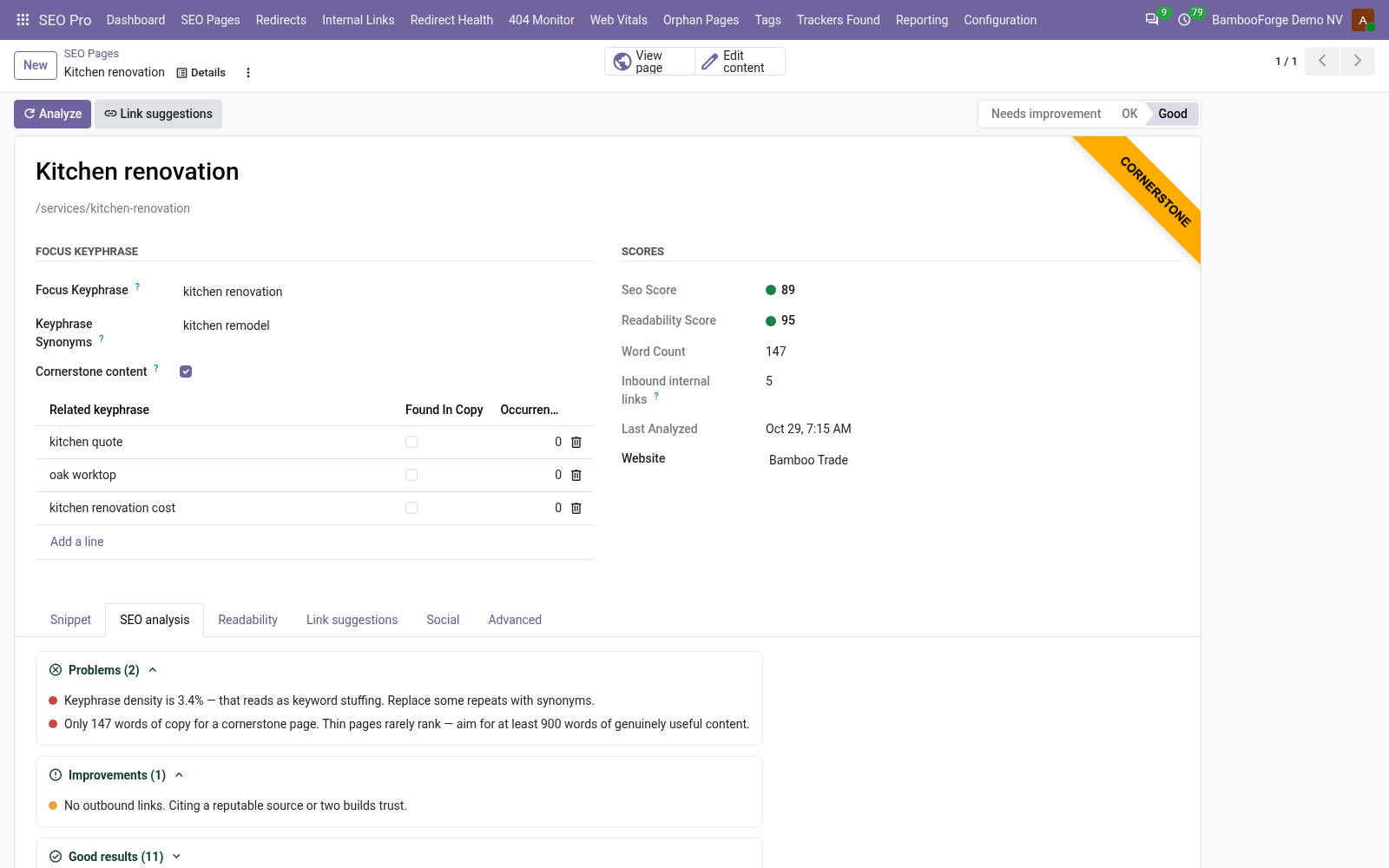
- What to fix, page by page14 SEO checks against the focus keyphrase and 7 readability checks, each green, orange or red with what to change, and a score from 0 to 100.
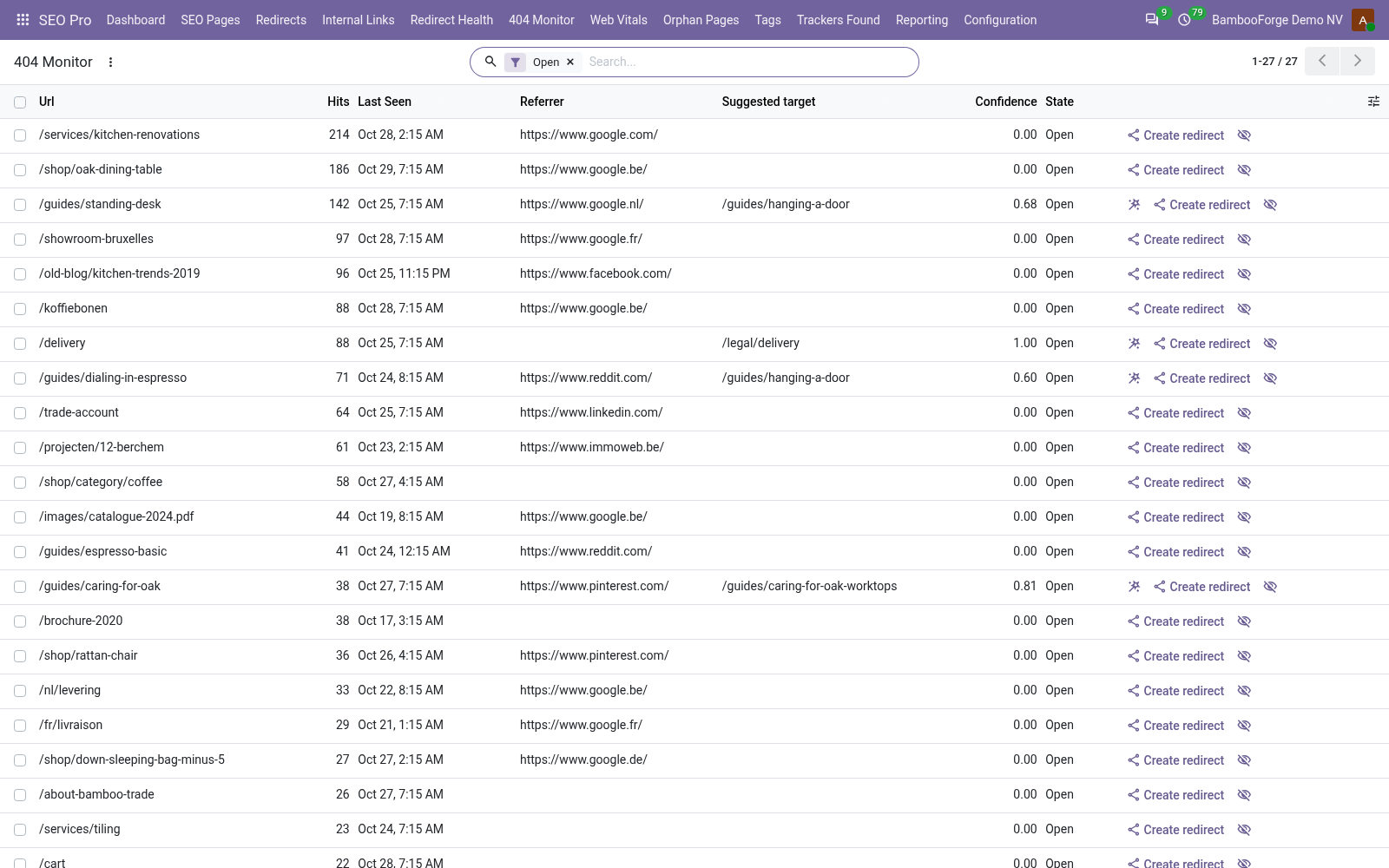
- Dead addresses turned into redirectsEvery address of the site that answers 404 is listed with its visits and the page the visitor came from; Create redirect makes the 301 in two clicks.
- The head of every page, set per pageSEO title and meta description, No index, No follow, a canonical address, the sharing cards of Facebook and X, and a schema.org graph.
bambooforge_seo_pro100 automated checks run before every release of this app, the same suite on every series it ships for. The complete list is in the source you receive; run it yourself with --test-enable.
For the people who decide
What your managers see
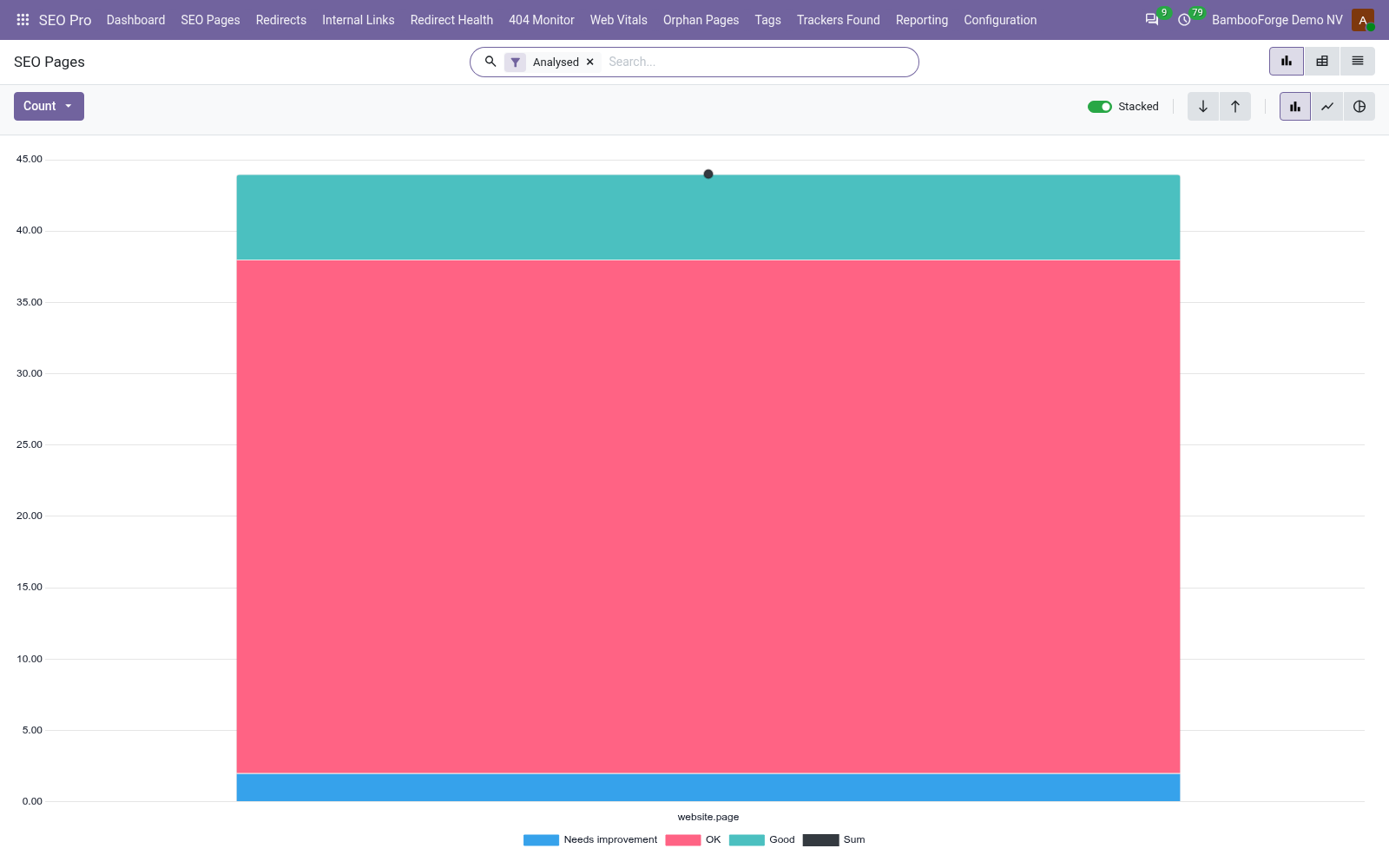
Two analyses under SEO Pro > Reporting, for SEO managers; each opens on a chart, the pivot one click away and downloadable to Excel:
SEO Pages
the analysed pages by content type, website and status, with the average SEO and readability score, the words, the broken links and the pictures without alternative text.
The marketing lead sees which part of the site drags the score down and where next week's work goes.
404s
the dead addresses by the month they were first seen and what was done about them, with their visits.
The lead sees what broken links cost and whether the redirects keep up.
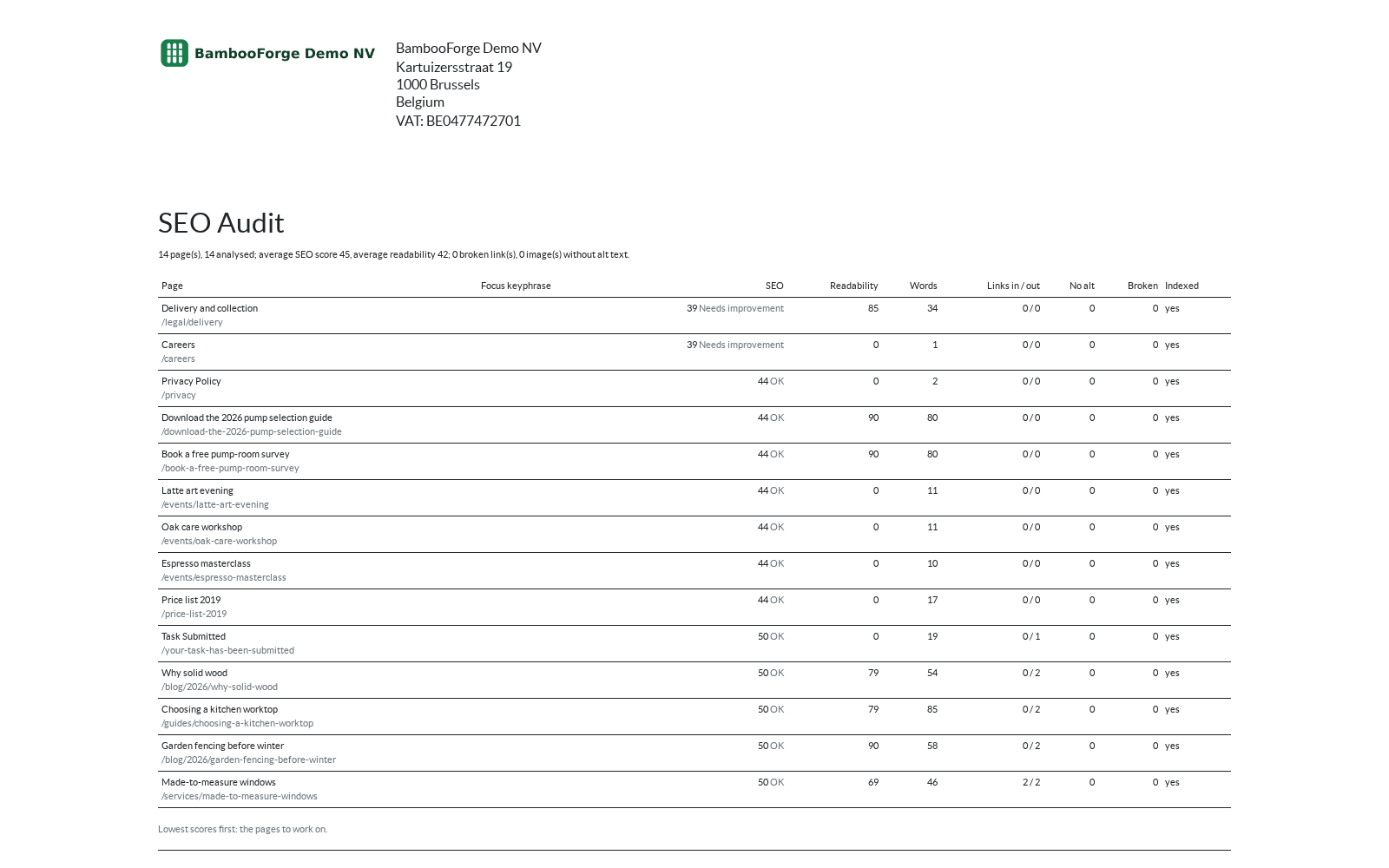
One document prints from the SEO pages, after selecting them:
- SEO Audit: the selected pages, lowest score first: focus keyphrase, SEO and readability score, words, links in and out, pictures without alternative text, broken links and whether the page is indexed, with the averages and totals at the top.
How you use it
How you work with it
Optimize a page
Open a page from SEO Pages, or Optimize SEO from a page, a post or a product.
- Type the focus keyphrase, the search the page should rank for.
- Press Analyze: every check is listed green, orange or red, with what to change.
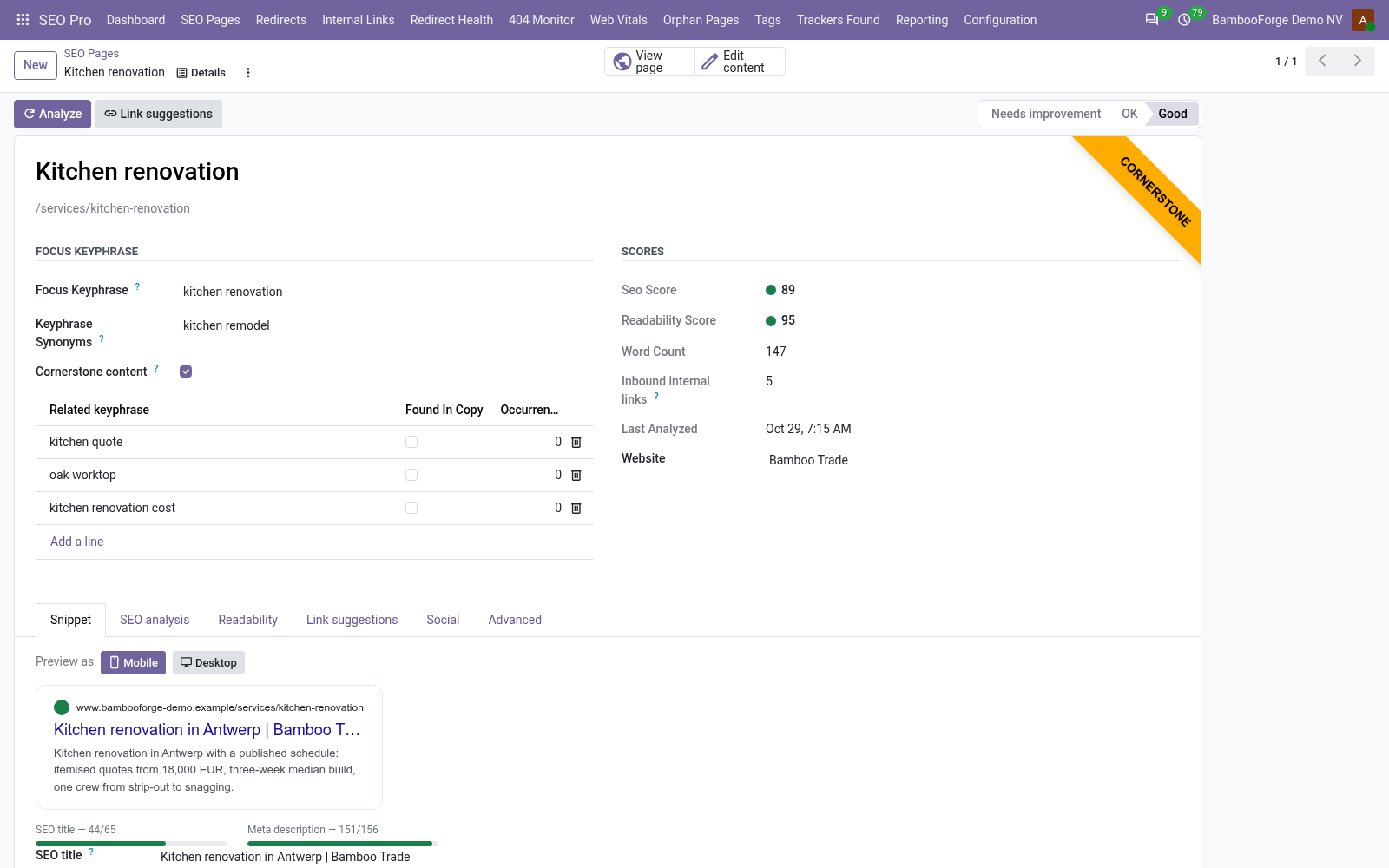
- Write the SEO title and meta description on Snippet while the preview shows the search result; they are saved on the record.
- Set No index, No follow, a canonical address or the structured data type on Advanced.
Turn a 404 into a redirect
For SEO managers, in 404 Monitor.
- Read the dead addresses, most visited first, with the last page the visitor came from.
- Press Create redirect: the redirect opens with the address and a 301.
- Type where the visitor should go and save: the row is Redirected.
- Press Ignore on noise; Reopen brings a row back.
Keep redirects in order
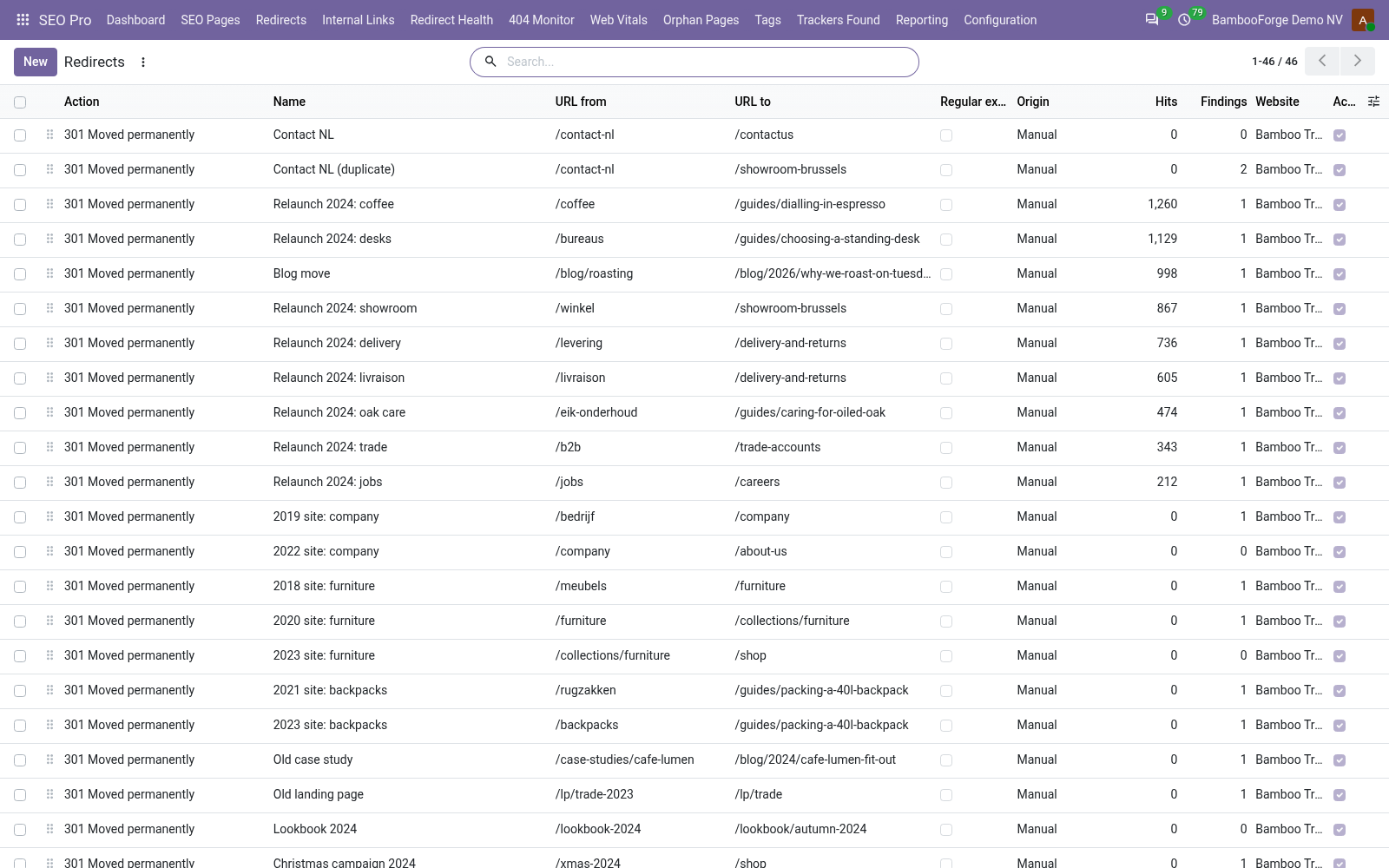
For SEO managers, in Redirects.
- Create a 301, 302, 307, 410 or 451 rule, or tick Regular expression for a family of addresses.
- Saving refuses a rule that would close a loop with the others.
- Read Hits and Last hit to see which rules still work.
- Import a list from a CSV file, or export the selected rules in the same columns.
Find the links that no longer land
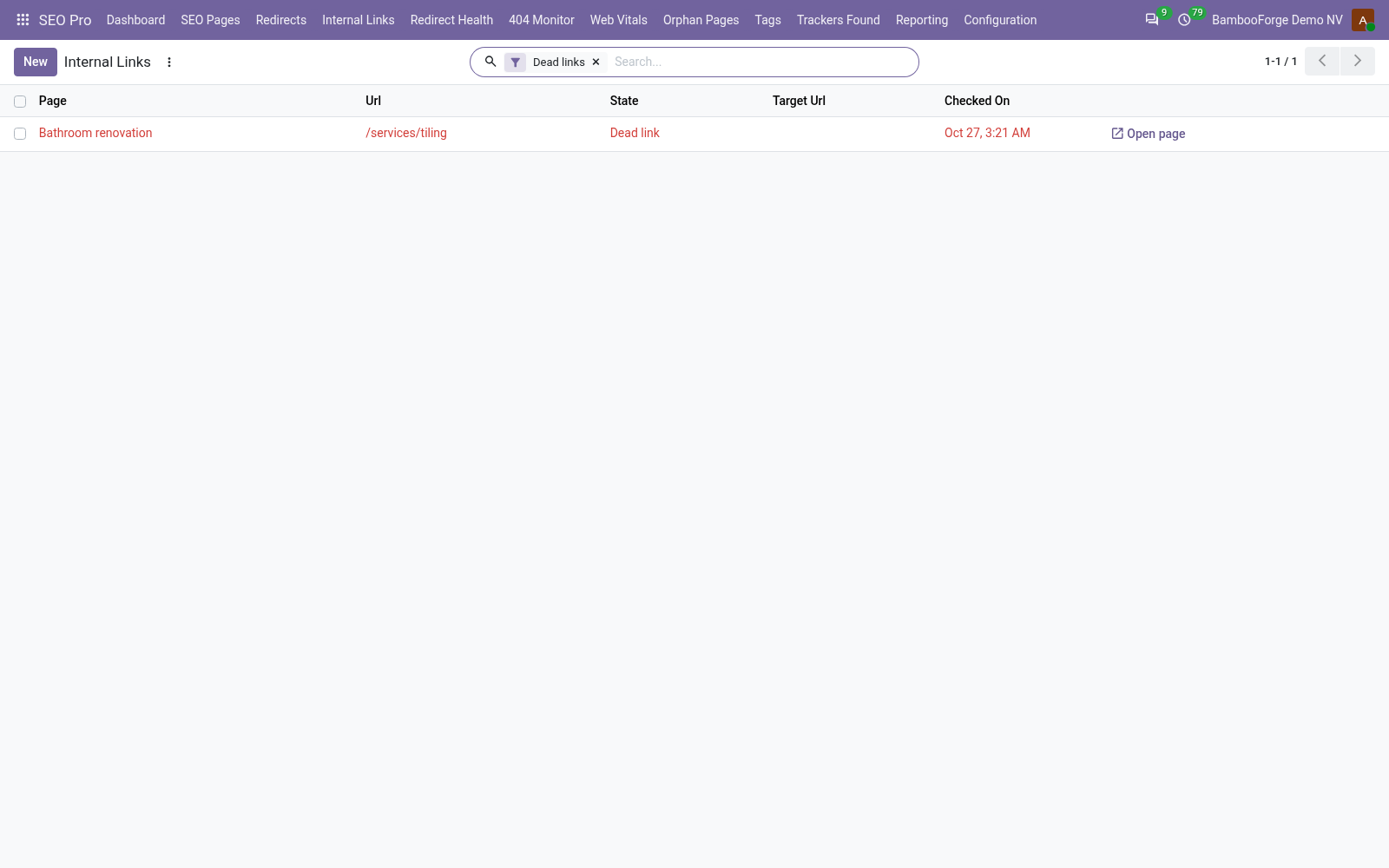
In Internal Links.
- Read the links of each page that lead nowhere, or through a redirect.
- Press Check links on an SEO page to check it at once.
- Fix the link in the copy, or add a redirect.
Price and where to buy
149 EUR, one payment per Odoo series, on the Odoo Apps Store. Pick your series:
Twelve months of support by the people who wrote the code; bug fixes and improvements within the series free for as long as it is published. Report a bug within two months of purchase and, if it is not resolved within fifteen days, you get a full refund. Full source under OPL-1, no licence key, no phone-home. The whole promise.