 BambooForge Labs

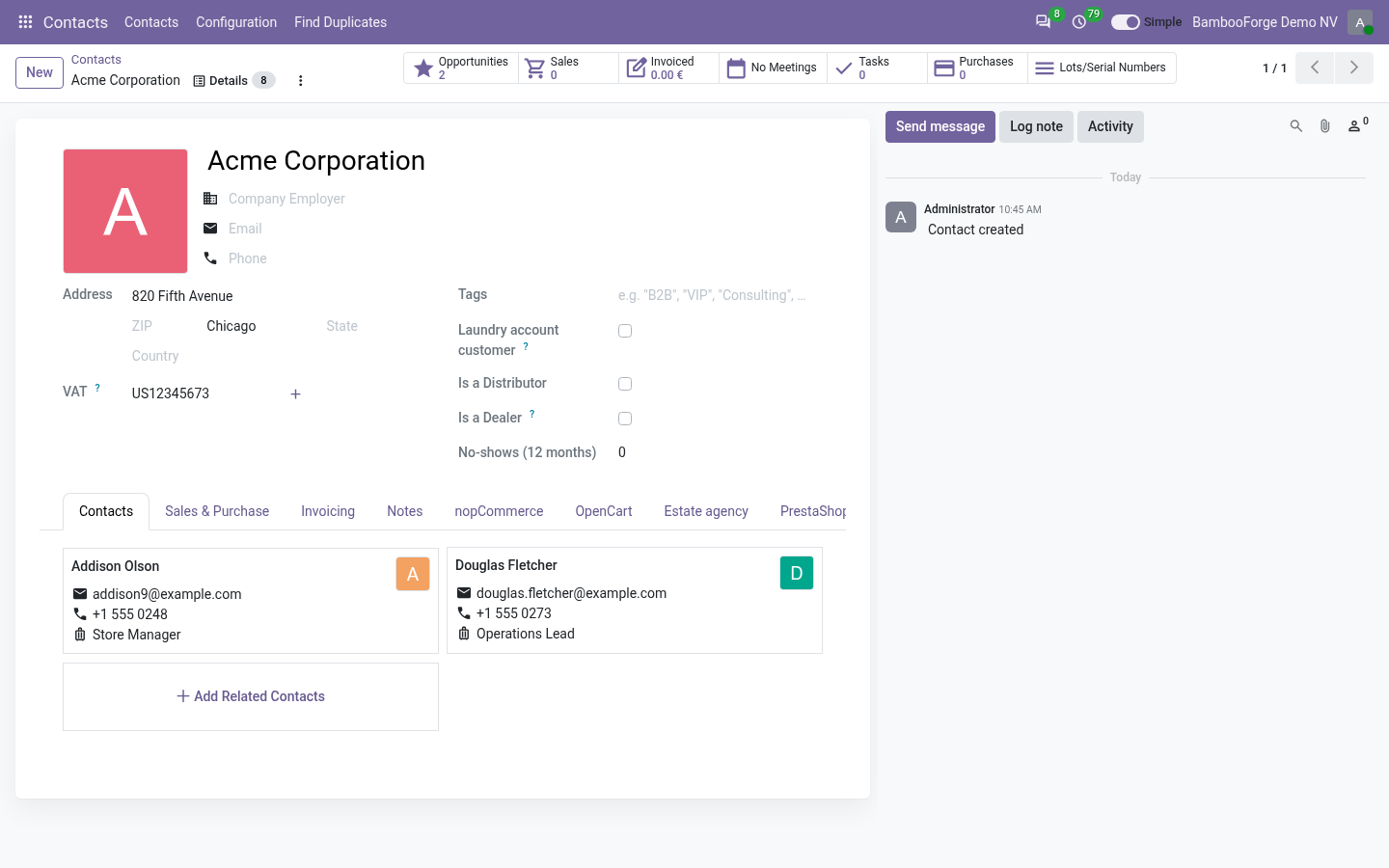
- Forms with what people useA profile names one model and what leaves the screen, for everybody or for chosen groups. Starter packs come with the app: 27 core, 23 by role, 6 by industry.
- Measured on your own dataSuggest fields counts how often each field is filled in on your newest records and pre-ticks those under your threshold.
- Nothing lostA hidden field stays on the record. Details lists every value the user may read, as a table and as JSON, and one switch in the top bar brings the full form back.
Runs onOdoo 16 to 20Community or Enterprise, self-hosted or Odoo.sh
NeedsOdoo onlyno Enterprise module
Price99 EURone-time, per series, on the Odoo Apps Store
Demodemo20.bambooforge.devlogin page already filled in
Supportsupport@bambooforge.devfirst reply within one business day
Version20.0.1.1.3
bambooforge_simple_mode43 automated checks run before every release of this app, the same suite on every series it ships for. The complete list is in the source you receive; run it yourself with --test-enable.
How you use it
Four things you do with it
Flow 01
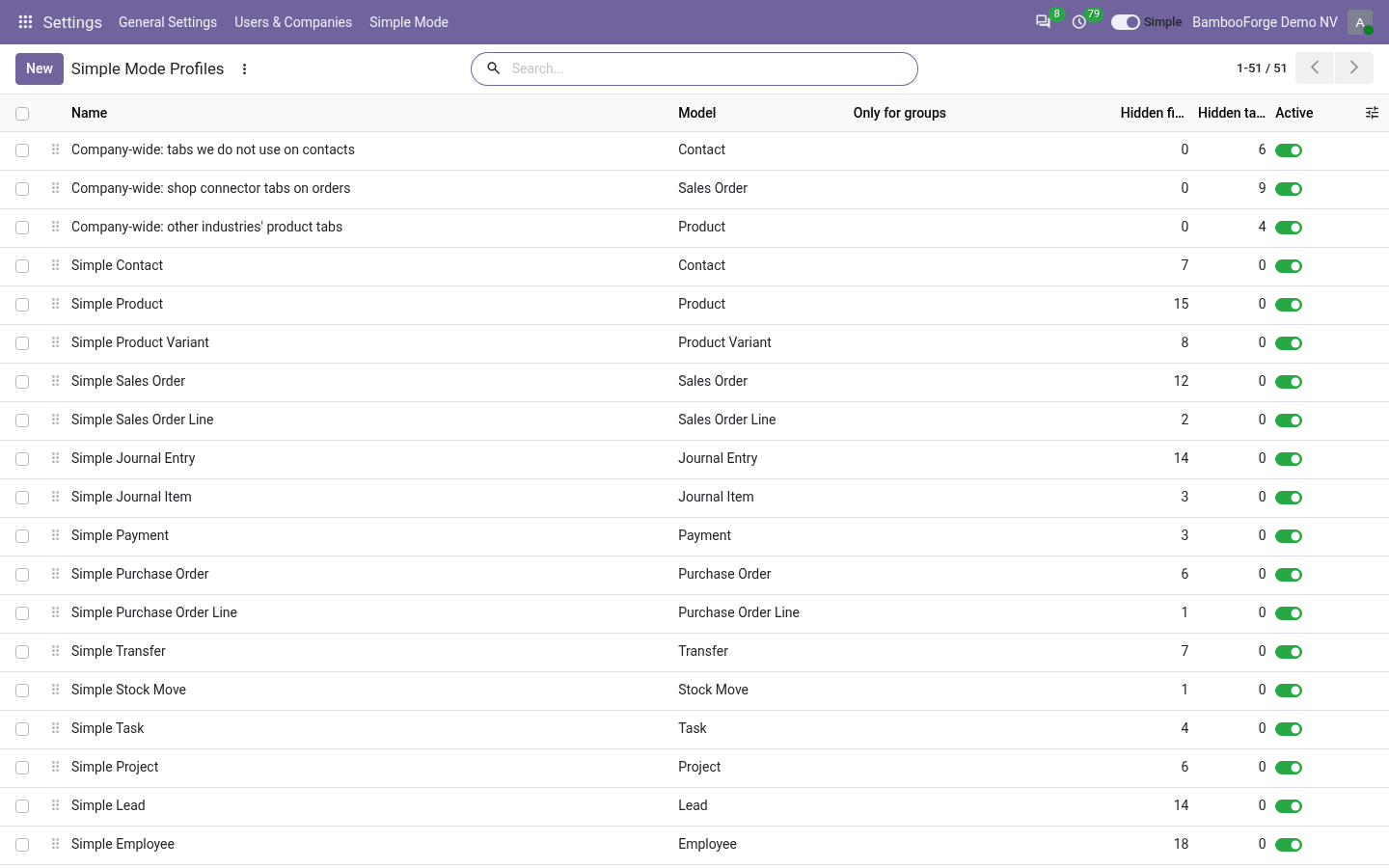
Hide fields on a model
For an administrator.
- Open Settings > Simple Mode > Profiles and press New.
- Choose the model, and for whom: everybody, or chosen groups.
- Add the fields, tabs and blocks that leave the screen, and save.
- A required field that nothing fills is refused, with a message naming it.
Flow 02
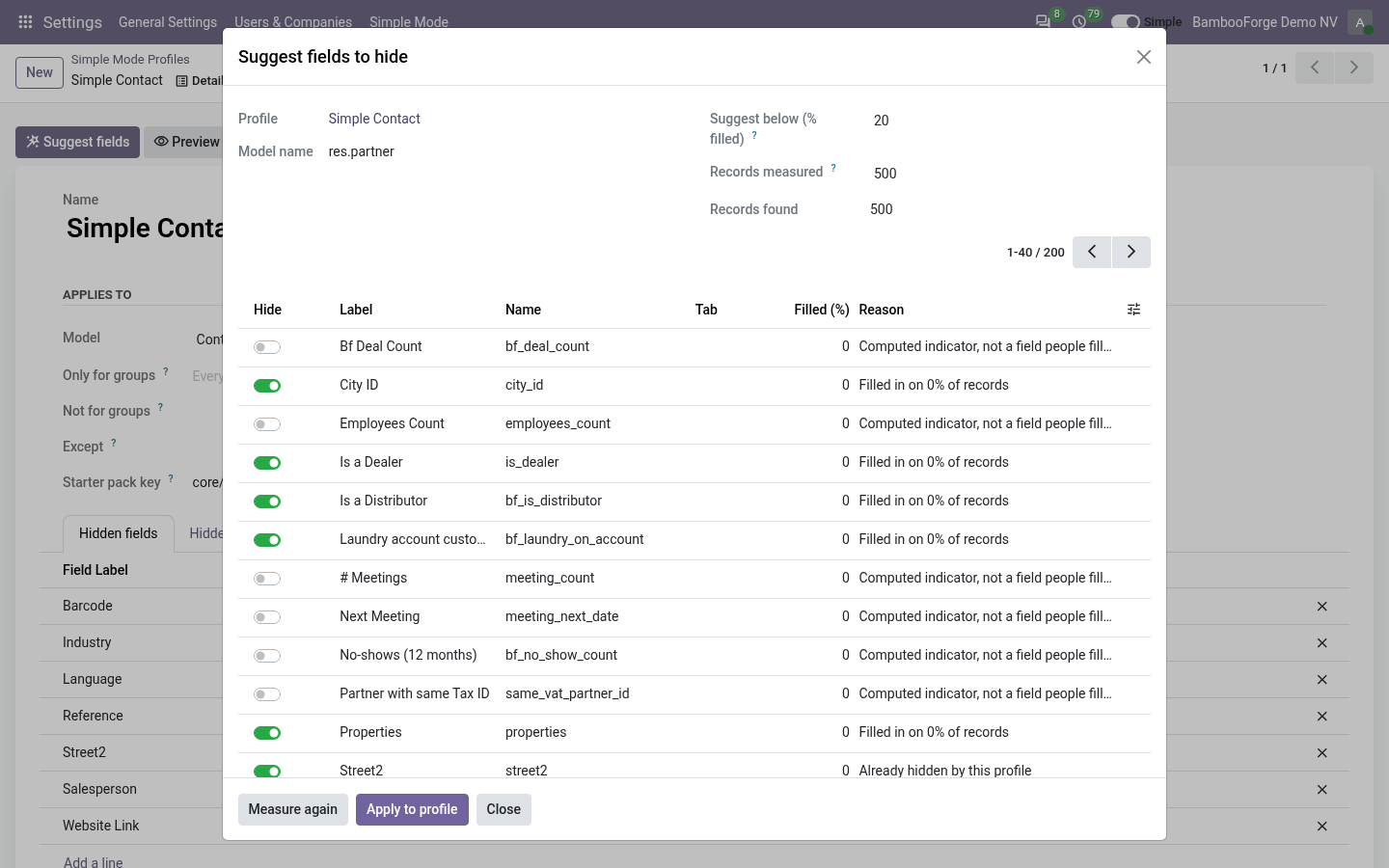
Let the measure suggest
On your own records.
- Open a profile and press Suggest fields.
- Set the threshold and how many records to read, and press Measure.
- Tick or untick each line; a field under the threshold comes ticked.
- Press Apply to profile.
Flow 03
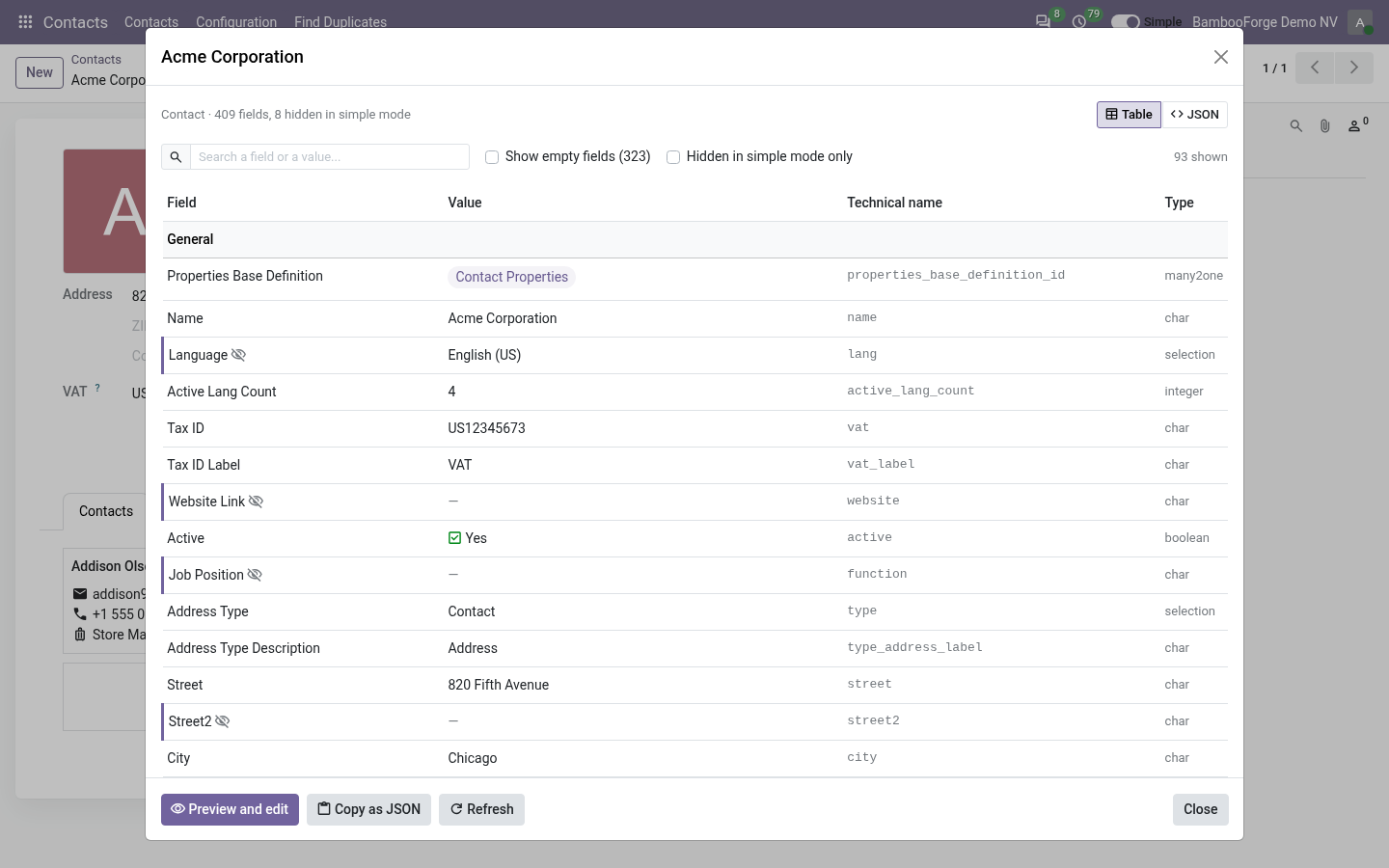
Read every value of a record
For anyone in the back office.
- Open a record and press Details, next to the cog.
- Read the table: tabs and titled blocks first, then More, then System.
- Search a label, a technical name or a value, or look at the raw JSON.
- Press Open the full form to see the record with nothing hidden.
Flow 04
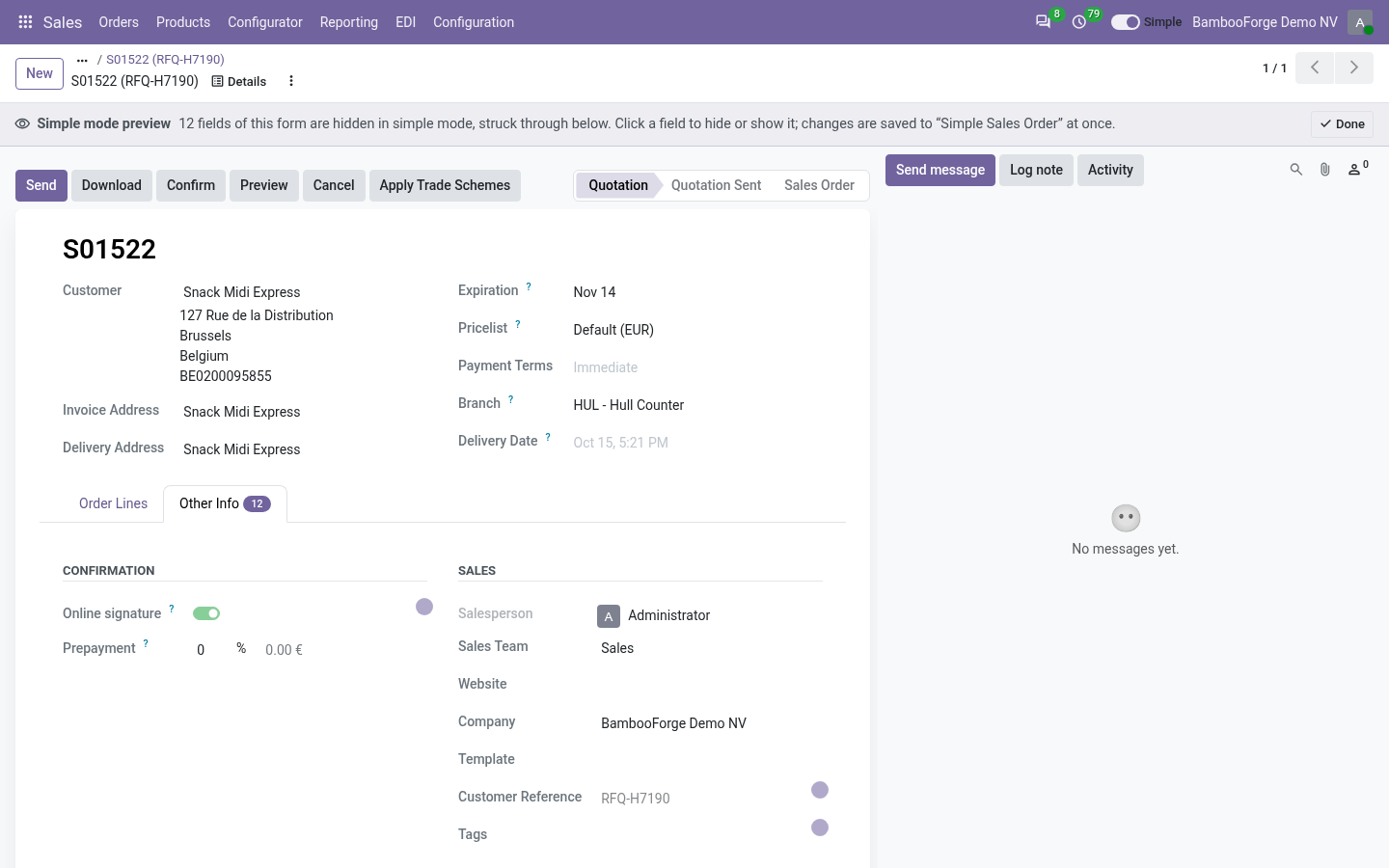
Preview on a record
For an administrator.
- In Details press Preview and edit.
- The full form opens with what is hidden from you struck through.
- Click a field to hide it, or a struck-through one to show it again.
- Press Done.
Price and where to buy
99 EUR, one payment per Odoo series, on the Odoo Apps Store. Pick your series:
Twelve months of support by the people who wrote the code; bug fixes and improvements within the series free for as long as it is published. Report a bug within two months of purchase and, if it is not resolved within fifteen days, you get a full refund. Full source under OPL-1, no licence key, no phone-home. The whole promise.