 BambooForge Labs

- The age of what is leftThe oldest unit still on hand, from the receipts and issues, not the date of the last receipt. Six age buckets, five of them yours to set.
- A provision finance can bookRules turn an age band into a share of the value. A draft journal entry carries it to Invoicing; the app never posts it.
- A board for the dead stockEach dead or provisioned product gets an assignee and a decision: discount, liquidate, write off or keep. It stays from one analysis to the next.
Runs onOdoo 16 to 20Community or Enterprise, self-hosted or Odoo.sh
NeedsInventory, Invoicingno Enterprise module
Price99 EURone-time, per series, on the Odoo Apps Store
Demodemo20.bambooforge.devlogin page already filled in
Supportsupport@bambooforge.devfirst reply within one business day
Version20.0.1.2.4
bambooforge_stock_aging26 automated checks run before every release of this app, the same suite on every series it ships for. The complete list is in the source you receive; run it yourself with --test-enable.
How you use it
From the stock moves to a decision
Flow 01
Run an analysis
For an Inventory Administrator.
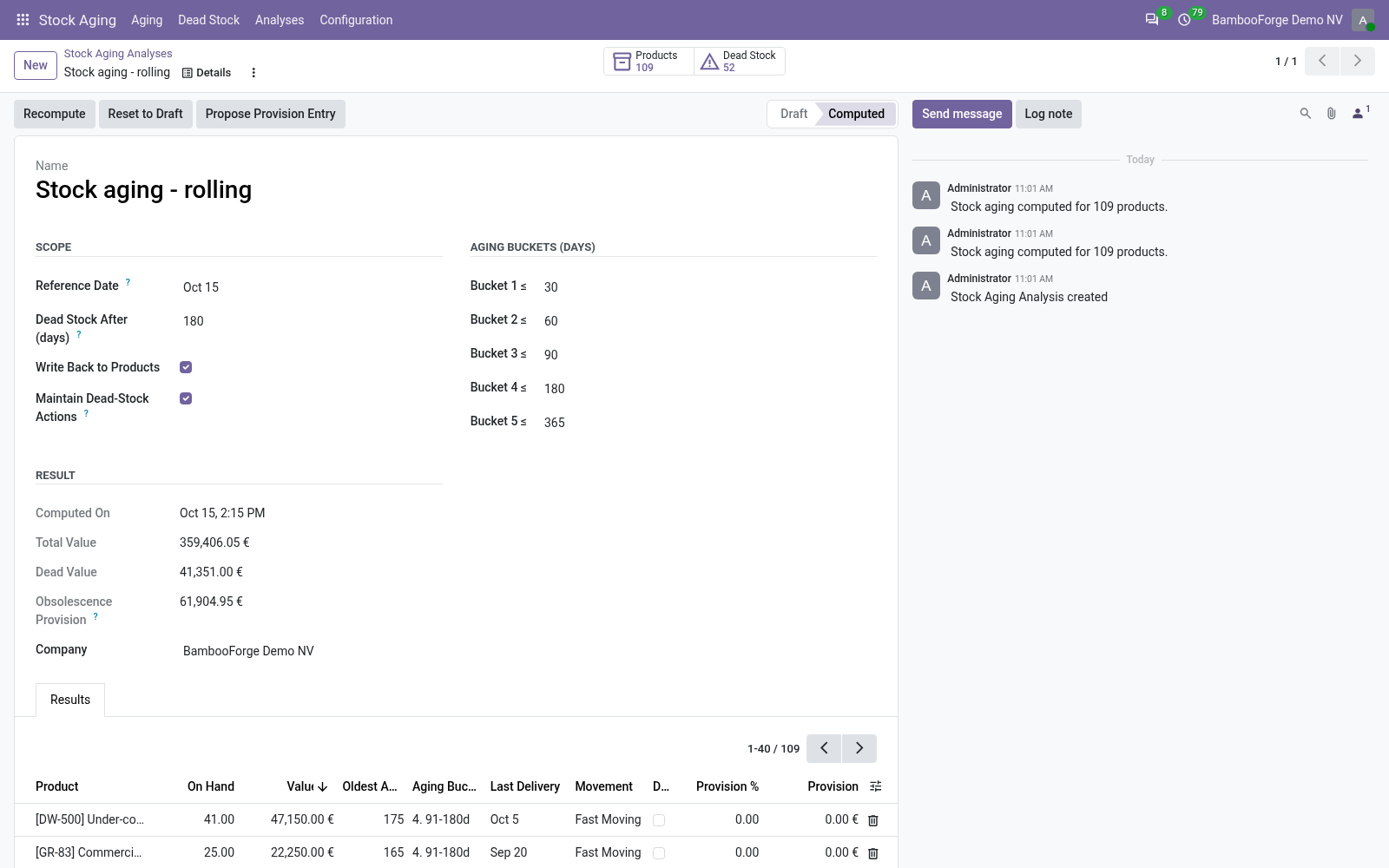
- Stock Aging > Analyses, New: the reference date is today.
- Keep or change the five bucket limits and the dead-stock window (180 days).
- Compute: every product on hand gets its oldest age, bucket and movement class.
Flow 02
Read the figures
For the inventory manager.
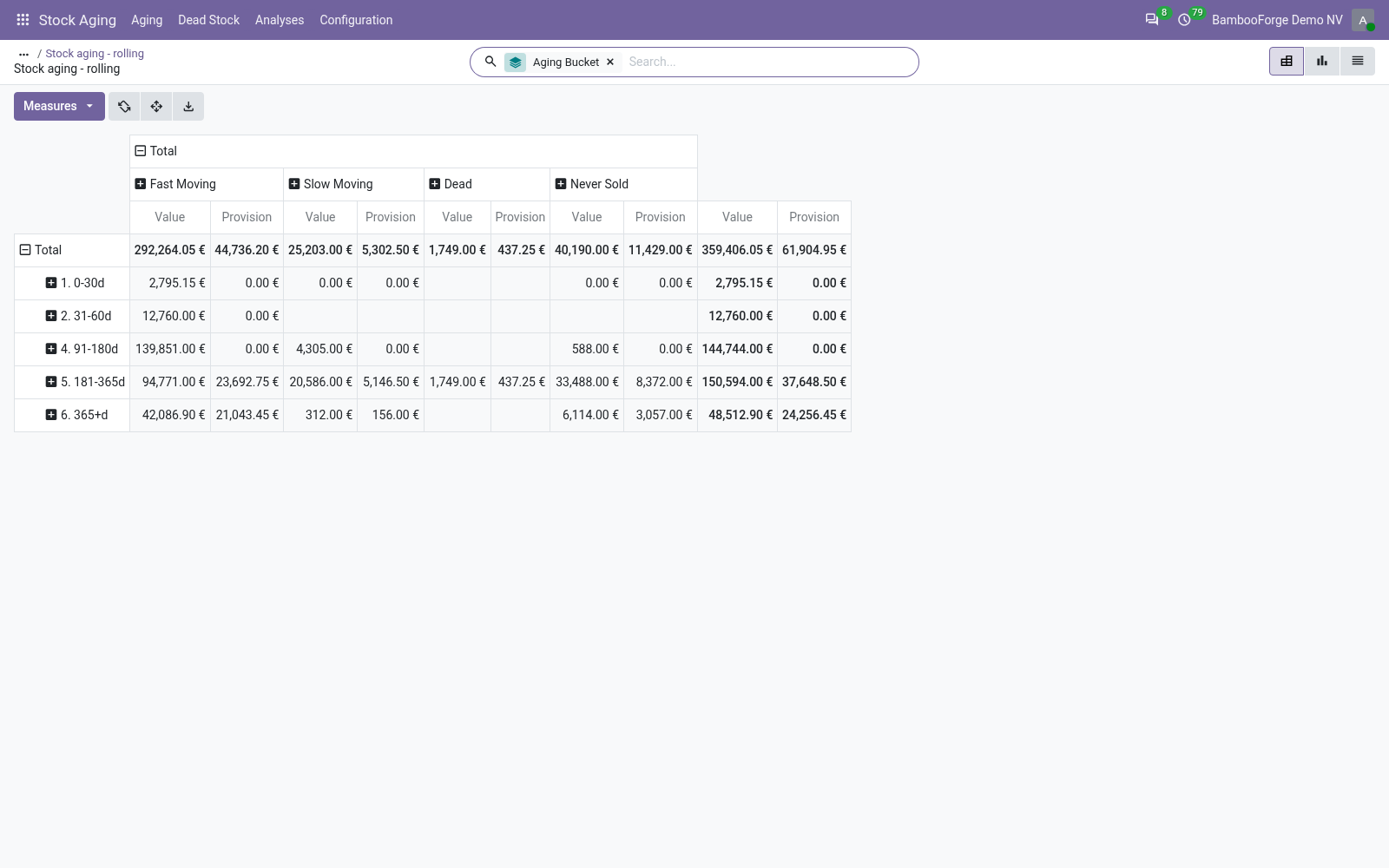
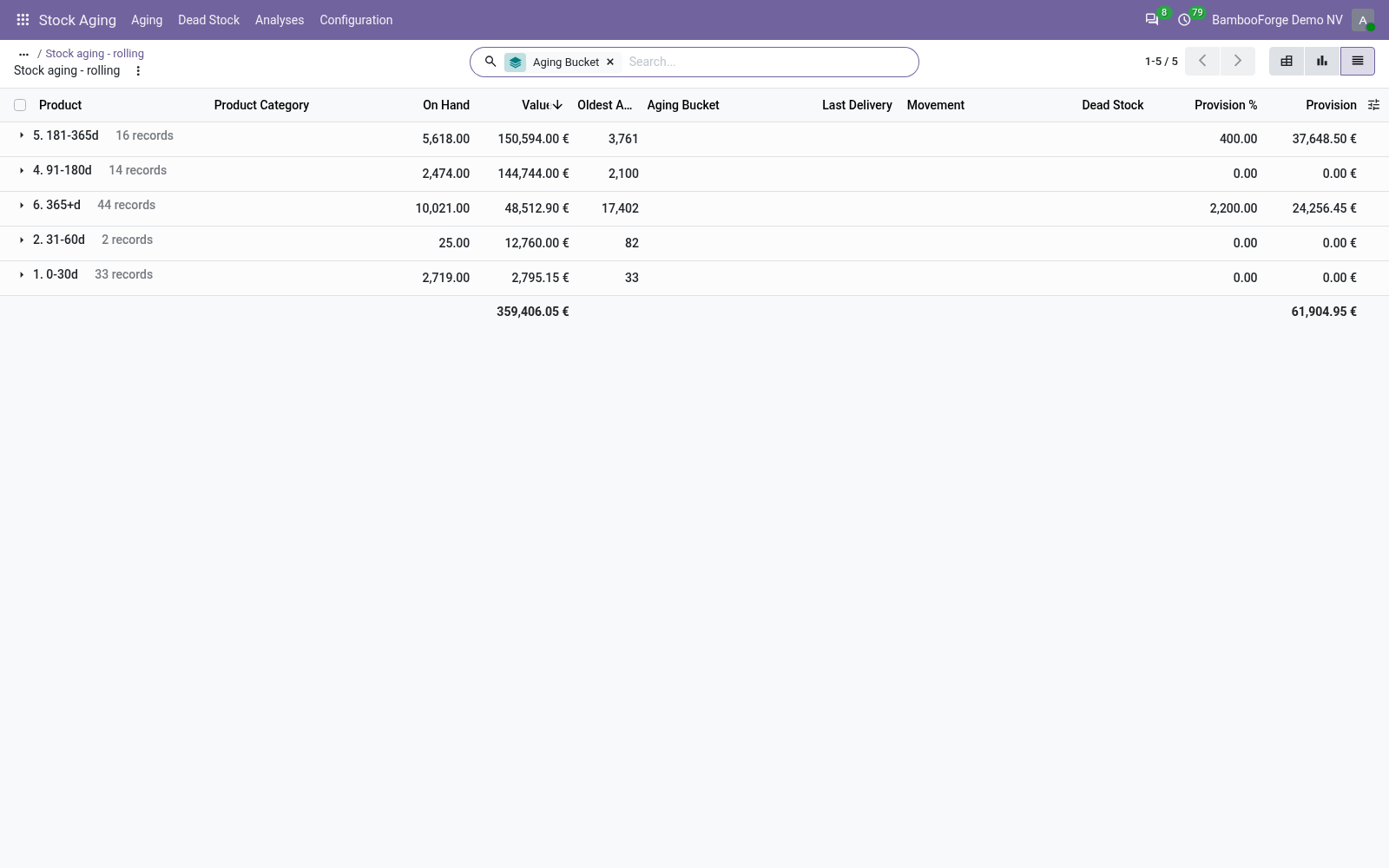
- The Products button opens the pivot: age buckets down, movement classes across.
- The list shows each product's quantity, value, oldest age and last delivery.
- Filter Dead Stock, Slow Moving or With Provision; group by bucket or category.
Flow 03
Back on the product
For anyone who opens a product.
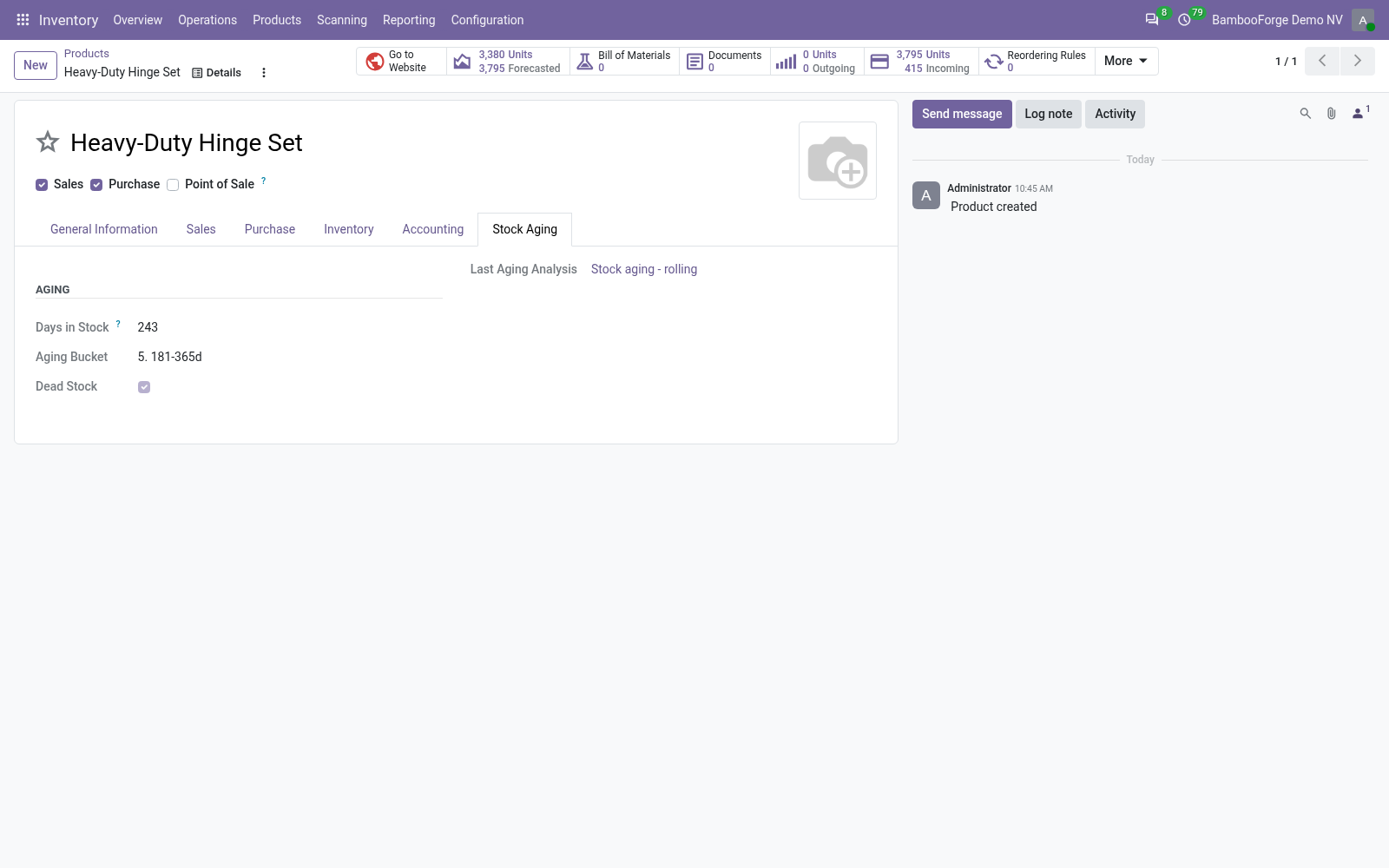
- The product's Stock Aging tab shows its days in stock, bucket and dead-stock flag.
- The product list filters Dead Stock and groups by Aging Bucket.
- The tab names the analysis the figures come from.
Flow 04
Book the provision and decide
For finance and operations.
- Provision Rules: an age band, a percentage, optionally a category.
- Propose Provision Entry: a draft entry, expense debited, allowance credited.
- Stock Aging > Dead Stock: set the assignee and the disposition of each product.
Price and where to buy
99 EUR, one payment per Odoo series, on the Odoo Apps Store. Pick your series:
Twelve months of support by the people who wrote the code; bug fixes and improvements within the series free for as long as it is published. Report a bug within two months of purchase and, if it is not resolved within fifteen days, you get a full refund. Full source under OPL-1, no licence key, no phone-home. The whole promise.