 BambooForge Labs

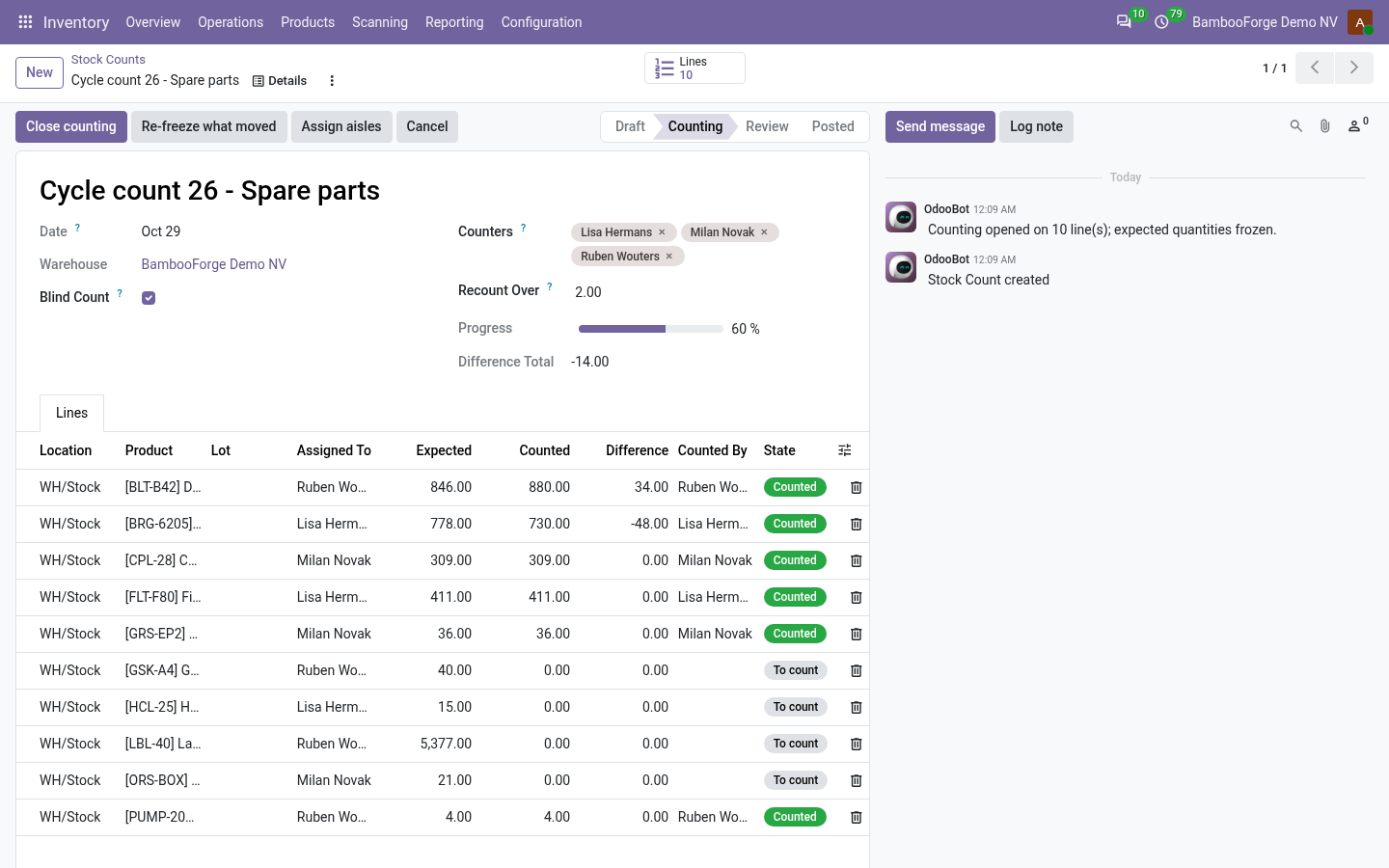
- Frozen at openEach line keeps the quantity Odoo had when counting opened. A delivery validated during the count is caught at posting, not written over.
- Blind on the serverOn a blind count a counter cannot read, search or group by the expected quantity or the difference, not even by a direct call.
- A second look before a write-offLines that differ by more than your threshold come back for a second count, kept beside the first, and the second is posted.
bambooforge_stock_count43 automated checks run before every release of this app, the same suite on every series it ships for. The complete list is in the source you receive; run it yourself with --test-enable.
For the people who decide
What your managers see
Two analyses sit under Inventory > Products > Counts, for supervisors. Each opens on a chart, with the pivot one click away, and the pivot downloads to a spreadsheet.
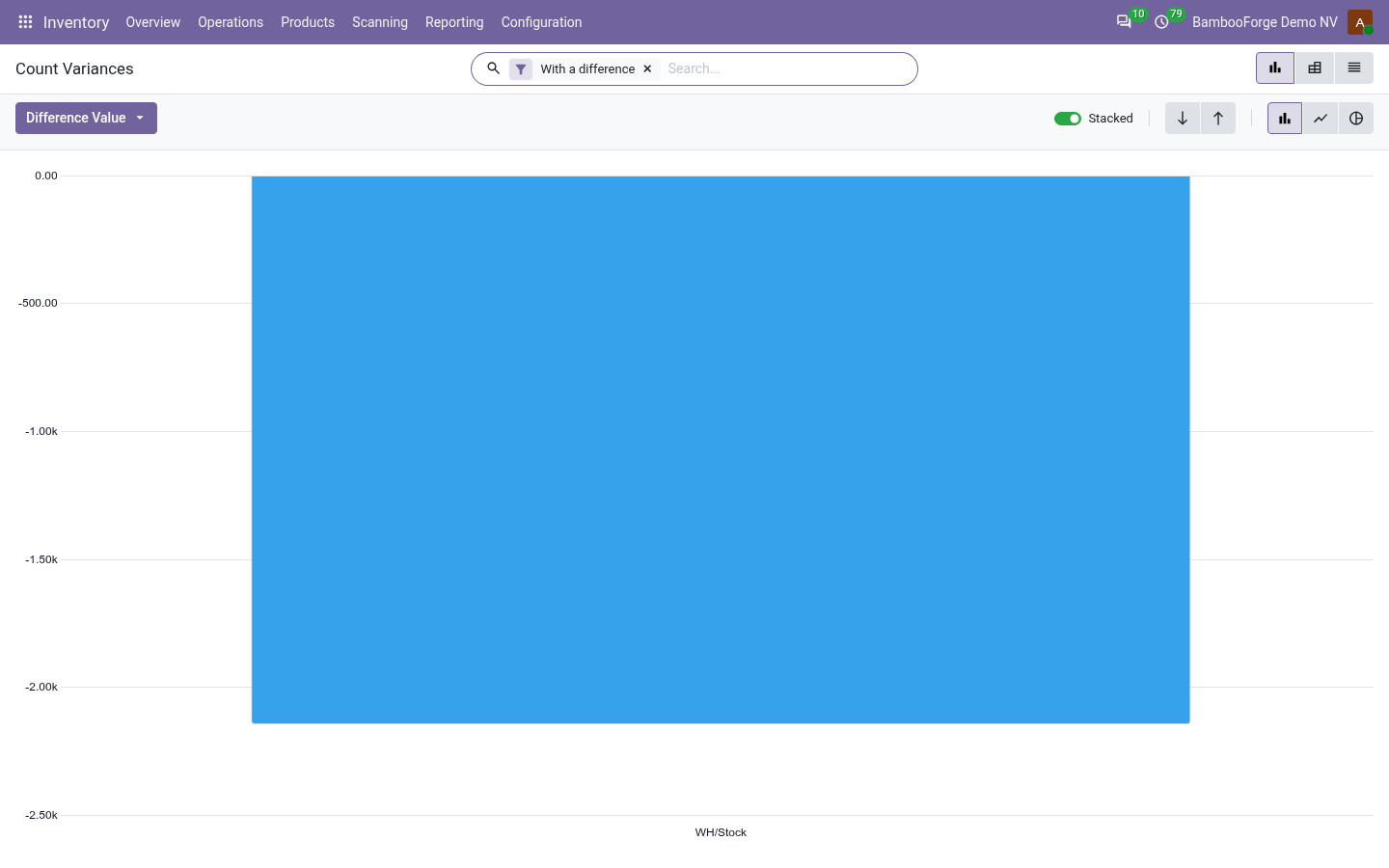
Count Variances
where the shelves were off and what it is worth at cost, by location, product category and count; it opens on the lines with a difference.
The warehouse manager sees which aisles to fix, and the controller what the counts move on the books.
Count Accuracy
counted lines found exact or off, count by count.
The share of exact lines is the accuracy of the stock records, the figure an auditor asks for.
Two papers print from a count, from its print menu:
- Count Sheet: what a counter carries down the aisles: location by location, each product with its lot and unit and a blank to write in; the expected quantity only on a count that is not blind.
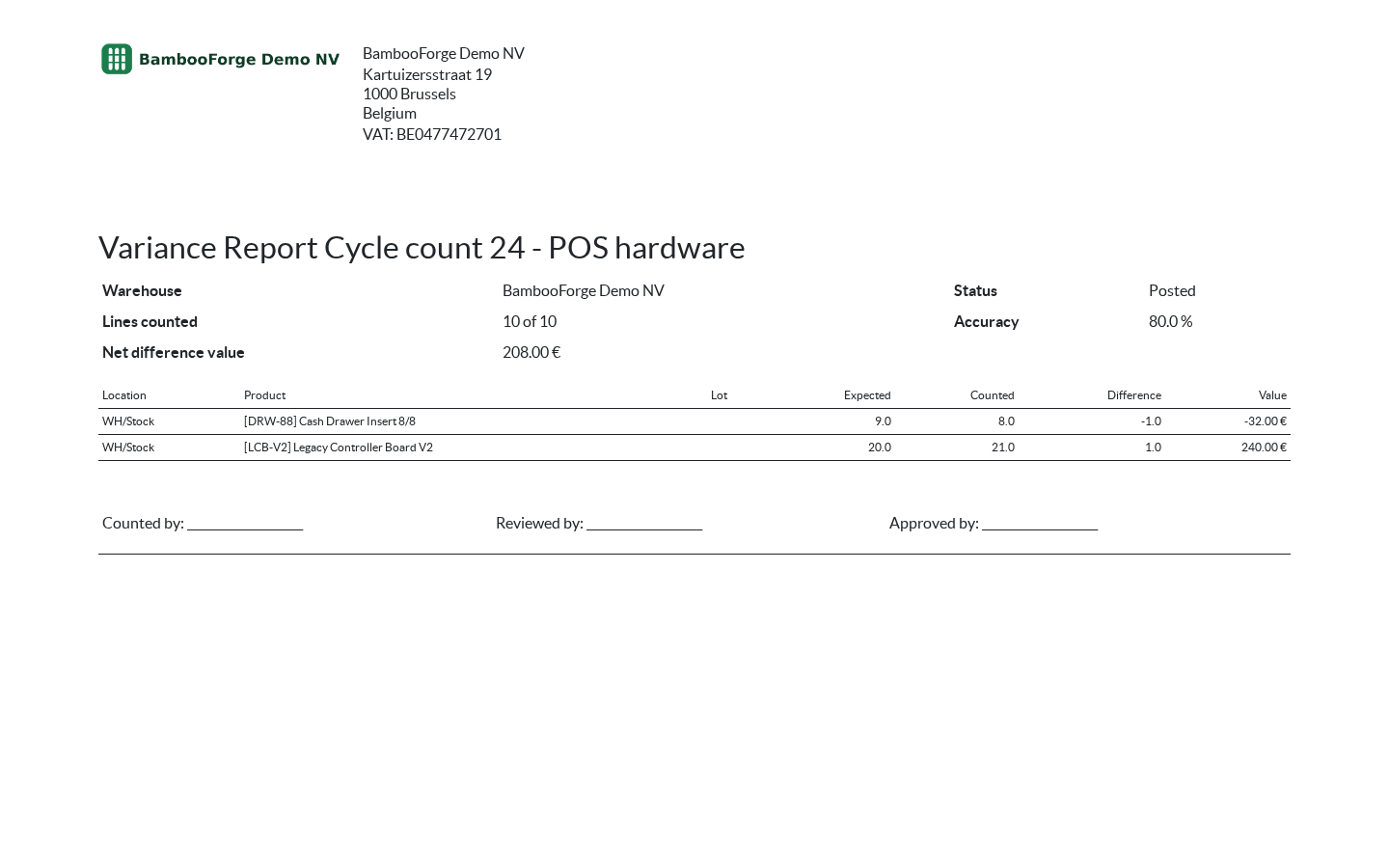
- Variance Report: for supervisors: the lines counted, the accuracy, the net difference value, then expected, counted, difference and value for every line that was off, and lines to sign for the counter, the reviewer and the approver.
How you use it
From the scope to the posted count
Scope and open
For the supervisor.
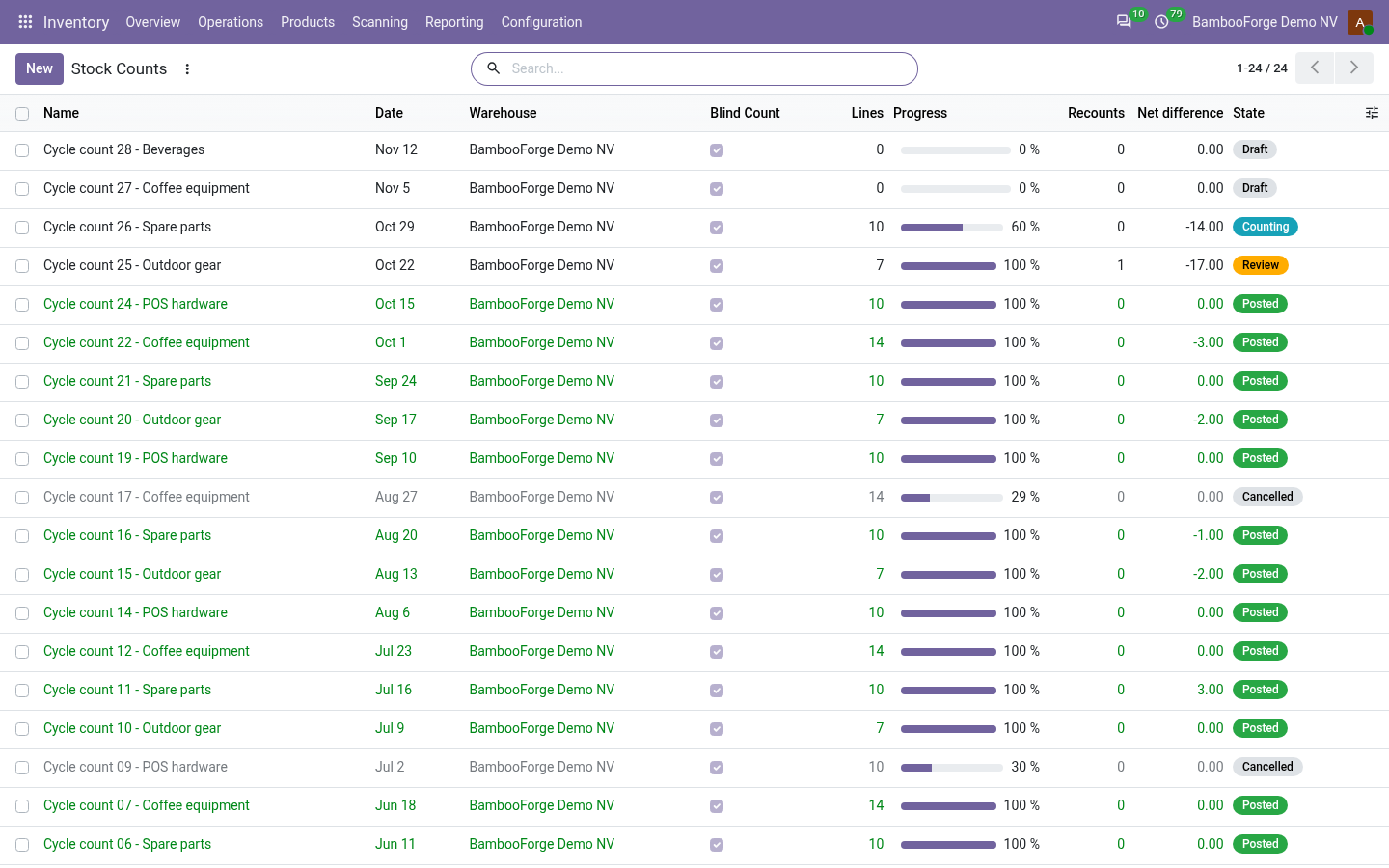
- Inventory > Products > Counts > Stock Counts, New: the warehouse, the counters, Recount Over.
- Narrow the scope to some locations or products, or leave it empty for the whole warehouse.
- Open counting: one line per quant, its expected quantity frozen.
Hand out the aisles and count
For the supervisor and the counters.
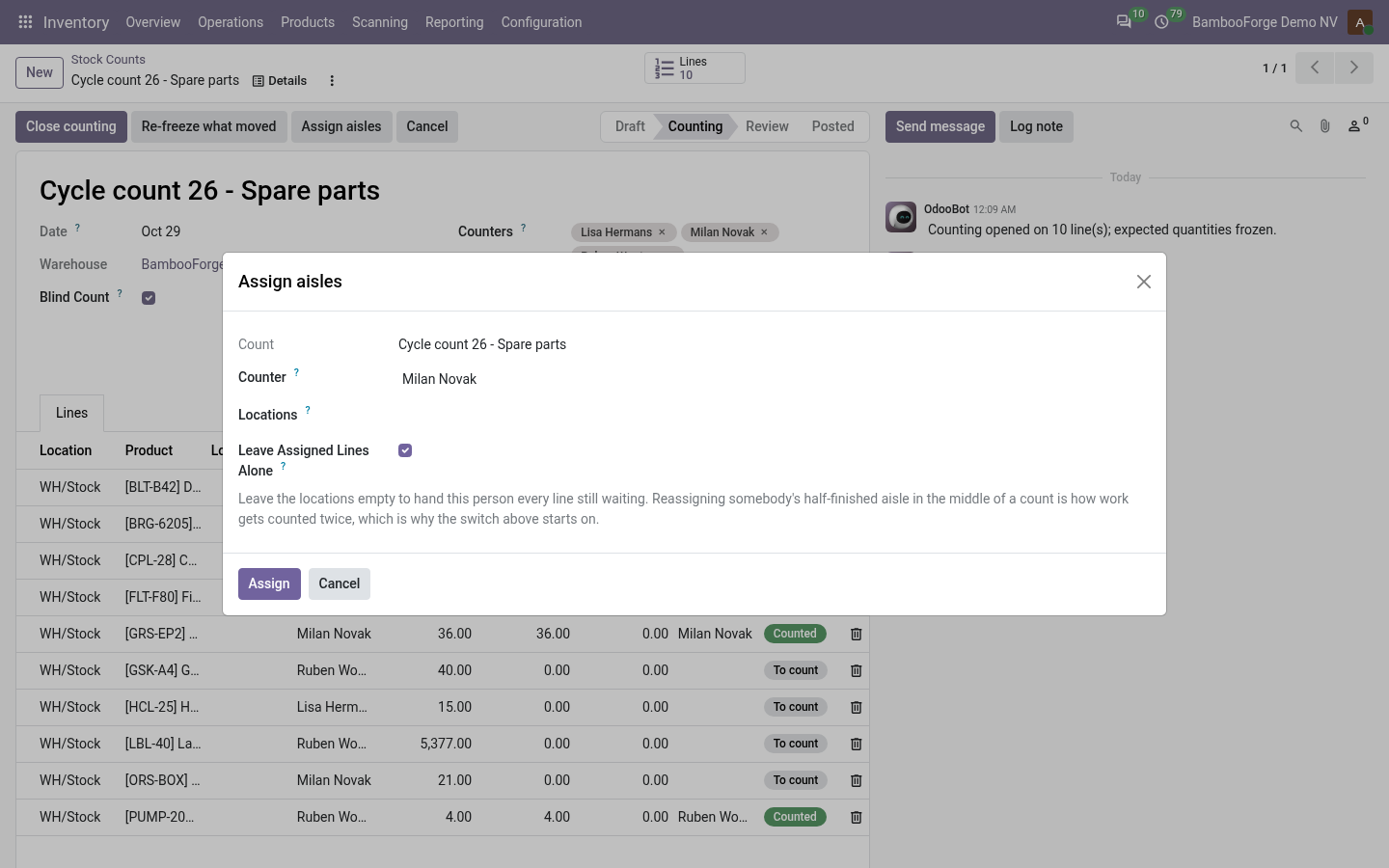
- Assign aisles: a counter gets the lines of some locations, or every line still to count.
- Each counter types what they find under My Count Lines; their name and the time are stamped.
- An unassigned line can be filled in by anybody on the count.
Close, recount and post
For the supervisor.
- Close counting: lines past Recount Over go back for a second count.
- The second count is typed beside the first.
- Post the count: refused while a recount waits or stock moved; Re-freeze what moved sends those lines back.
- The quantities are applied with Odoo's own Apply.
Read the differences
For the warehouse manager and the controller.
- Count Variances: where the shelves were off, valued at cost.
- Count Accuracy: lines found exact or off, count by count.
- The Variance Report prints for signing.
Price and where to buy
149 EUR, one payment per Odoo series, on the Odoo Apps Store. Pick your series:
Twelve months of support by the people who wrote the code; bug fixes and improvements within the series free for as long as it is published. Report a bug within two months of purchase and, if it is not resolved within fifteen days, you get a full refund. Full source under OPL-1, no licence key, no phone-home. The whole promise.