 BambooForge Labs

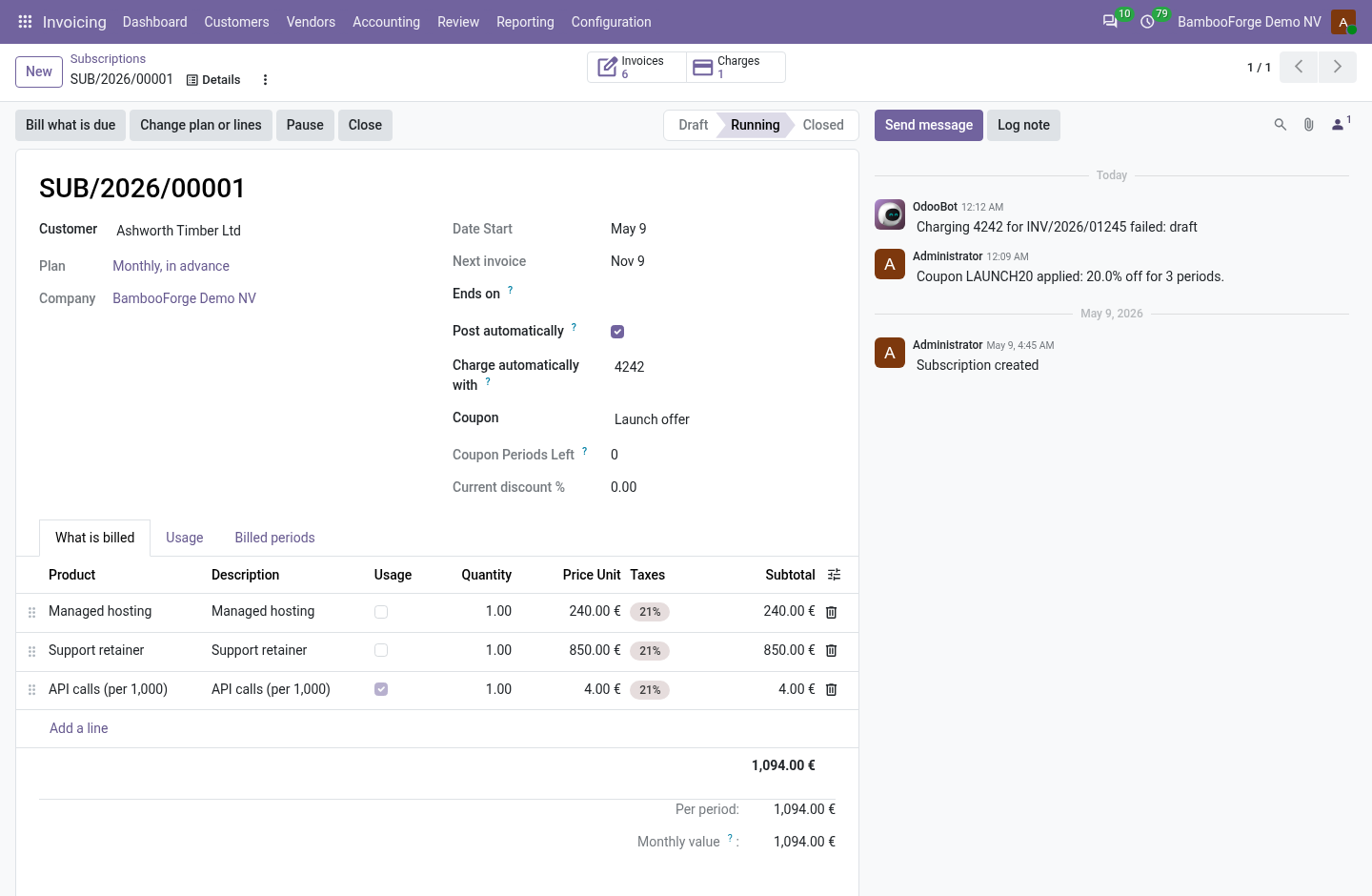
- One invoice per periodEach billed period is a row beside its invoice. The database refuses a second row for the same first day, so two runs that race make one invoice.
- Drafts you checkInvoices wait in draft unless Post automatically is ticked on the subscription. Each line says which days it bills.
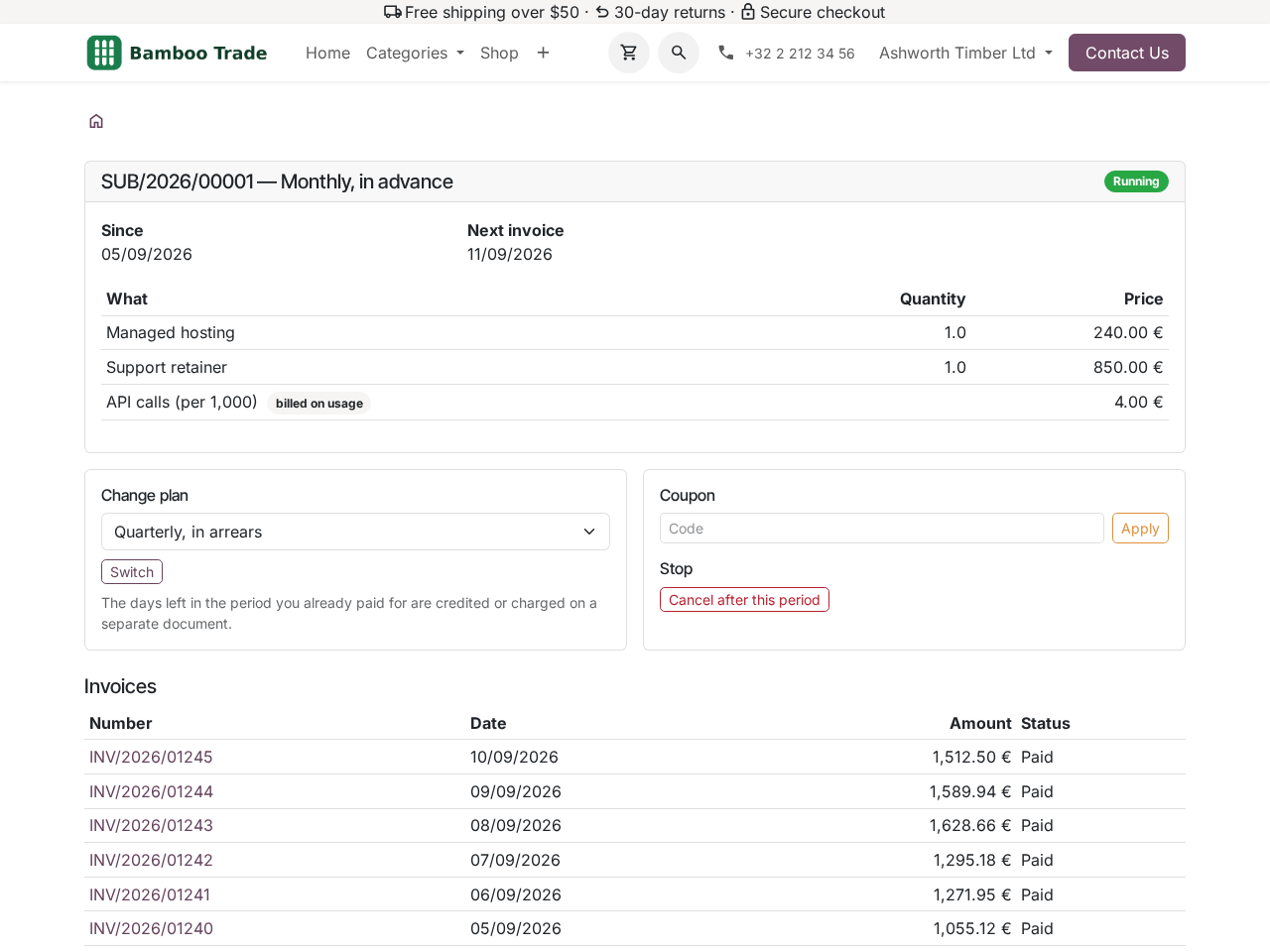
- The customer's own pageCustomers read their subscriptions and posted invoices on the portal, cancel after the billed period, switch to an offered plan and apply a coupon.
bambooforge_subscription56 automated checks run before every release of this app, the same suite on every series it ships for. The complete list is in the source you receive; run it yourself with --test-enable.
For the people who decide
What your managers see
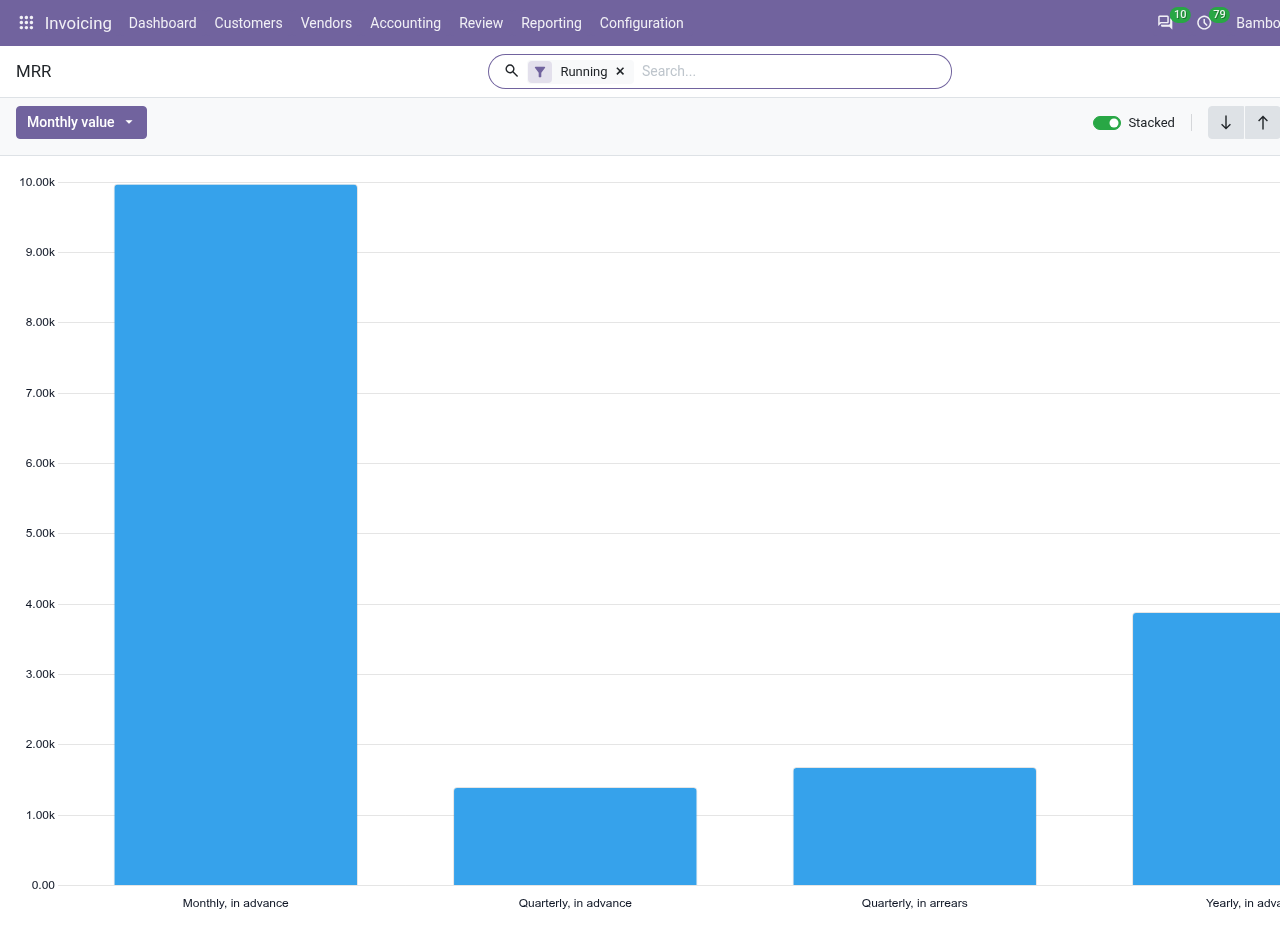
Invoicing > Reporting > Subscriptions is for Invoicing administrators. Each analysis opens on a bar chart, with the pivot one click away; the pivot downloads to a spreadsheet.
MRR
the monthly value of the running subscriptions by plan, by status and by customer; a quarterly plan counts a third of its period.
The CEO sees the recurring revenue the business stands on, and which plans carry it.
New MRR
the monthly value of the subscriptions by the month they started.
Sales sees whether it keeps adding recurring revenue.
Churned MRR
the monthly value of the closed subscriptions by the month they ended.
The CFO sees what leaves, and when, before it shows in the revenue.
How you use it
From the plan to the invoice
Start a subscription
For an Invoicing user.
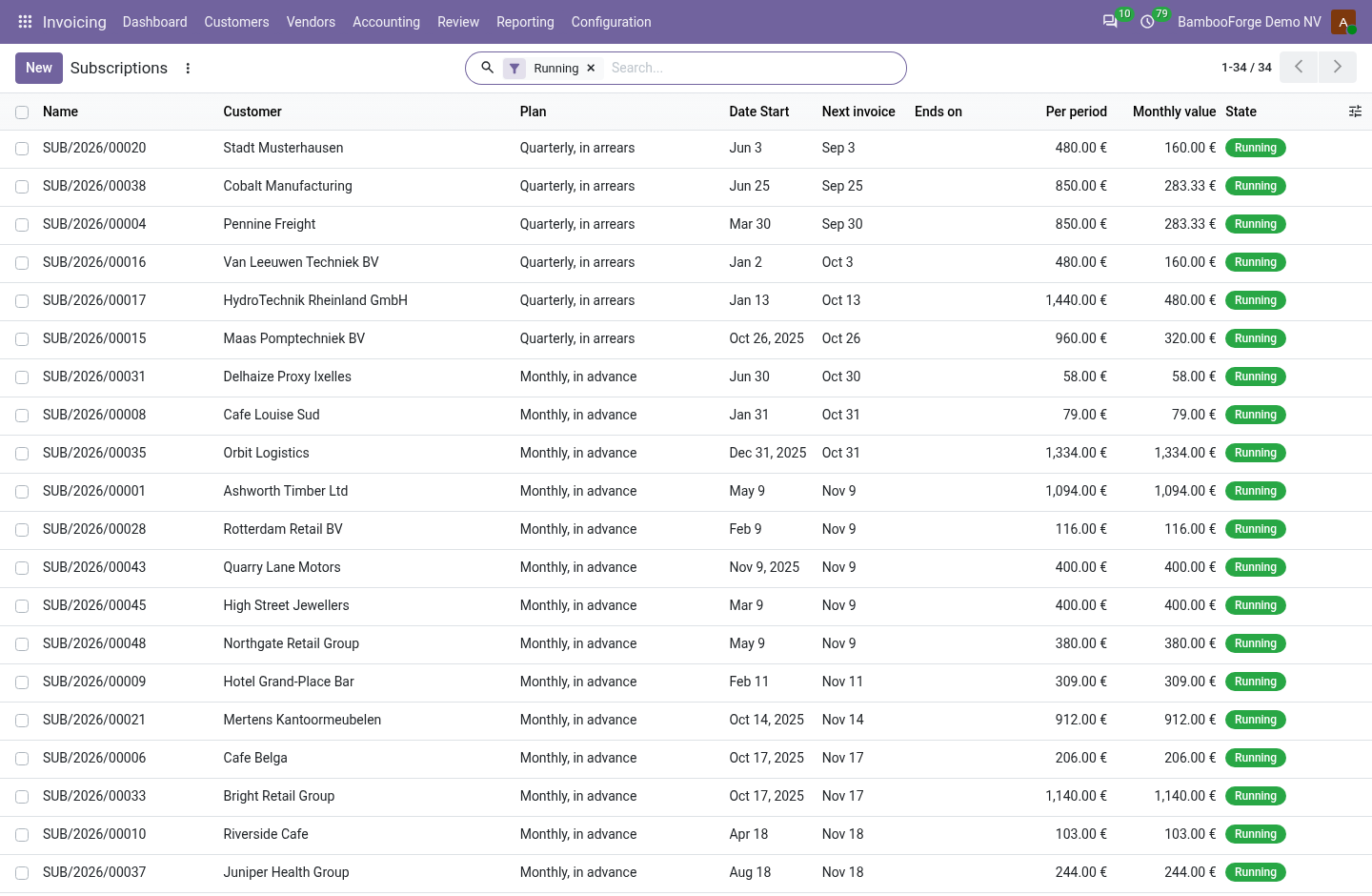
- Invoicing > Customers > Subscriptions, New: the customer and the plan.
- Give it a start date: Next invoice follows it.
- Add the lines: product, quantity, price per period, taxes; tick Usage on a metered line.
- Press Start.
Bill what is due
Every day, or at once.
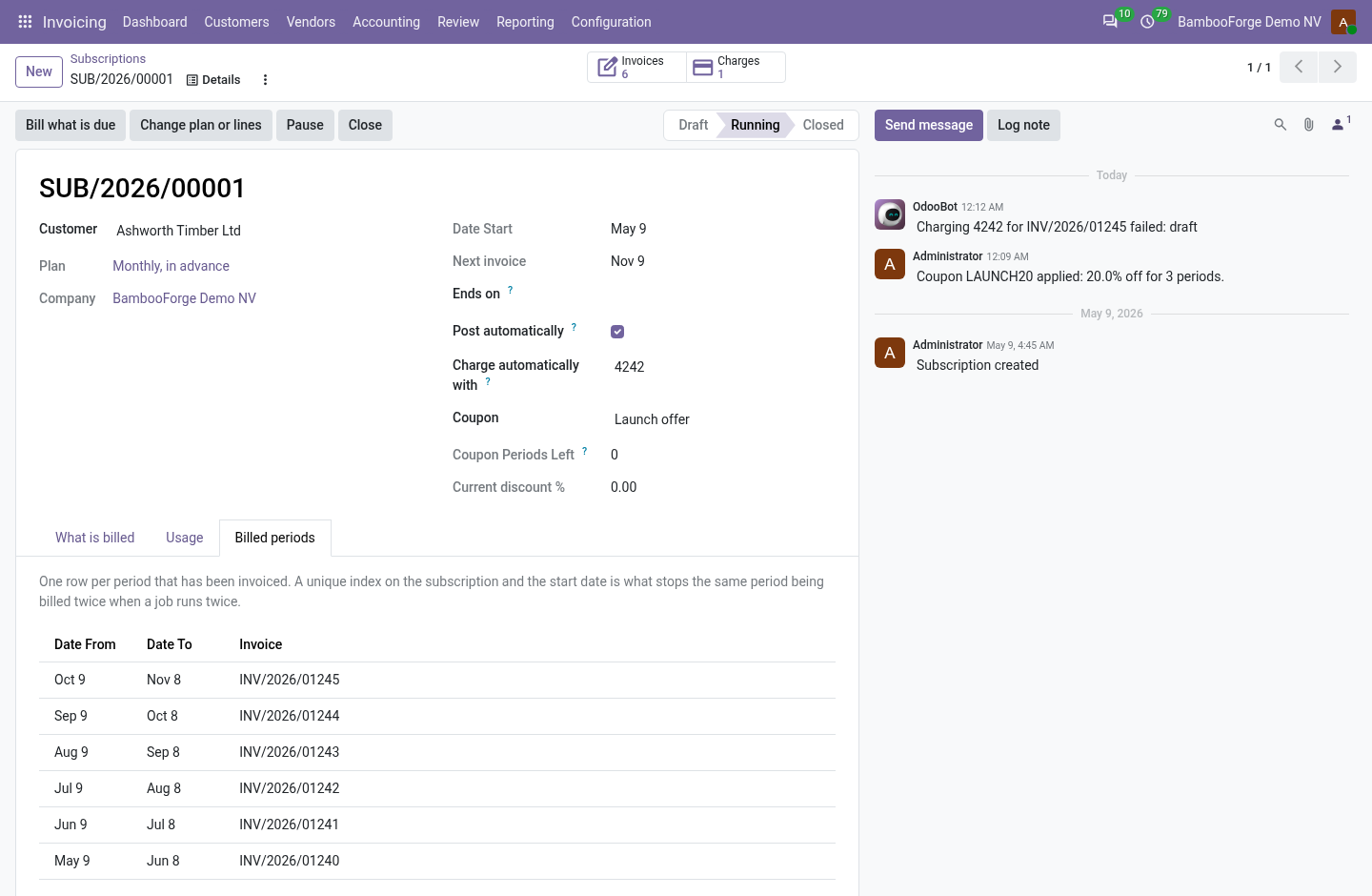
- The daily job bills every running subscription whose next invoice date has come.
- Bill what is due on a subscription does the same for that one.
- Each period gets its invoice and a row under Billed periods; Next invoice moves on.
Change the plan or the lines
Mid-period.
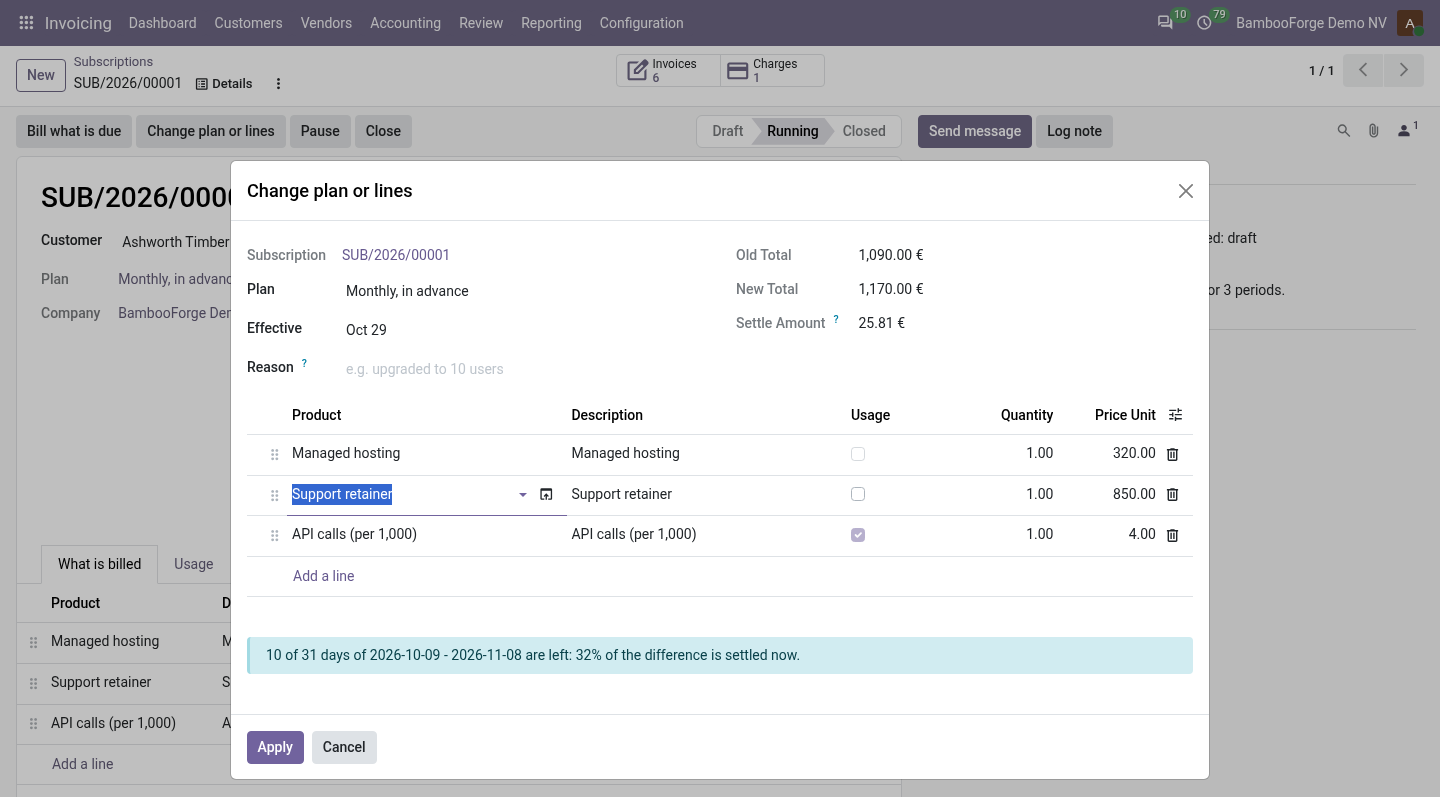
- Change plan or lines on a running subscription.
- Choose the plan and the effective day, change the lines.
- The form shows both totals and the share of the paid period left.
- Apply: in advance, the days left are settled on an invoice or a credit note.
Bill on usage
For a metered line.
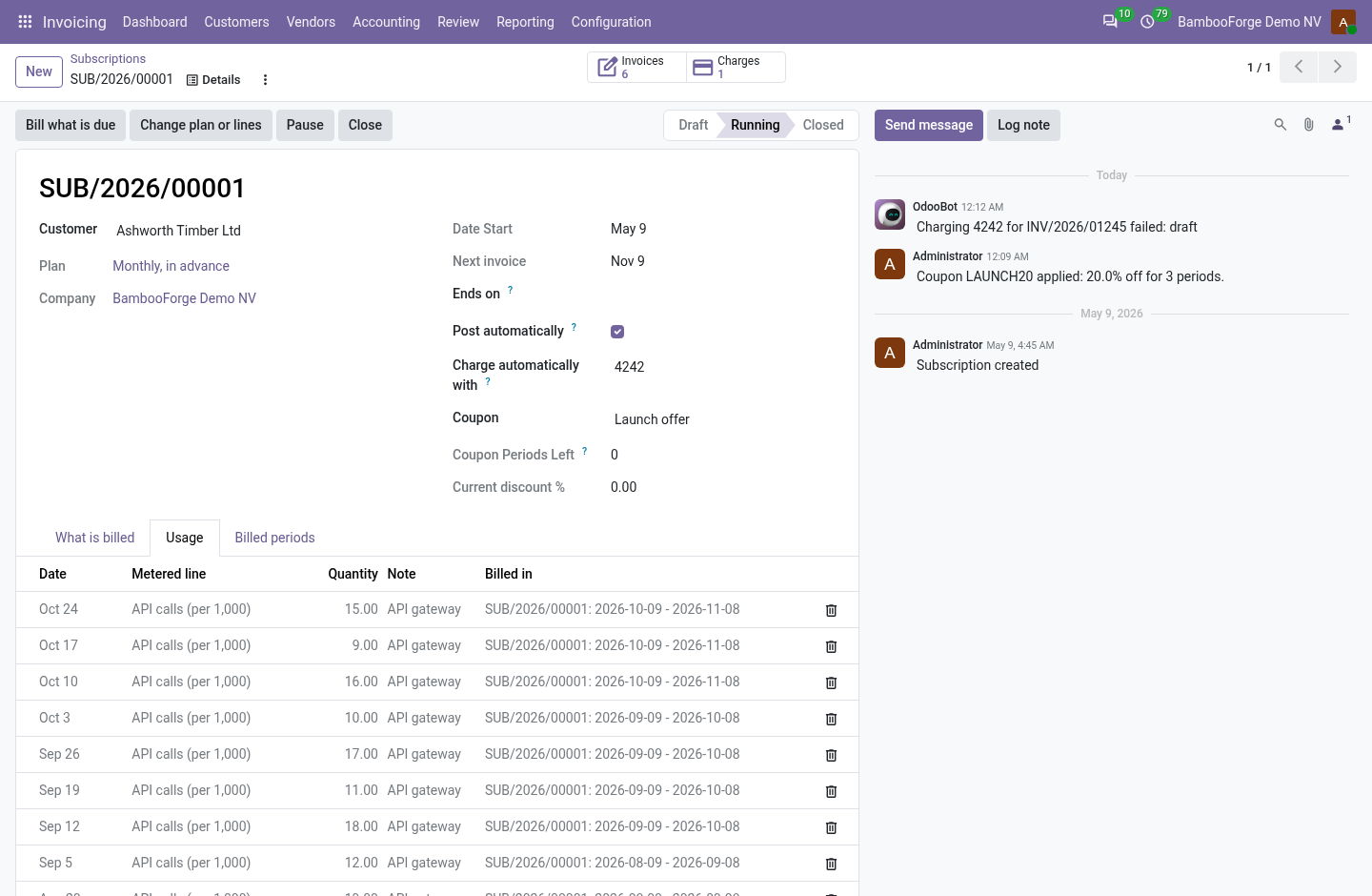
- Tick Usage on the line.
- Record readings on the Usage tab, by import, or from a script.
- Each invoice adds up the readings not billed yet that fall up to its period's last day.
The customer's portal
For the customer.
- My Account > Subscriptions lists their subscriptions.
- A subscription shows its lines, its coupon and its posted invoices.
- Cancel after this period, switch to an offered plan, or apply a coupon.
Price and where to buy
149 EUR, one payment per Odoo series, on the Odoo Apps Store. Pick your series:
Twelve months of support by the people who wrote the code; bug fixes and improvements within the series free for as long as it is published. Report a bug within two months of purchase and, if it is not resolved within fifteen days, you get a full refund. Full source under OPL-1, no licence key, no phone-home. The whole promise.