 BambooForge Labs

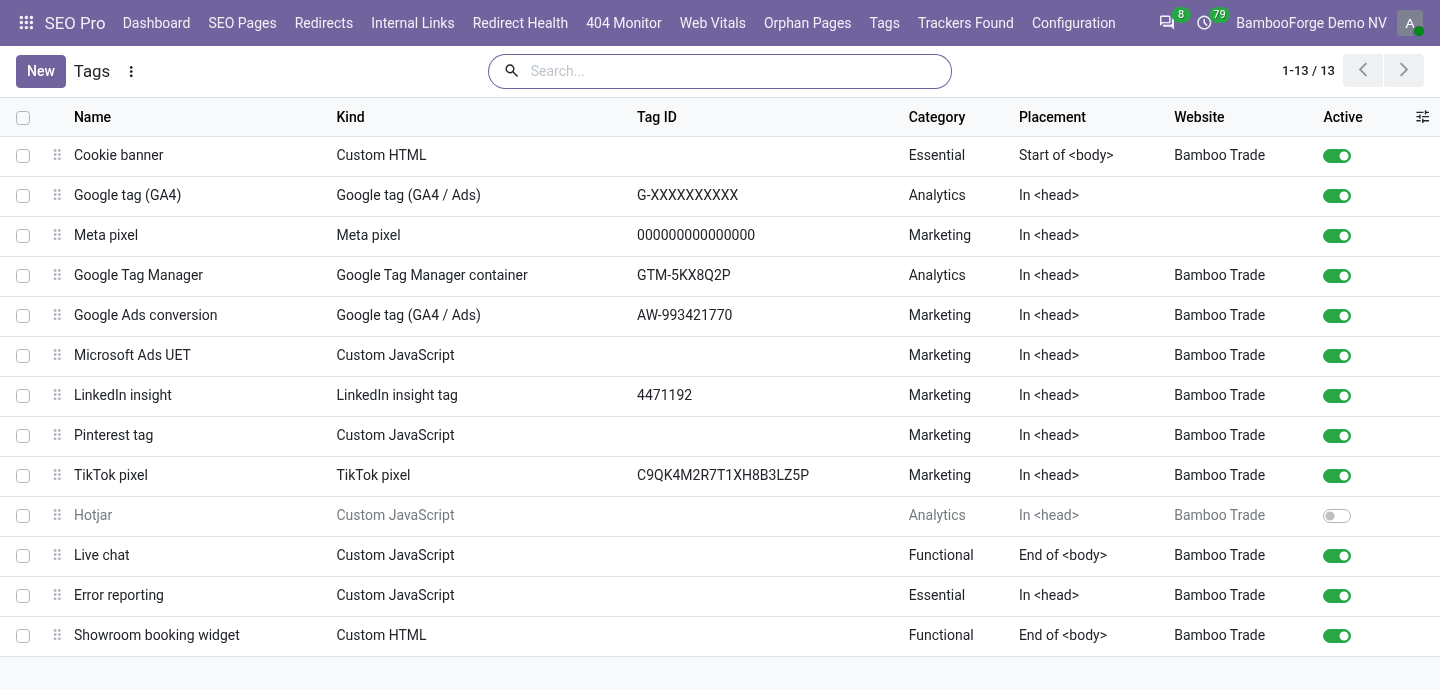
- One list, not six theme editsGoogle Tag Manager, Google tag, Meta, LinkedIn, TikTok, and your own JavaScript or HTML, in one place.
- A category per tagA tag starts the moment the visitor grants its category, without a reload, and not before.
- Which pages, and whyTriggers by path, blocking triggers that win, and a note saying who asked for the tag.
Runs onOdoo 16 to 20Community or Enterprise, self-hosted or Odoo.sh
NeedsOdoo only; includes consent pro, seo prono Enterprise module
Price297 EURone-time, per series, on the Odoo Apps Store
Demodemo20.bambooforge.devlogin page already filled in
Supportsupport@bambooforge.devfirst reply within one business day
Version20.0.1.0.3
bambooforge_tag_manager40 automated checks run before every release of this app, the same suite on every series it ships for. The complete list is in the source you receive; run it yourself with --test-enable.
How you use it
Three things you do with it
Flow 01
Add a tag
For an SEO Pro manager.
- Open SEO Pro > Tags and press New.
- Choose its kind and fill its ID, or write the code of a custom tag.
- Choose the category it waits for.
- Write why it is here, and save.
Flow 02
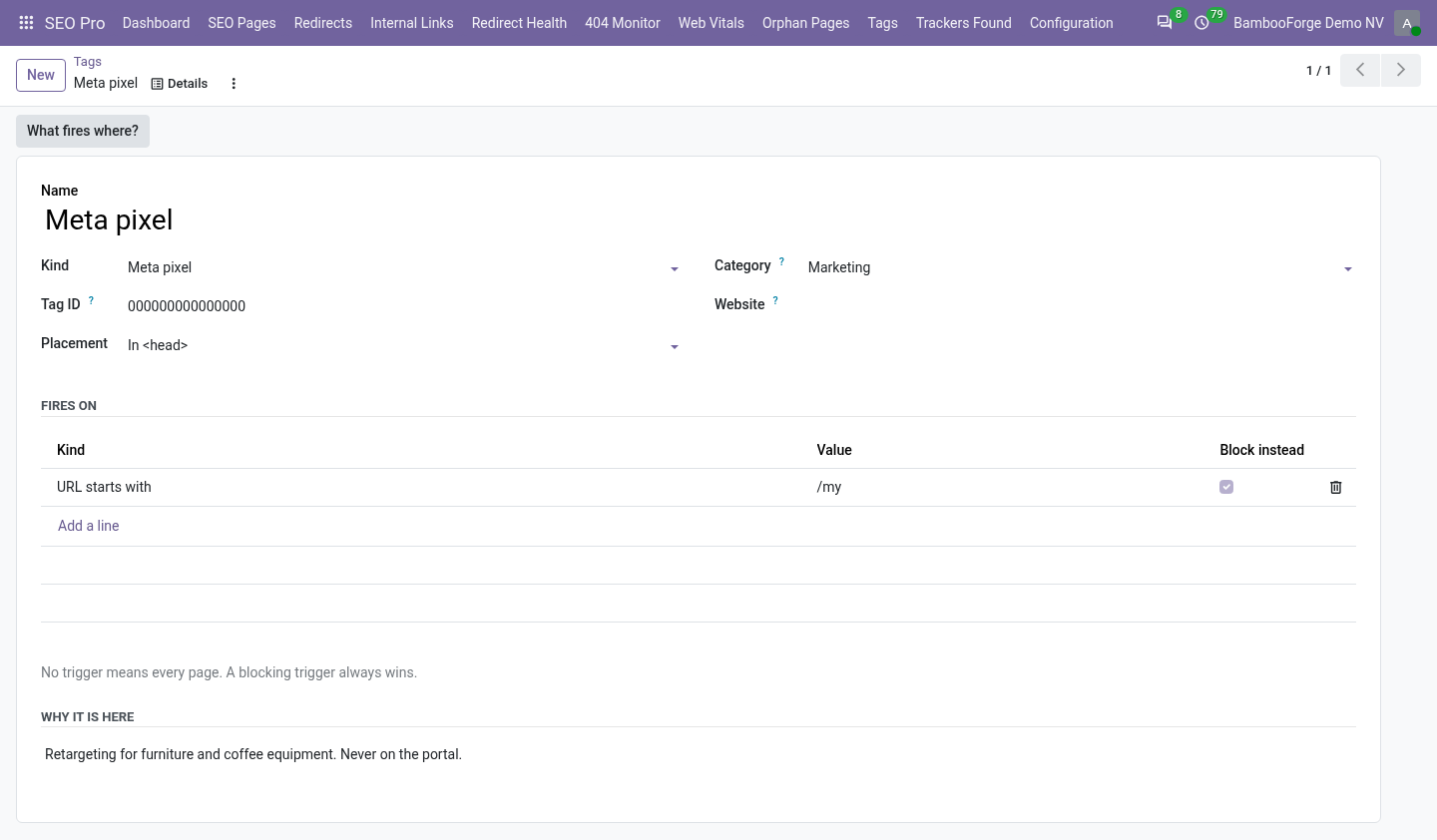
Choose the pages
On the tag's form.
- Under Fires on, add a trigger: URL starts with, URL is exactly, or URL matches.
- Tick Block instead to forbid the pages it matches: a blocking trigger wins.
- Press What fires where? to see the tags of six typical paths.
Flow 03
Find out why a tag did not fire
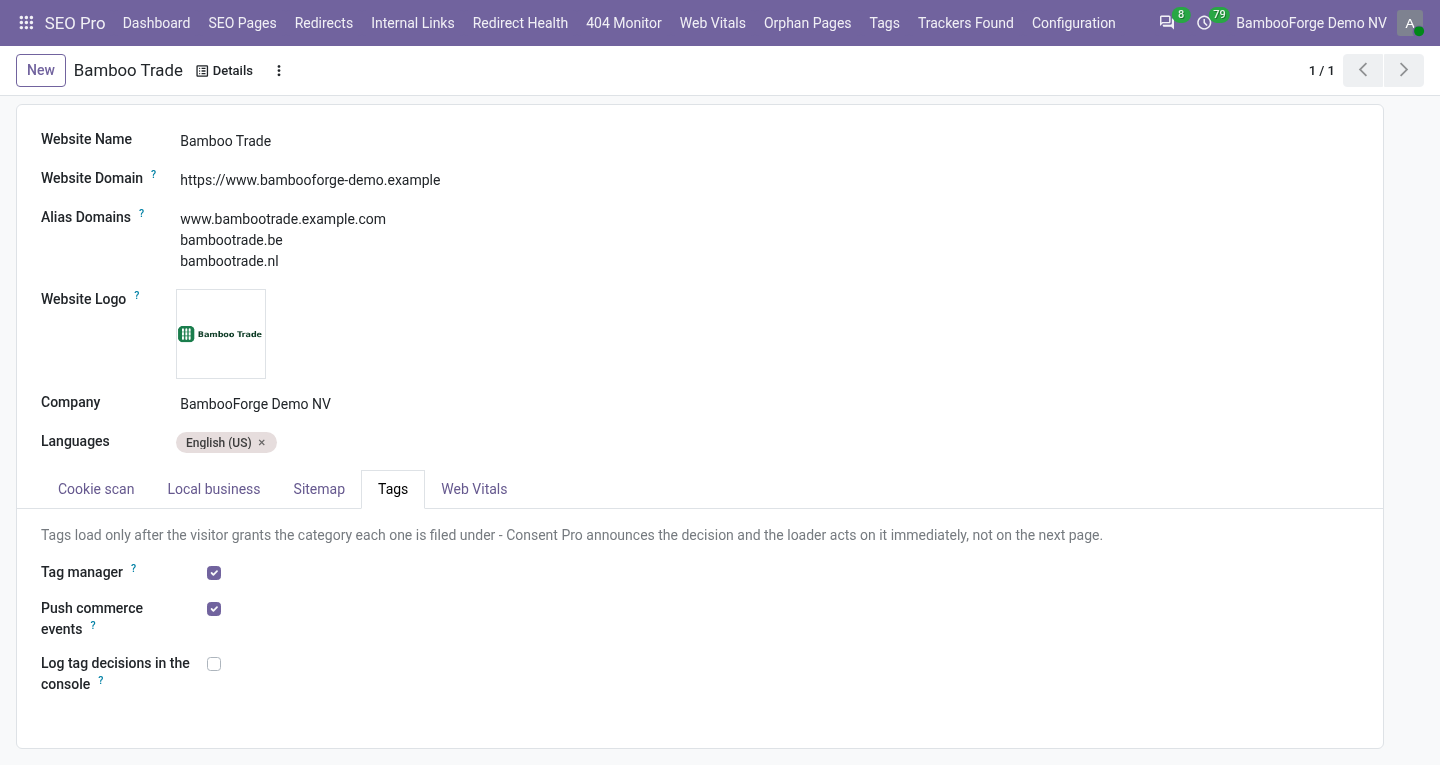
With the console log.
- On the website form's Tags tab, tick Log tag decisions in the console.
- Open the page and the browser's console: each tag fired, or waiting for consent.
- Untick it when done.
Price and where to buy
297 EUR, one payment per Odoo series, on the Odoo Apps Store. Pick your series:
Twelve months of support by the people who wrote the code; bug fixes and improvements within the series free for as long as it is published. Report a bug within two months of purchase and, if it is not resolved within fifteen days, you get a full refund. Full source under OPL-1, no licence key, no phone-home. The whole promise.