 BambooForge Labs

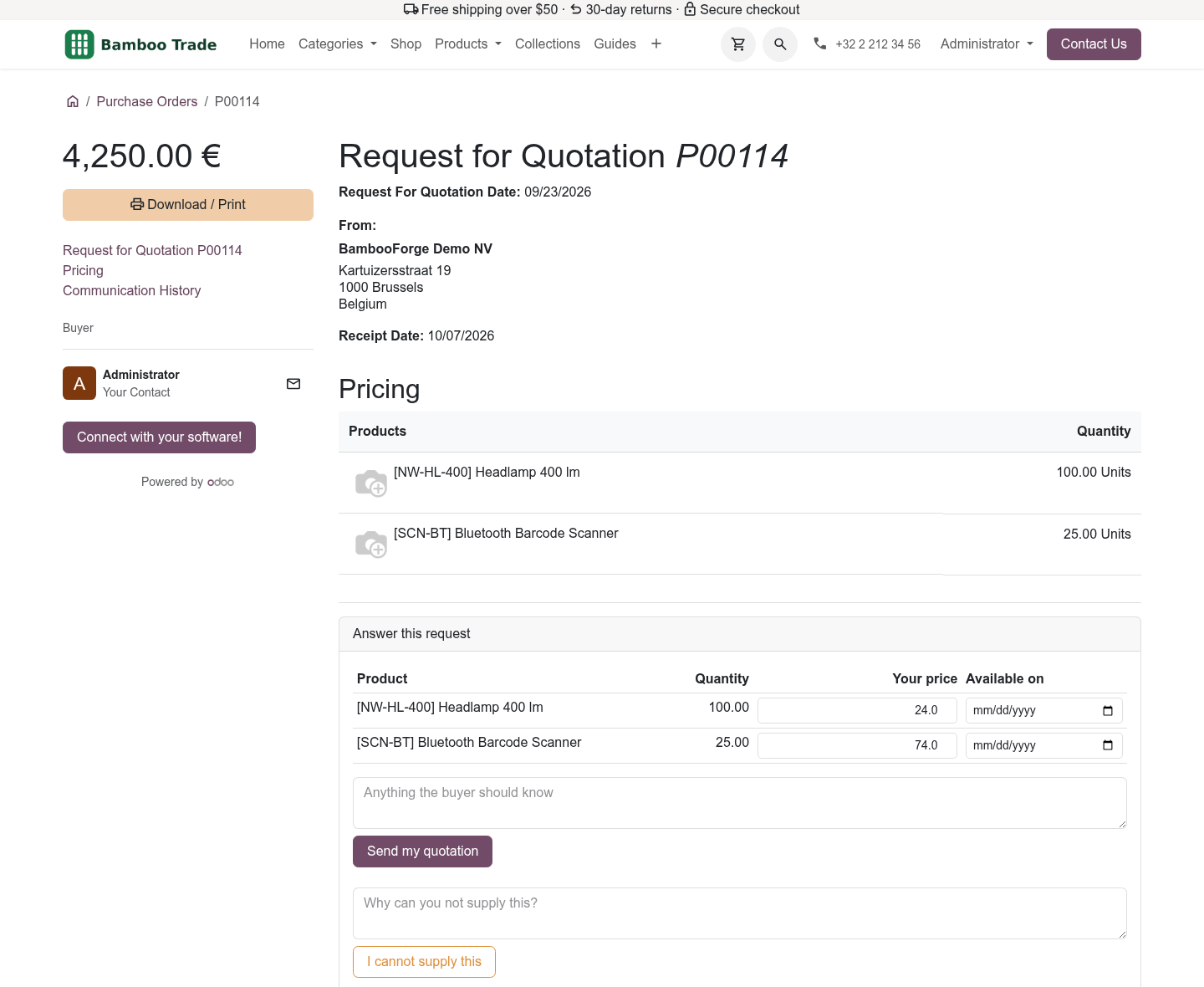
- Typed once, by the vendorPrices and dates per line, on the request's own portal page; no email to retype.
- Nothing touches the order by itselfA submission is read until a buyer applies it, once, with their name and the time.
- Invoices as draft billsThe vendor's document becomes a draft bill with the file attached; nothing is posted.
bambooforge_vendor_portal31 automated checks run before every release of this app, the same suite on every series it ships for. The complete list is in the source you receive; run it yourself with --test-enable.
For the people who decide
What your managers see
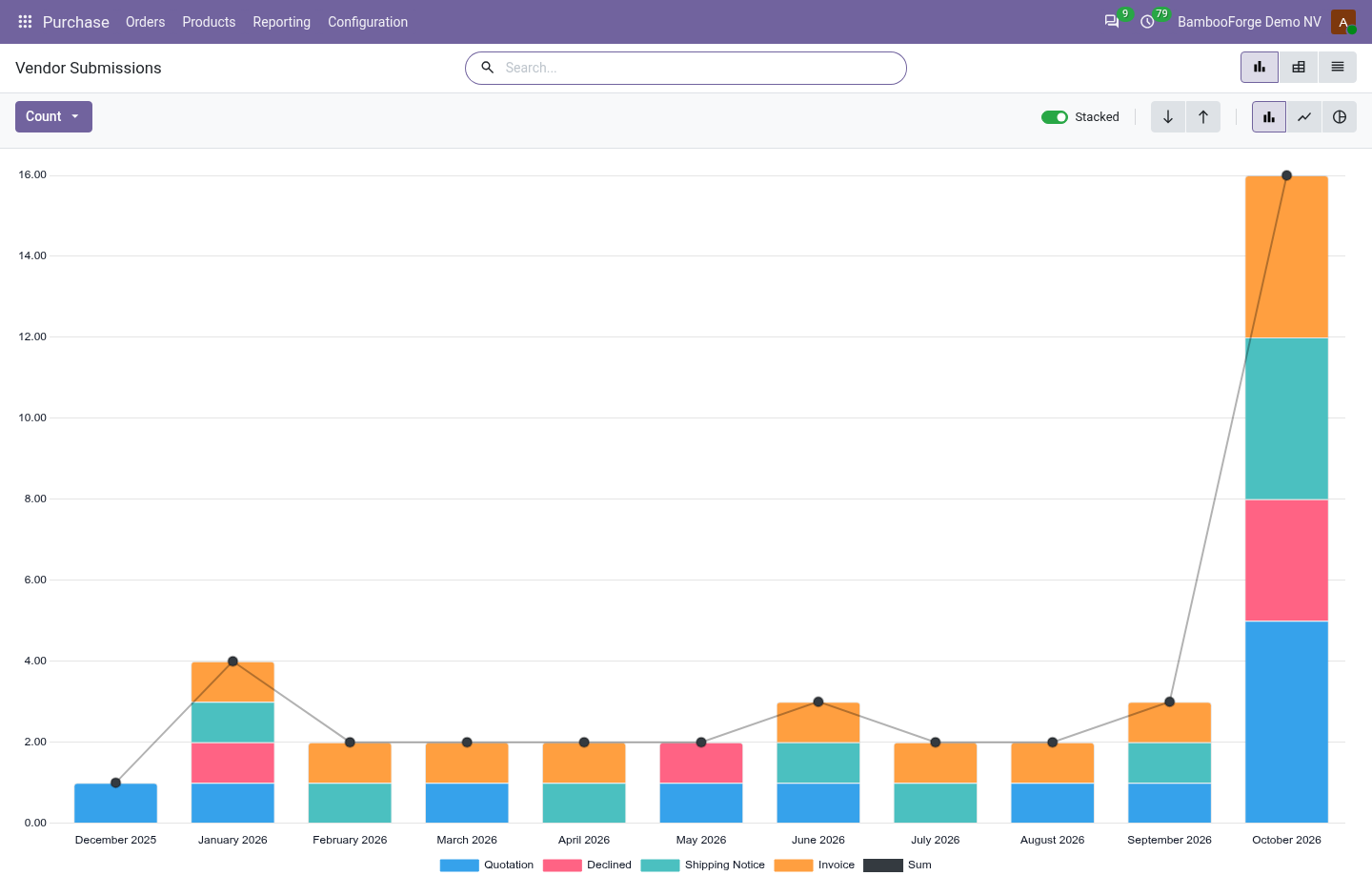
Purchase > Reporting > Vendor Submissions is the analysis. It opens on a chart, with the pivot one click away, and the pivot downloads to Excel from its toolbar.
Vendor Submissions
what the vendors sent through the portal (quotations, declines, shipping notices and invoices) by vendor, month and outcome, what the invoices came to, and the average hours they waited for a buyer to apply or reject them.
The purchasing manager sees which vendors answer through the portal, and whether the buyers keep up.
How you use it
How it is used
A vendor answers a request
On the request's portal page.
- Type a price and an availability date per line, and a message.
- Press Send my quotation, or write why and press I cannot supply this.
- The order gets a note; the buyer finds it under Vendor Submissions.
A vendor ships and bills
On a confirmed order's portal page.
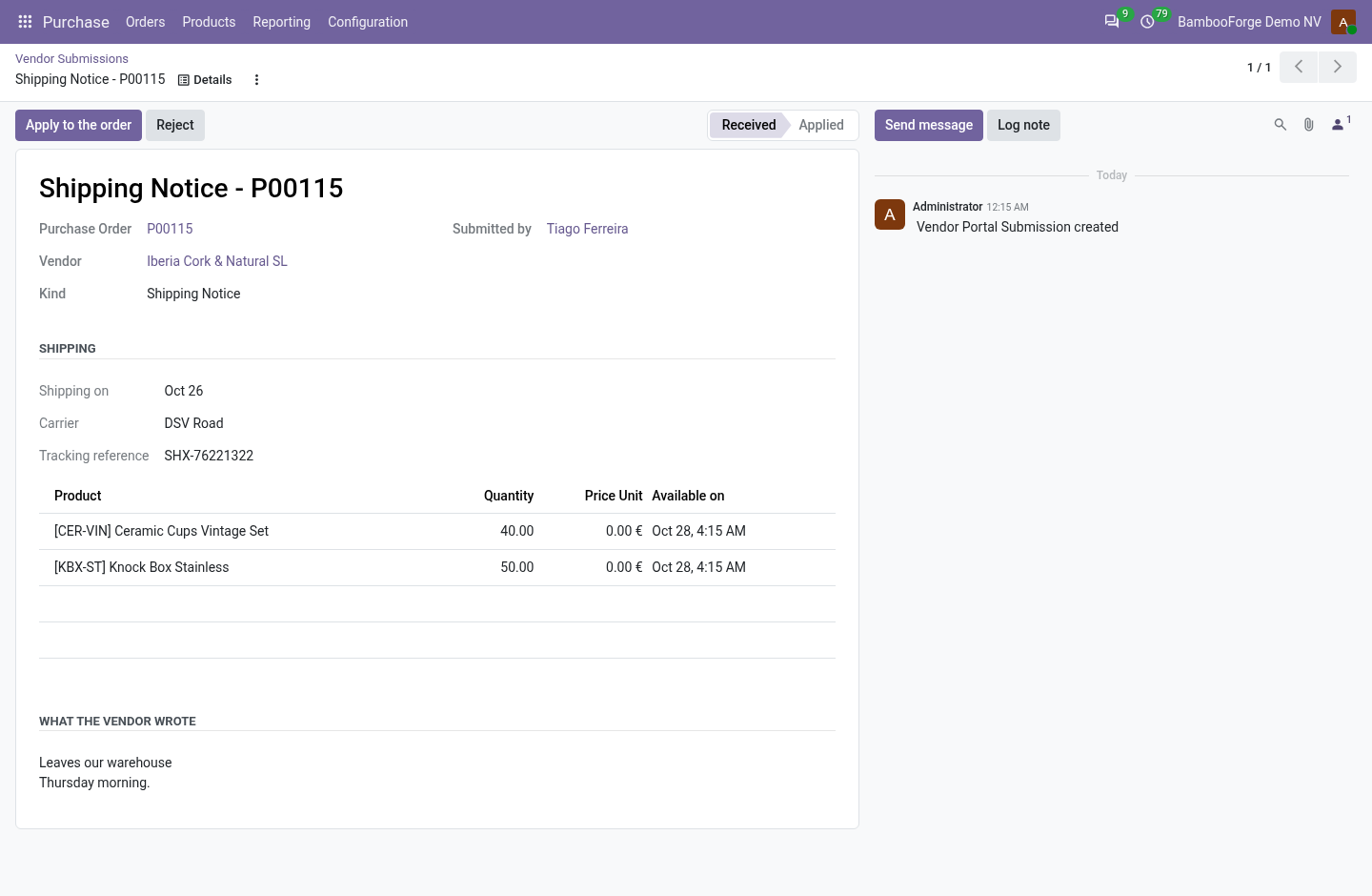
- Send a shipping notice: date, carrier, tracking reference, which lines in the message.
- Send the invoice: number, date, total and the document.
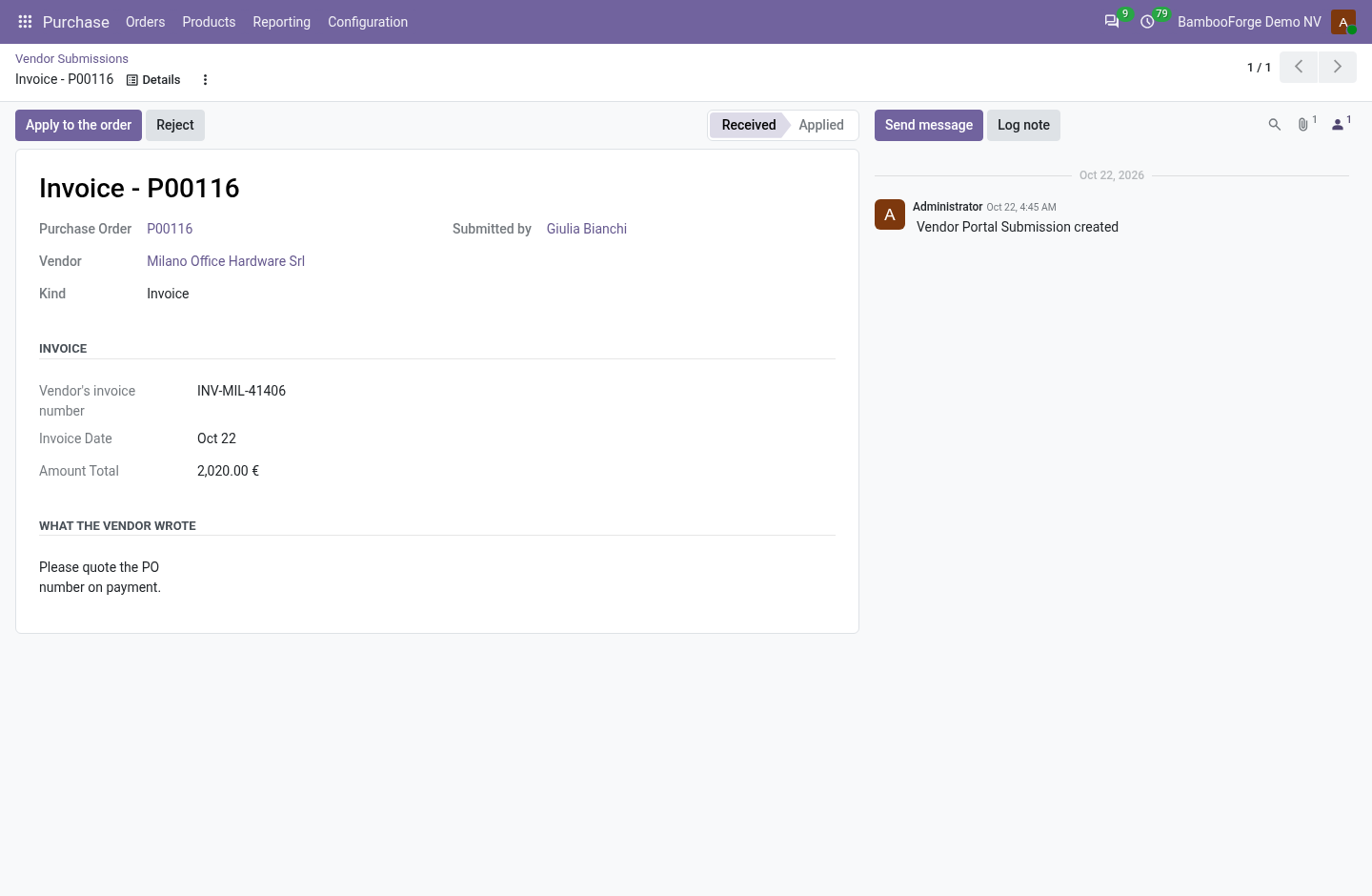
A buyer applies it
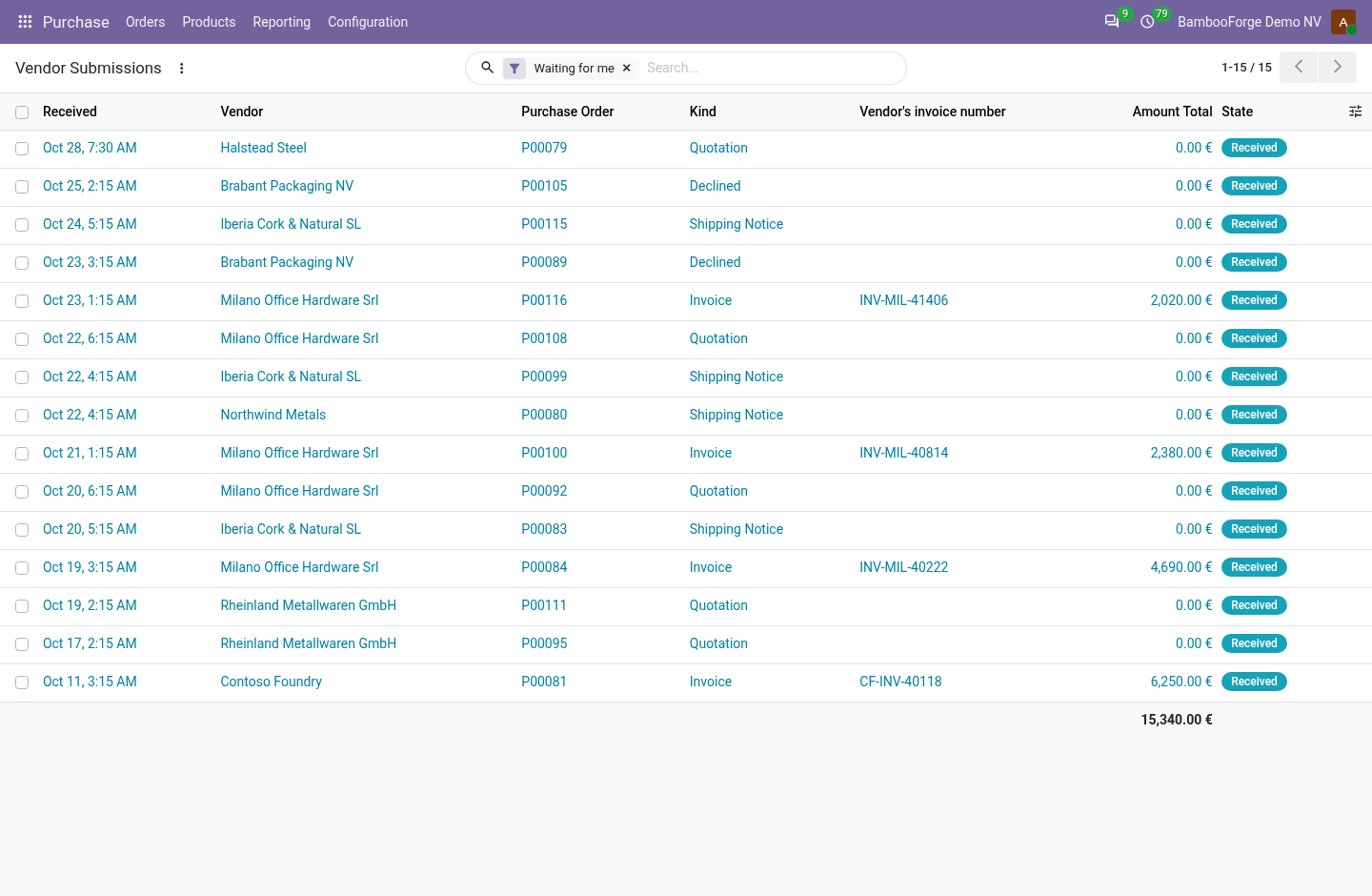
Under Purchase > Orders > Vendor Submissions.
- Open a submission waiting.
- Press Apply to the order: prices and dates, a new expected date, or a draft bill.
- Or press Reject.
Price and where to buy
119 EUR, one payment per Odoo series, on the Odoo Apps Store. Pick your series:
Twelve months of support by the people who wrote the code; bug fixes and improvements within the series free for as long as it is published. Report a bug within two months of purchase and, if it is not resolved within fifteen days, you get a full refund. Full source under OPL-1, no licence key, no phone-home. The whole promise.