 BambooForge Labs

- From your recordsReceipts, returns and purchase orders already in Odoo; the vendors do nothing.
- Why this scoreEach vendor opens on its criteria: the raw figure, the score, the weight and its share.
- Better or worseEach review compares a vendor with the previous one; a grade that drops gives a to-do.
Runs onOdoo 16 to 20Community or Enterprise, self-hosted or Odoo.sh
NeedsPurchaseno Enterprise module
Price99 EURone-time, per series, on the Odoo Apps Store
Demodemo20.bambooforge.devlogin page already filled in
Supportsupport@bambooforge.devfirst reply within one business day
Version20.0.1.1.6
bambooforge_vendor_scorecard32 automated checks run before every release of this app, the same suite on every series it ships for. The complete list is in the source you receive; run it yourself with --test-enable.
How you use it
How it is used
Flow 01
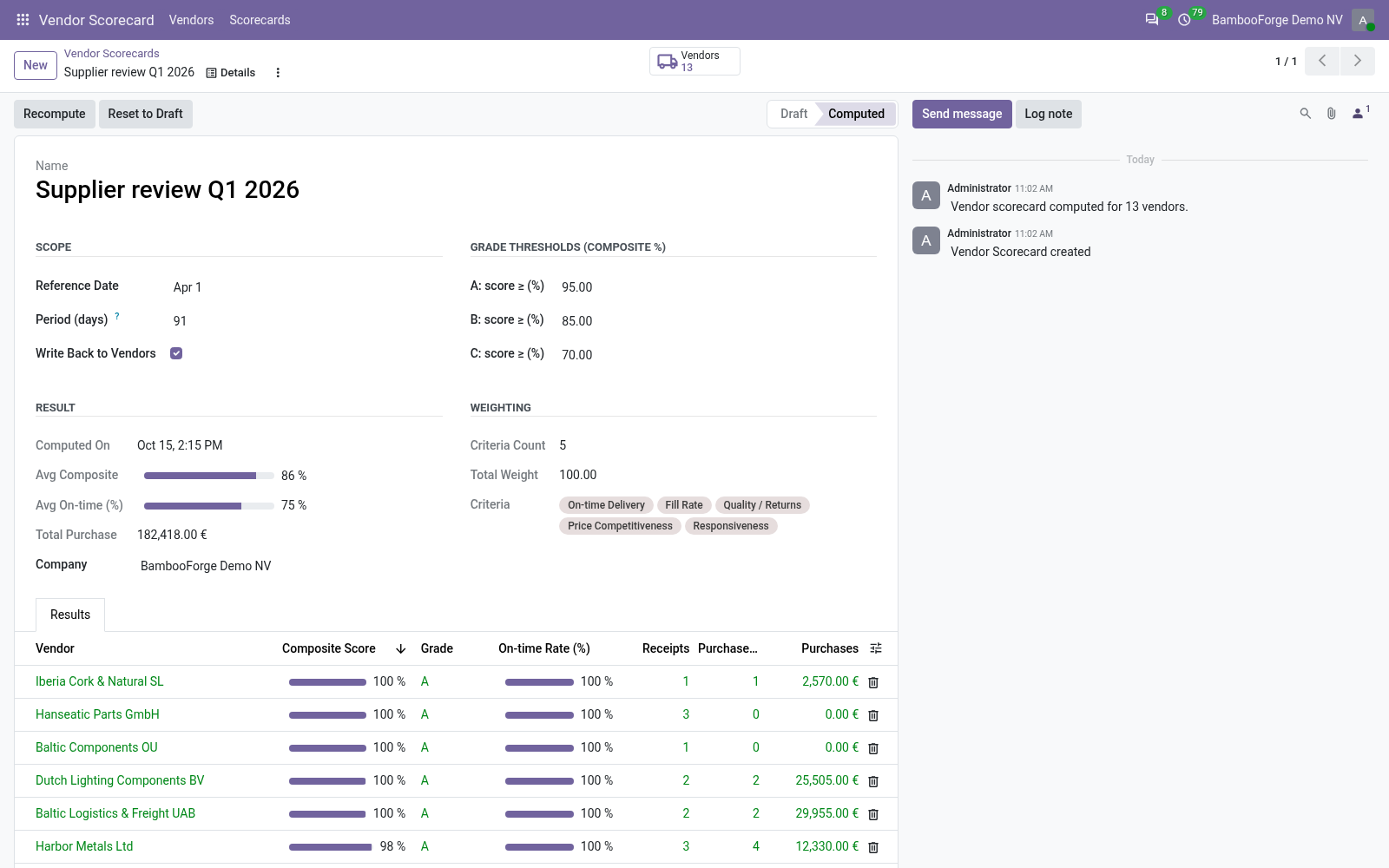
Compute a scorecard
For a purchasing manager.
- Vendor Scorecard > Scorecards > New: a reference date and a period.
- Set the grade thresholds, keep Write Back to Vendors.
- Press Compute.
Flow 02
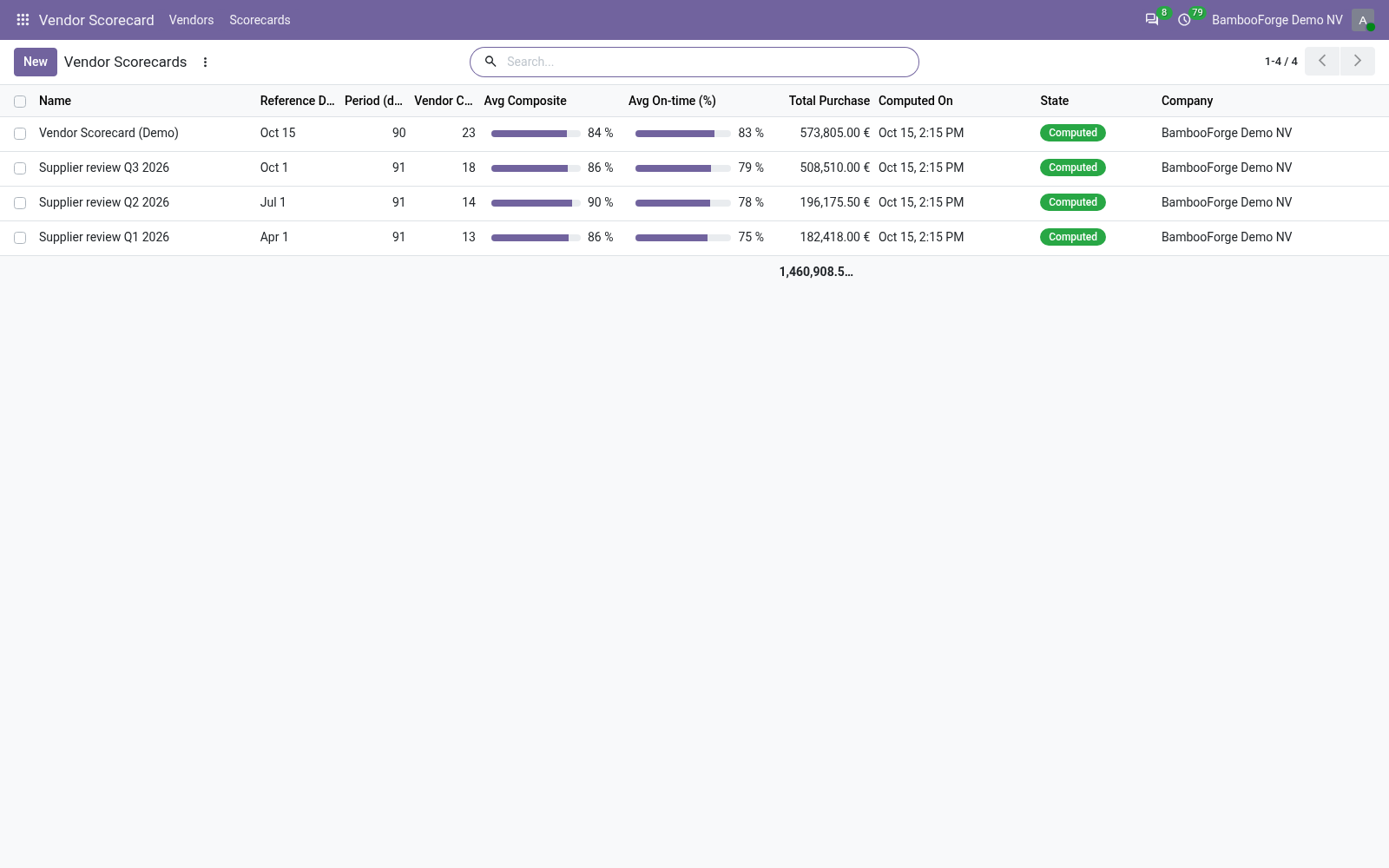
Read the vendors
For a buyer.
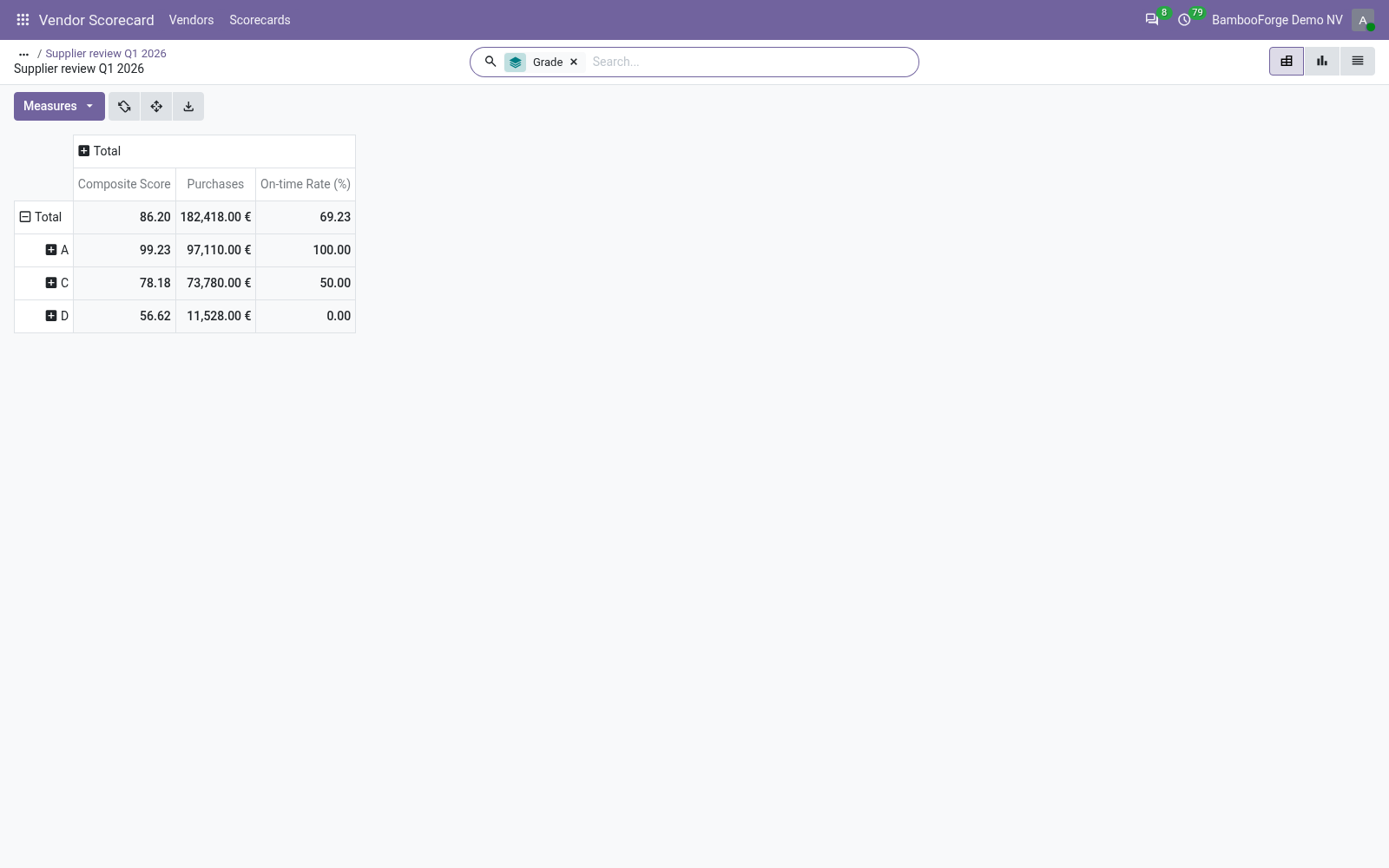
- Vendor Scorecard > Vendors: the vendors by grade, as a pivot, a graph or a list.
- Filter Grade A or Poor (C/D).
- Open a vendor's line for Why this score.
Flow 03
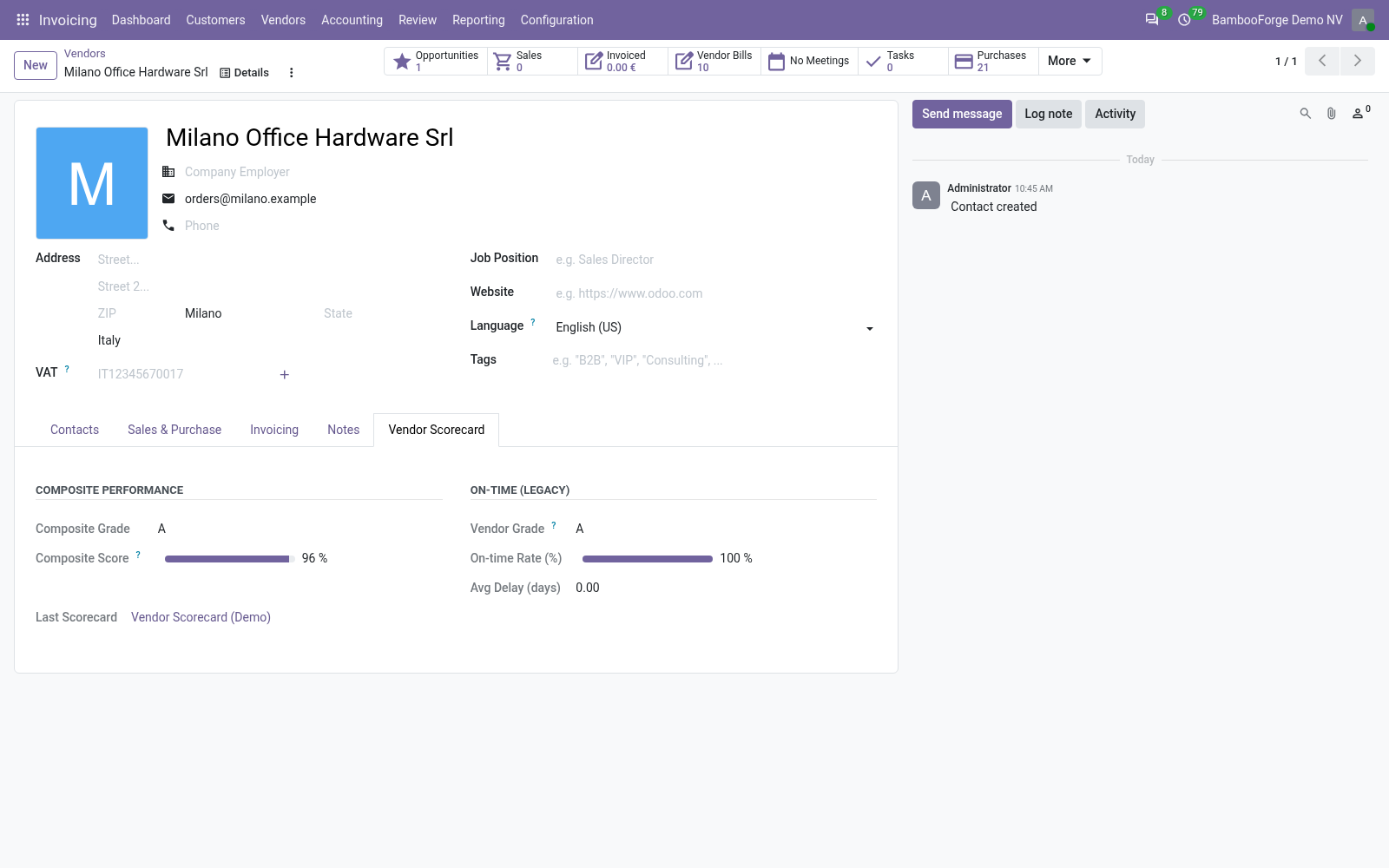
Use it on the vendor
With Write Back to Vendors.
- Open a vendor: the Vendor Scorecard tab shows its grade, score, on-time rate and delay.
- Filter contacts on Top Vendors (A), or group them by grade.
Price and where to buy
99 EUR, one payment per Odoo series, on the Odoo Apps Store. Pick your series:
Twelve months of support by the people who wrote the code; bug fixes and improvements within the series free for as long as it is published. Report a bug within two months of purchase and, if it is not resolved within fifteen days, you get a full refund. Full source under OPL-1, no licence key, no phone-home. The whole promise.