 BambooForge Labs

- The animal is treated, the owner is billedThe owner is a patient file of the Clinic app, so the day sheet and the invoice work as they do there. An appointment and a visit name the animal.
- Boosters come back by themselvesThe next-due date is computed from the vaccine. Every day, doses due within 21 days become one to-do per owner, with the phone number and each animal due.
- Never a call about a dead animalA date of death, or an archived file, closes the animal's open doses and removes their to-dos, without claiming a booster was given.
Runs onOdoo 16 to 20Community or Enterprise, self-hosted or Odoo.sh
NeedsOdoo only; includes clinicno Enterprise module
Price208 EURone-time, per series, on the Odoo Apps Store
Demodemo20.bambooforge.devlogin page already filled in
Supportsupport@bambooforge.devfirst reply within one business day
Version20.0.1.2.5
bambooforge_veterinary87 automated checks run before every release of this app, the same suite on every series it ships for. The complete list is in the source you receive; run it yourself with --test-enable.
How you use it
From the animal's file to the booster call
Flow 01
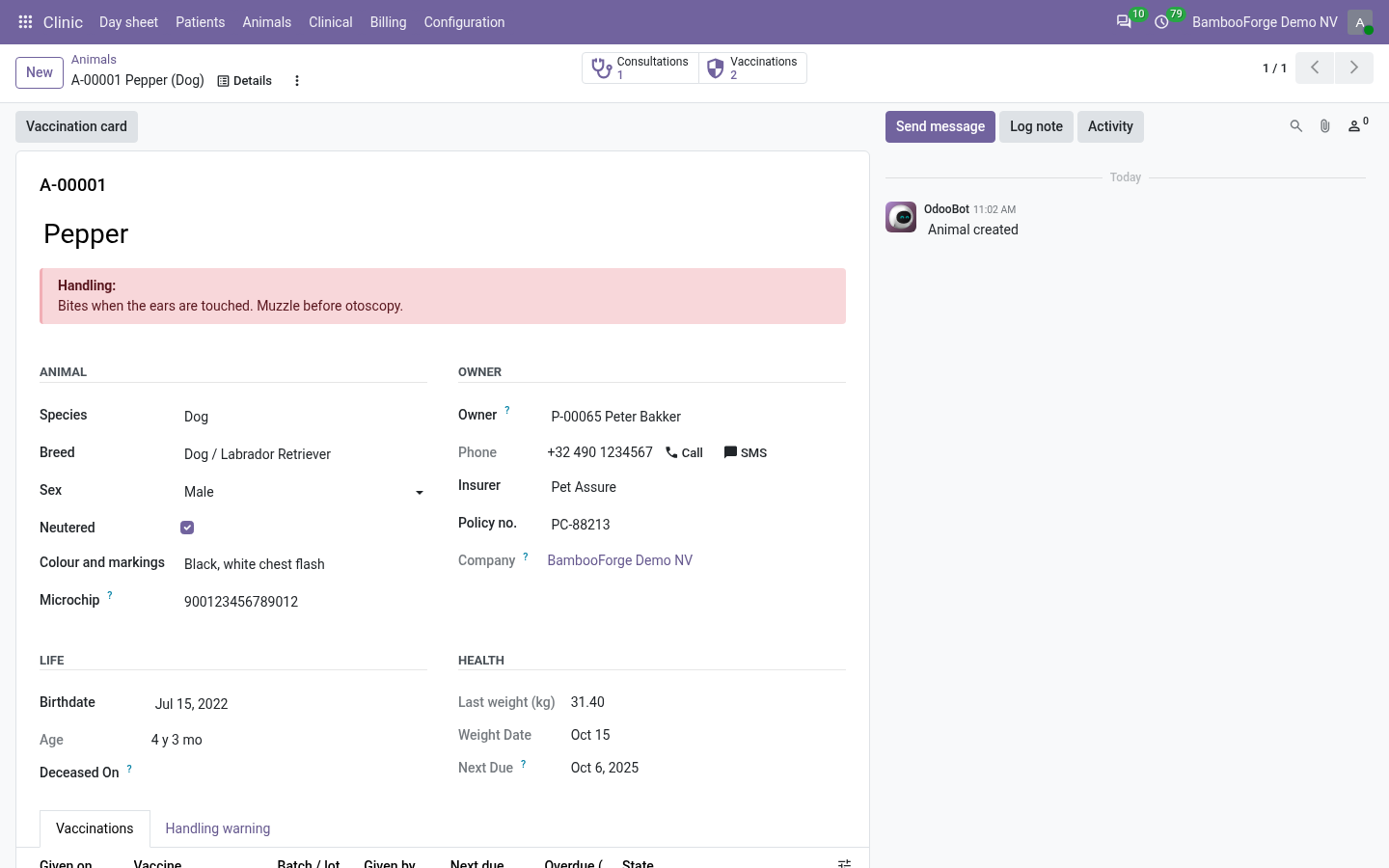
Register an animal
Clinic > Animals.
- Create the owner's file under Clinic > Patients, then the animal: name, species, breed and owner. The animal takes its number, A- and five digits.
- Microchip, sex, neutered, colour and markings, date of birth: the age shows in years and months.
- Type a handling warning: it stands in a red band at the top of the animal's file.
- One owner, several animals: the button Animals on the owner's file lists them.
Flow 02
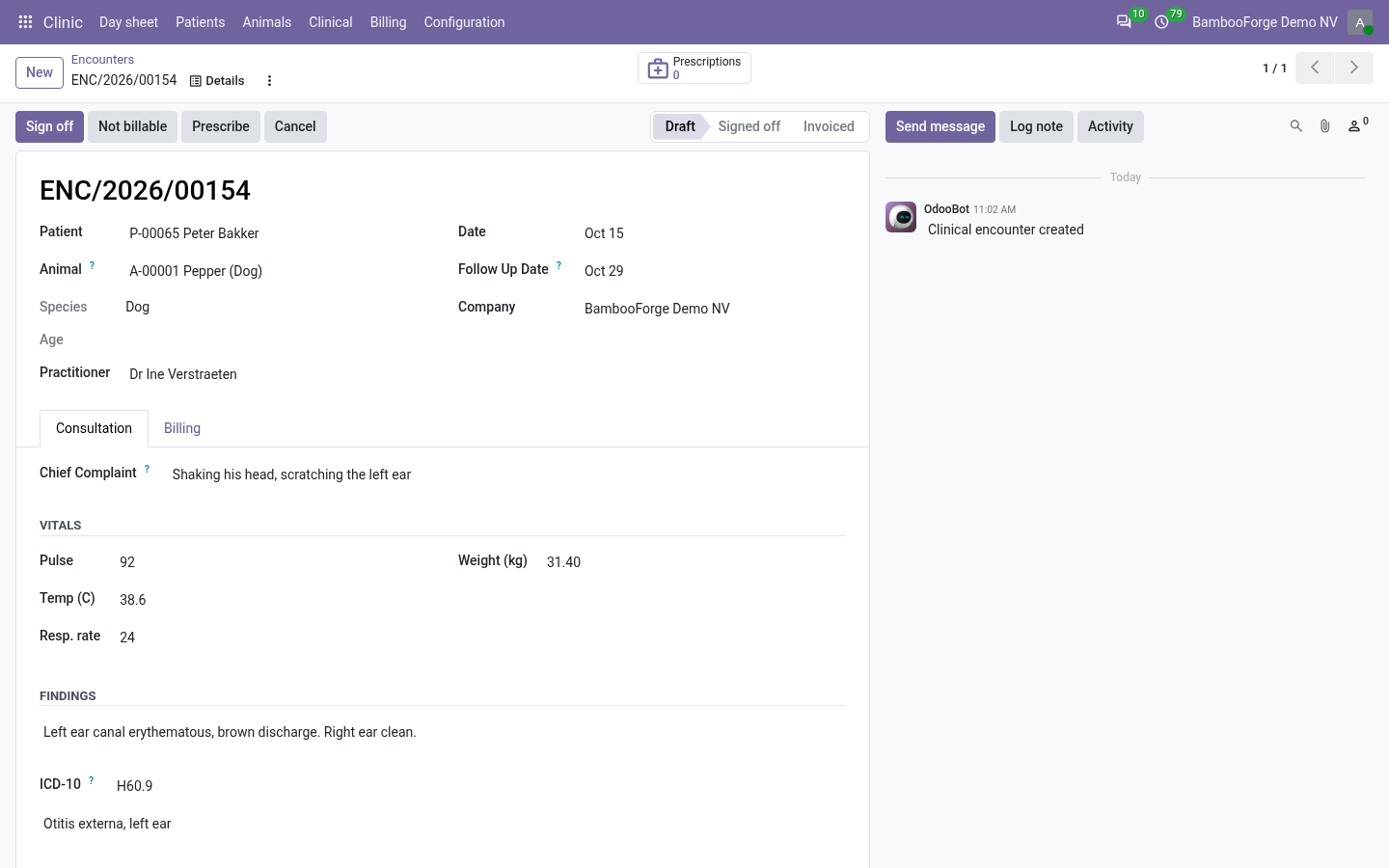
The visit of an animal
A consultation of the Clinic app, with the animal on it.
- On the appointment, choose the owner and then the animal, among that owner's own.
- Start opens the consultation with the animal and its species. Height and BMI are hidden.
- Enter the weight: more than three times the typical adult weight of the species is refused. The animal's file shows the latest weight.
- Sign off and invoice as in the Clinic app: the invoice goes to the owner.
Flow 03
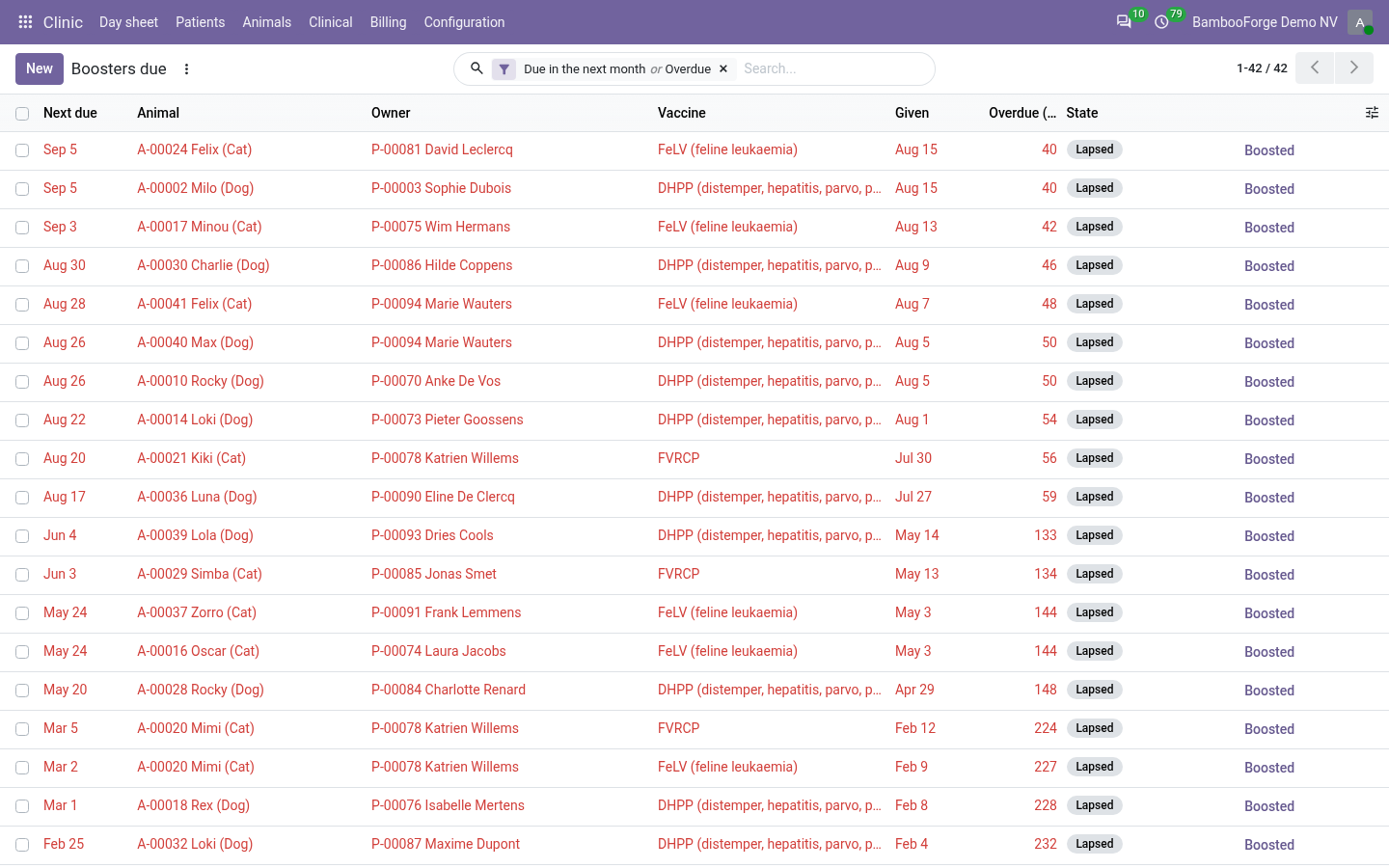
Vaccinate and recall
The animal's file, and Clinic > Clinical > Boosters due.
- Record a dose on the animal's file: the day, the vaccine, the batch and the vet. The next-due date is filled in from the protocol.
- Bill it puts the vaccine's product on the animal's open visit of that day, once.
- Each day the recall creates one to-do per owner for the doses due within 21 days, and marks the doses more than 30 days overdue as Lapsed.
- Record the booster when it is given: the earlier dose becomes Boosted by itself.
- Print the vaccination card for the owner from the animal's file.
Price and where to buy
208 EUR, one payment per Odoo series, on the Odoo Apps Store. Pick your series:
Twelve months of support by the people who wrote the code; bug fixes and improvements within the series free for as long as it is published. Report a bug within two months of purchase and, if it is not resolved within fifteen days, you get a full refund. Full source under OPL-1, no licence key, no phone-home. The whole promise.