 BambooForge Labs

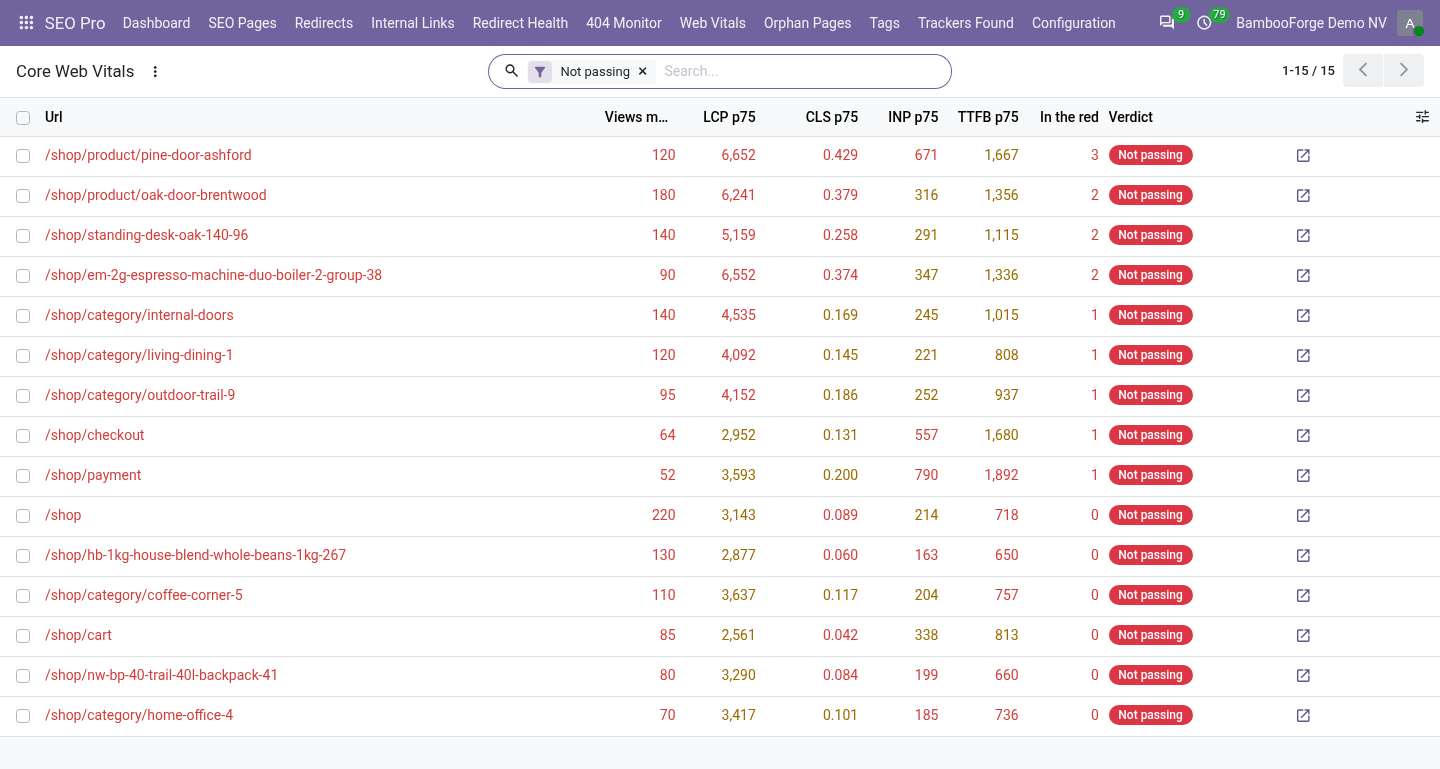
- Real visitors, not a robotLCP, CLS, INP and TTFB, as each browser measured them, sent once as the visitor leaves.
- The 75th percentileThree quarters of the views must be under Google's threshold; a page with too few measurements says so.
- Where to look firstThe pages not passing come first, with filters for slow to paint, jumps around and slow to respond.
Runs onOdoo 16 to 20Community or Enterprise, self-hosted or Odoo.sh
NeedsOdoo only; includes seo prono Enterprise module
Price208 EURone-time, per series, on the Odoo Apps Store
Demodemo20.bambooforge.devlogin page already filled in
Supportsupport@bambooforge.devfirst reply within one business day
Version20.0.1.0.5
bambooforge_web_vitals44 automated checks run before every release of this app, the same suite on every series it ships for. The complete list is in the source you receive; run it yourself with --test-enable.
How you use it
Three things you do with it
Flow 01
Read the list of pages
The work queue.
- Open SEO Pro > Web Vitals: the pages not passing, those with most metrics in the red first.
- Filter by symptom: slow to paint, jumps around, slow to respond.
- Press the arrow to open the page itself.
Flow 02
Look at one page
Its numbers.
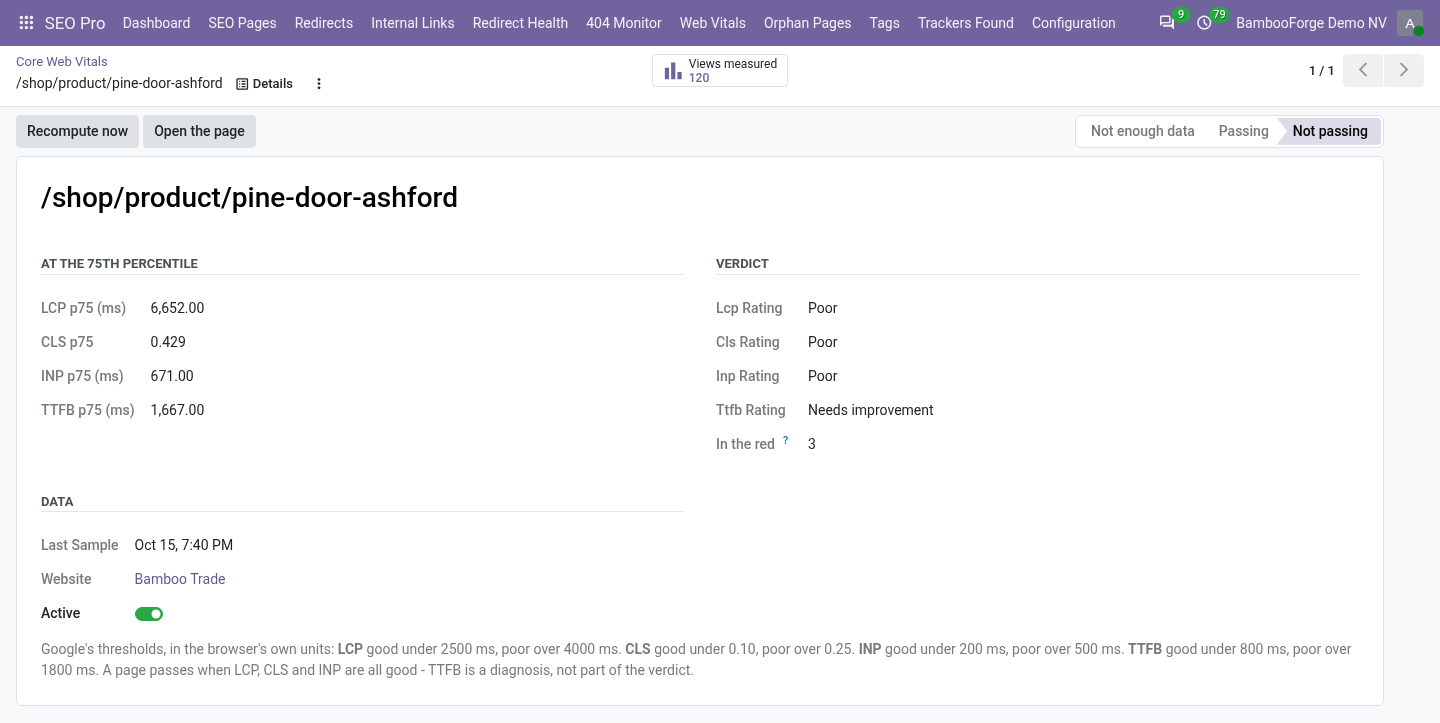
- Open the page's line: its four numbers at the 75th percentile, their ratings and the verdict.
- Press Views measured for the measurements, as a list or a chart.
- Press Recompute now to bring it up to date.
Flow 03
Measure a share of the traffic
For a busy site.
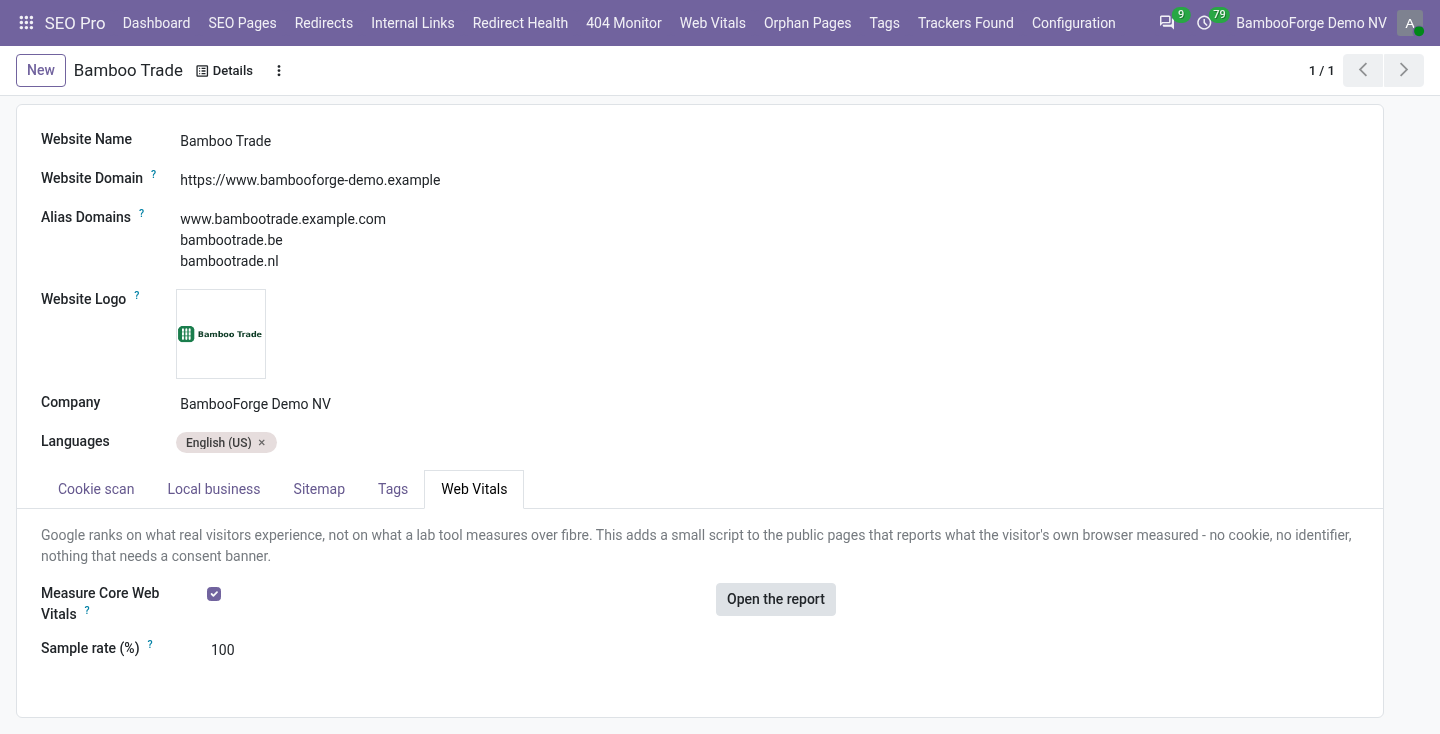
- Open the website form's Web Vitals tab.
- Set the sample rate: at 10, about one view in ten reports.
- Untick Measure Core Web Vitals to take the script off this website.
Price and where to buy
208 EUR, one payment per Odoo series, on the Odoo Apps Store. Pick your series:
Twelve months of support by the people who wrote the code; bug fixes and improvements within the series free for as long as it is published. Report a bug within two months of purchase and, if it is not resolved within fifteen days, you get a full refund. Full source under OPL-1, no licence key, no phone-home. The whole promise.