 BambooForge Labs

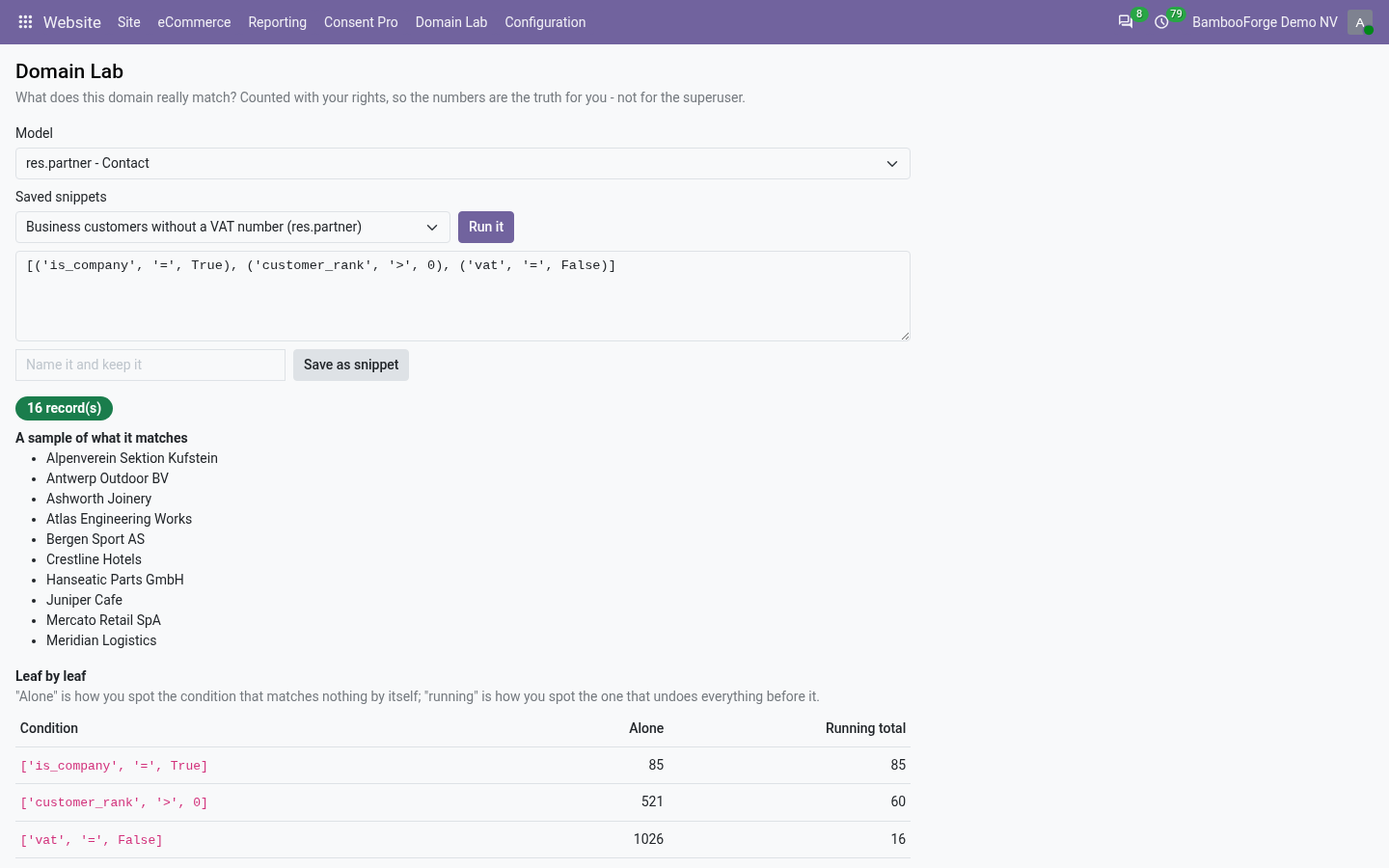
- See the filter before it shipsThe count, a sample of names, and each condition with what it matches alone and the running total, counted with your own rights.
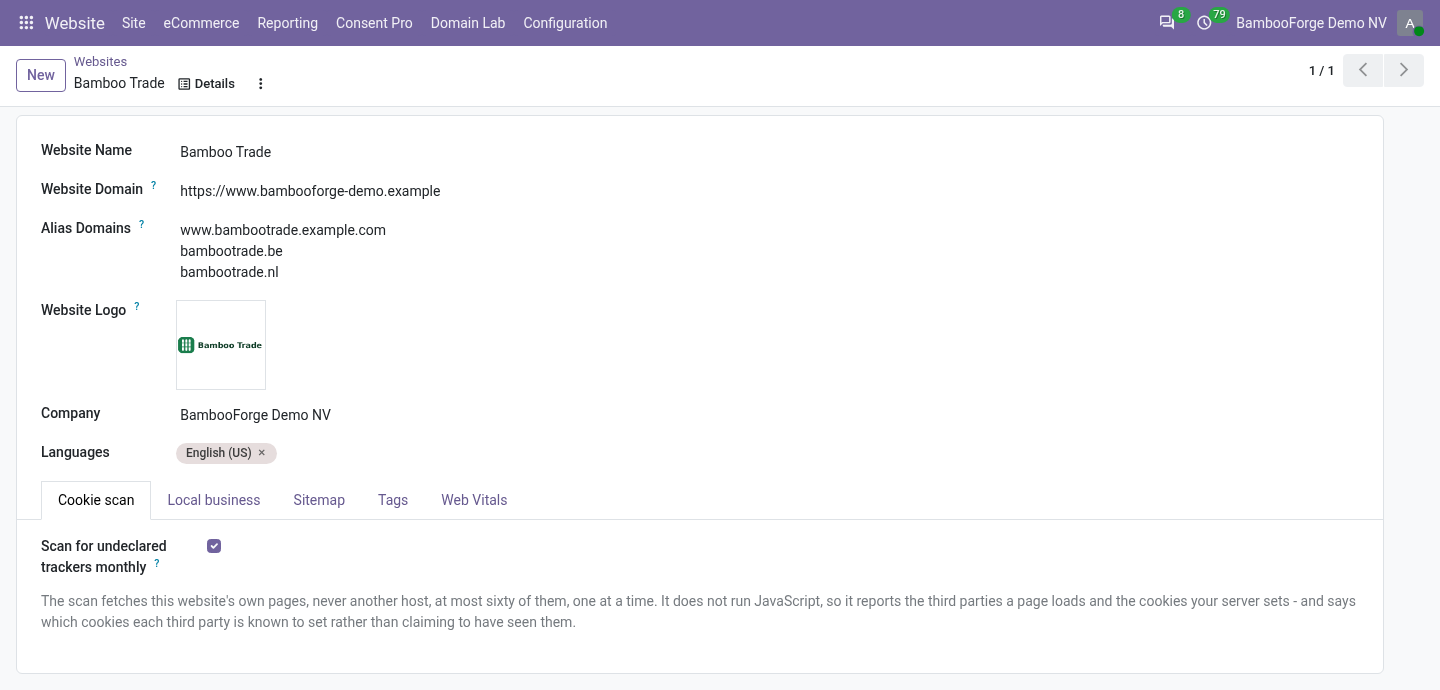
- Several host names, one websiteA list of alias host names per website; a request that reaches Odoo on one is served by that website.
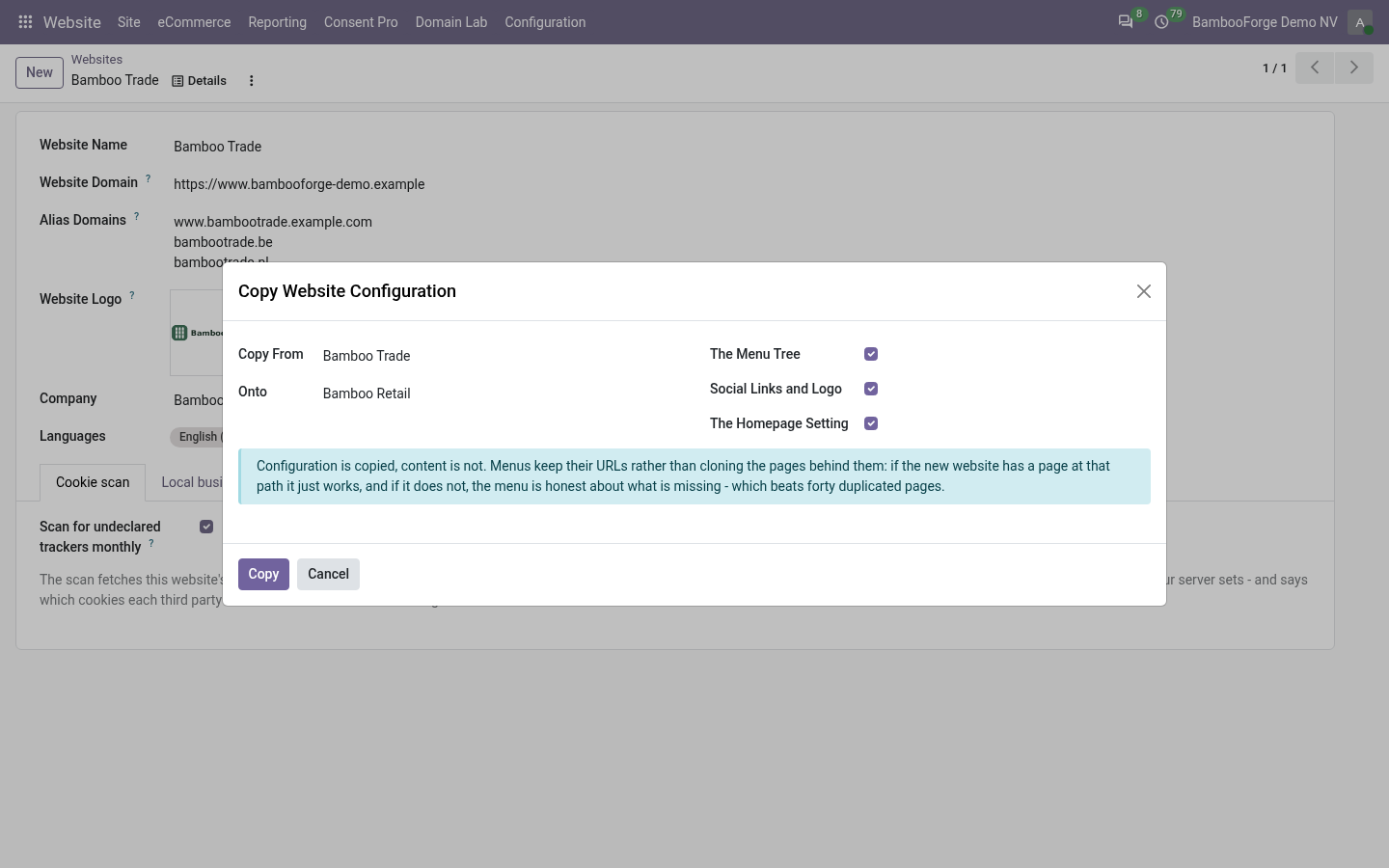
- The second website starts rightOne wizard copies the menu tree, the logo and social fields, and the homepage setting, and says what it copied.
Runs onOdoo 16 to 20Community or Enterprise, self-hosted or Odoo.sh
NeedsWebsiteno Enterprise module
Price99 EURone-time, per series, on the Odoo Apps Store
Demodemo20.bambooforge.devlogin page already filled in
Supportsupport@bambooforge.devfirst reply within one business day
Version20.0.1.0.6
bambooforge_website_tools32 automated checks run before every release of this app, the same suite on every series it ships for. The complete list is in the source you receive; run it yourself with --test-enable.
How you use it
Three things you do with it
Flow 01
Test a domain
For any internal user.
- Open the Domain Lab, choose a model and paste a domain.
- Press Run it: the count, a sample of names, and each condition's numbers.
- Name it and save it as a snippet for the next person.
Flow 02
Answer on an alias host name
For an administrator.
- Open the website form, under Website > Configuration > Websites in developer mode.
- In Alias Domains, write one host name per line.
- Point the name at your server and let your web server pass it on.
Flow 03
Copy a website's configuration
For a website designer.
- Open Copy Website Configuration.
- Choose the website to copy from and the website to copy onto.
- Tick the menu tree, the social links and logo, or the homepage setting, and press Copy.
Price and where to buy
99 EUR, one payment per Odoo series, on the Odoo Apps Store. Pick your series:
Twelve months of support by the people who wrote the code; bug fixes and improvements within the series free for as long as it is published. Report a bug within two months of purchase and, if it is not resolved within fifteen days, you get a full refund. Full source under OPL-1, no licence key, no phone-home. The whole promise.