 BambooForge Labs

- Refused out loudA product not on the transfer, a complete line, a missing lot, a serial twice, a second person: each is refused on the screen and written down.
- The transfer untouched until FinishThe count is kept on the session and put on the transfer once. Abandon leaves the transfer as it was.
- Phone, handheld or cameraAny scanner that types into the screen, or the phone's camera through Odoo's own scanner.
Runs onOdoo 16 to 20Community or Enterprise, self-hosted or Odoo.sh
NeedsBarcode, Inventoryno Enterprise module
Price149 EURone-time, per series, on the Odoo Apps Store
Demodemo20.bambooforge.devlogin page already filled in
Supportsupport@bambooforge.devfirst reply within one business day
Version20.0.1.0.3
bambooforge_wms_scan45 automated checks run before every release of this app, the same suite on every series it ships for. The complete list is in the source you receive; run it yourself with --test-enable.
How you use it
From the first scan to the log
Flow 01
Scan a transfer
For the picker, on a phone or a handheld.
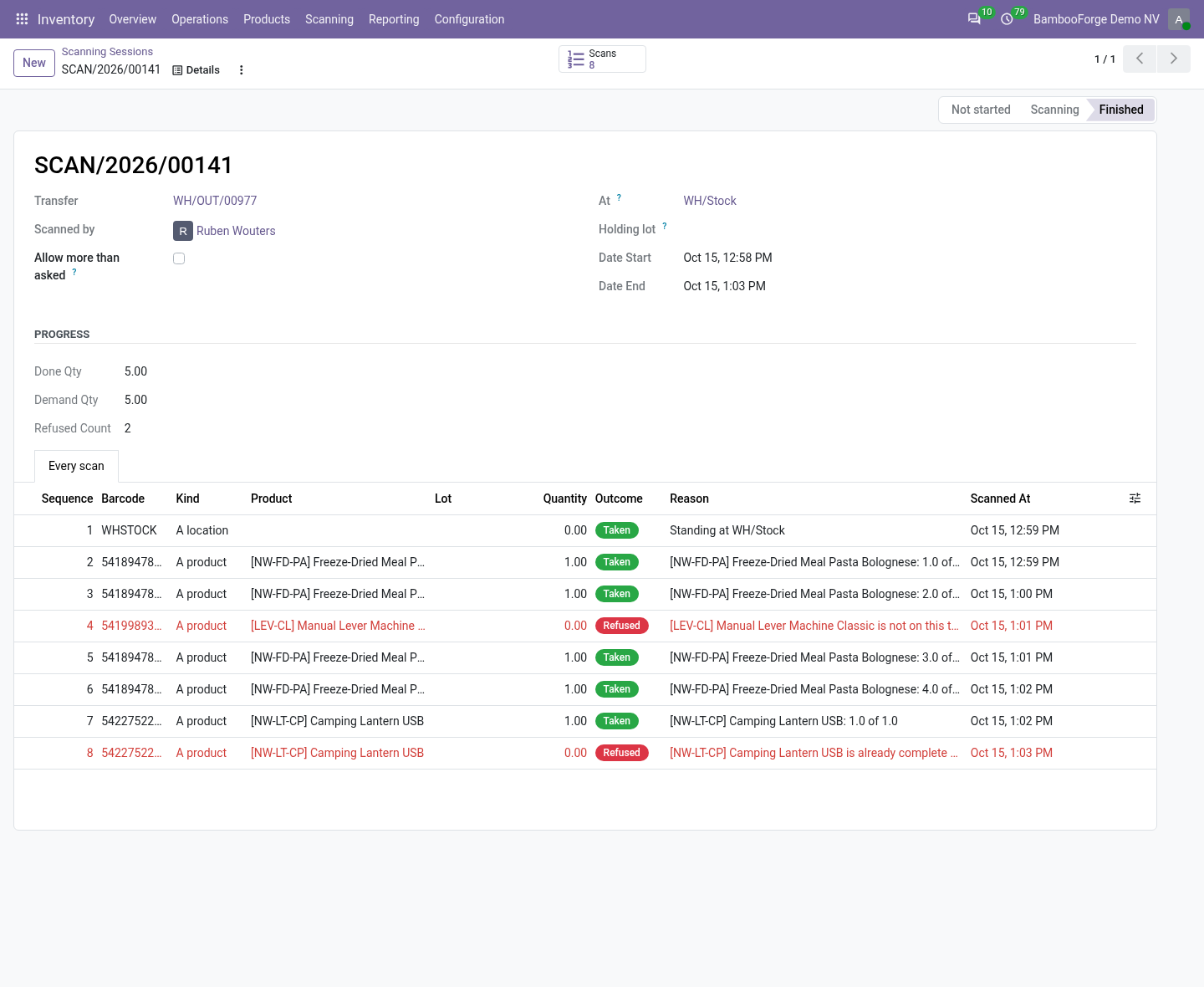
- Open the transfer and press Scan: your session opens, or a new one starts.
- Scan the location you stand at, then each product: one scan, one unit.
- Each line shows done of asked; a refused scan shows its reason in red.
- Wait for the answer before the next scan.
Flow 02
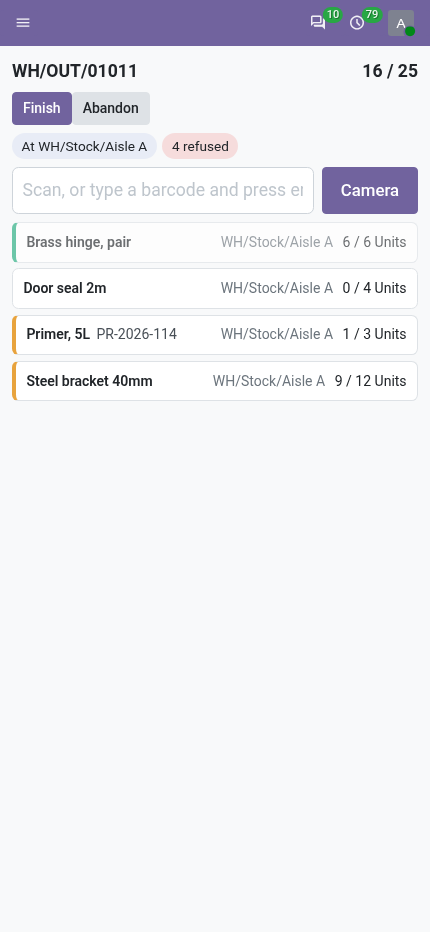
What it refuses
Out loud, and on record.
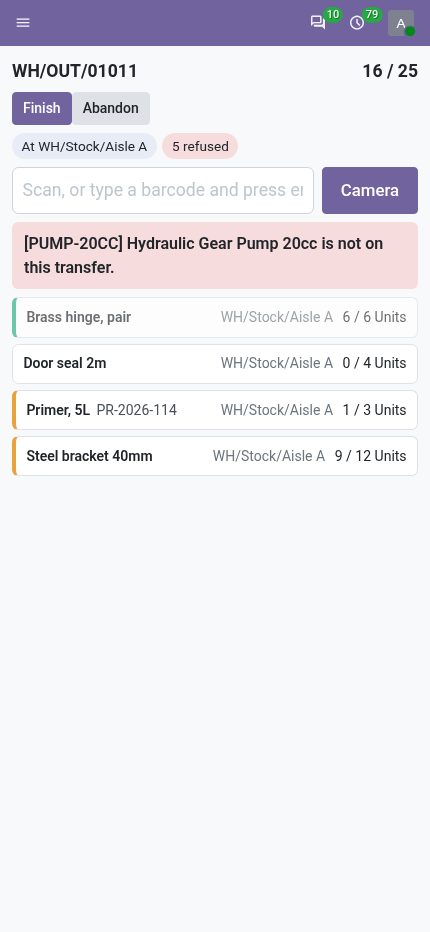
- A product not on the transfer, or already complete.
- A tracked product with no lot in hand, or a lot of another product.
- A serial scanned twice, a package, an unknown barcode.
- A second person on a transfer somebody is scanning.
Flow 03
Finish, then validate
For the picker.
- Finish puts the count on the transfer: quantities on the lines, marked picked.
- Lines nobody scanned are set to zero.
- Validate the transfer as usual; Odoo asks about the backorder.
- Abandon instead leaves the transfer as it was.
Flow 04
Read the log
For the supervisor.
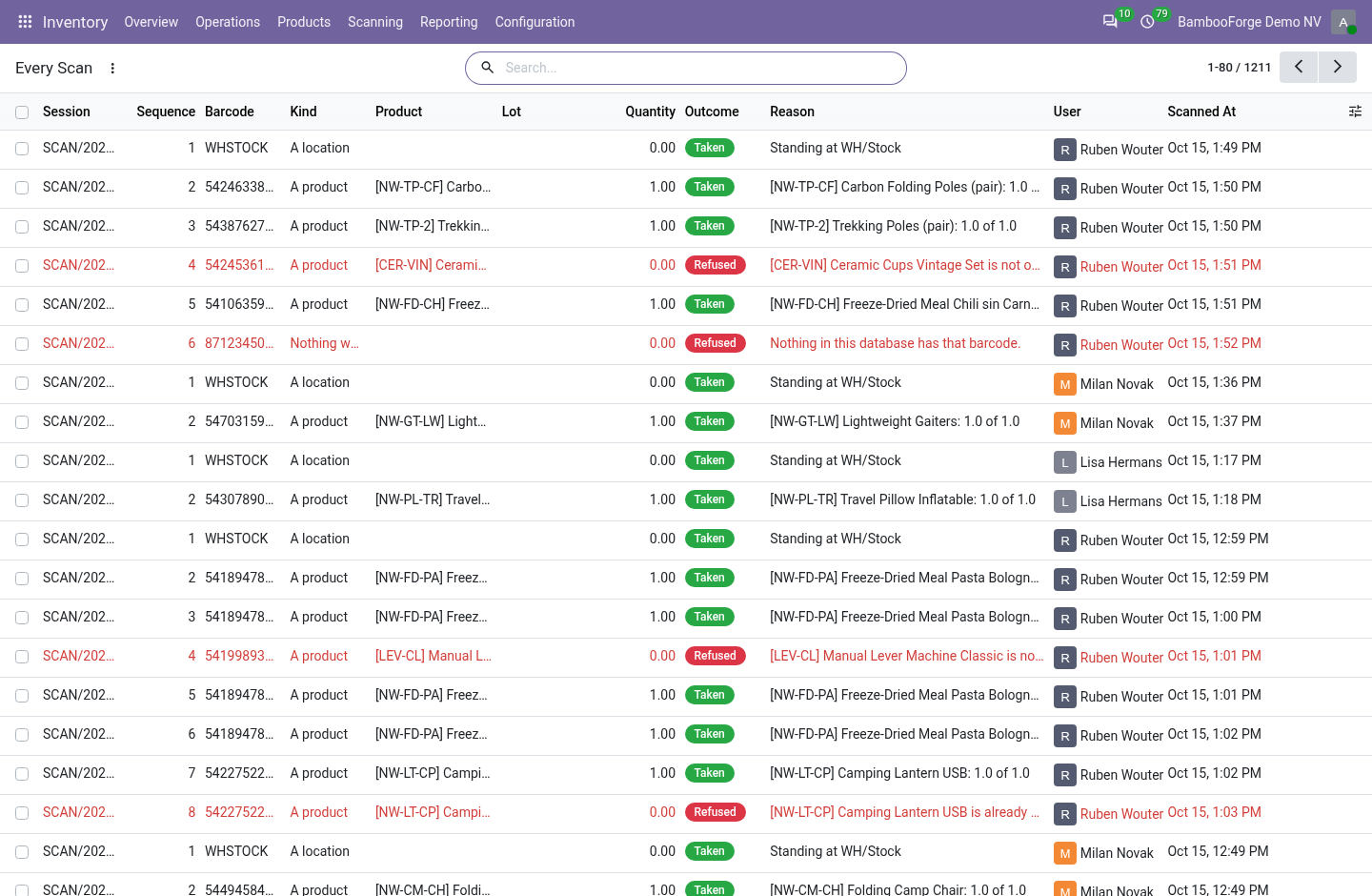
- Inventory > Scanning > Every Scan: every scan of every session.
- Filter on Refused; group by reason, by what it was or by who scanned.
- Nobody can edit a scan.
Price and where to buy
149 EUR, one payment per Odoo series, on the Odoo Apps Store. Pick your series:
Twelve months of support by the people who wrote the code; bug fixes and improvements within the series free for as long as it is published. Report a bug within two months of purchase and, if it is not resolved within fifteen days, you get a full refund. Full source under OPL-1, no licence key, no phone-home. The whole promise.