 BambooForge Labs

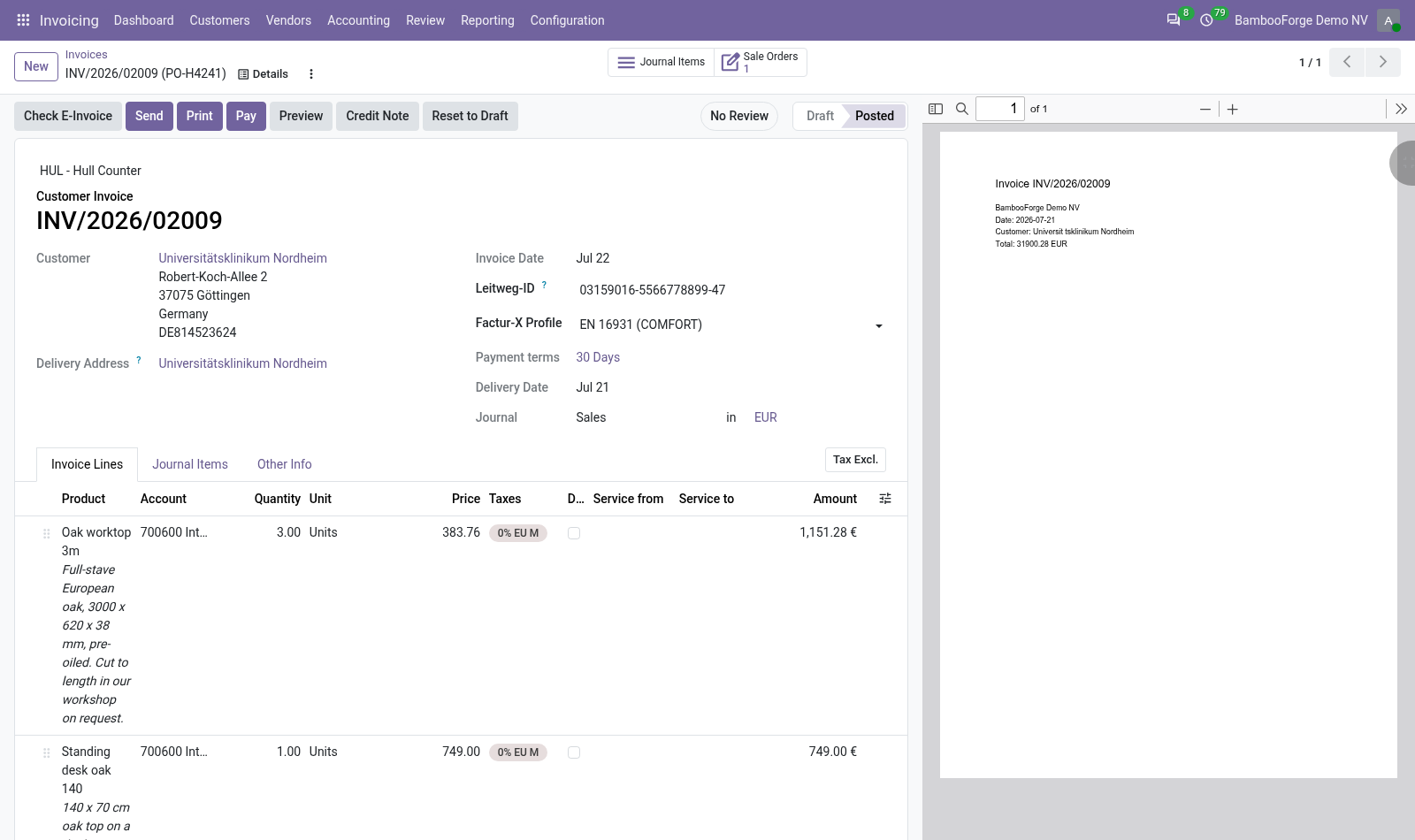
- The Leitweg-ID on customer and invoiceEntered once on the customer and copied onto each of their invoices, where you can change it. A value of another shape is refused on the customer.
- Only for the customers you tickPublic Sector Buyer turns the German checks on for that customer's invoices. Other customers are checked against the European rules only.
- What is missing, with its codeCheck E-Invoice names it: no Leitweg-ID, neither payment terms nor a recipient bank account, no telephone or no e-mail on your own company.
Runs onOdoo 16 to 20Community or Enterprise, self-hosted or Odoo.sh
NeedsOdoo only; includes einvoiceno Enterprise module
Price318 EURone-time, per series, on the Odoo Apps Store
Demodemo20.bambooforge.devlogin page already filled in
Supportsupport@bambooforge.devfirst reply within one business day
Version20.0.1.0.4
bambooforge_xrechnung15 automated checks run before every release of this app, the same suite on every series it ships for. The complete list is in the source you receive; run it yourself with --test-enable.
How you use it
Two things you do with it
Flow 01
Setting it up
On the customer, the public body itself.
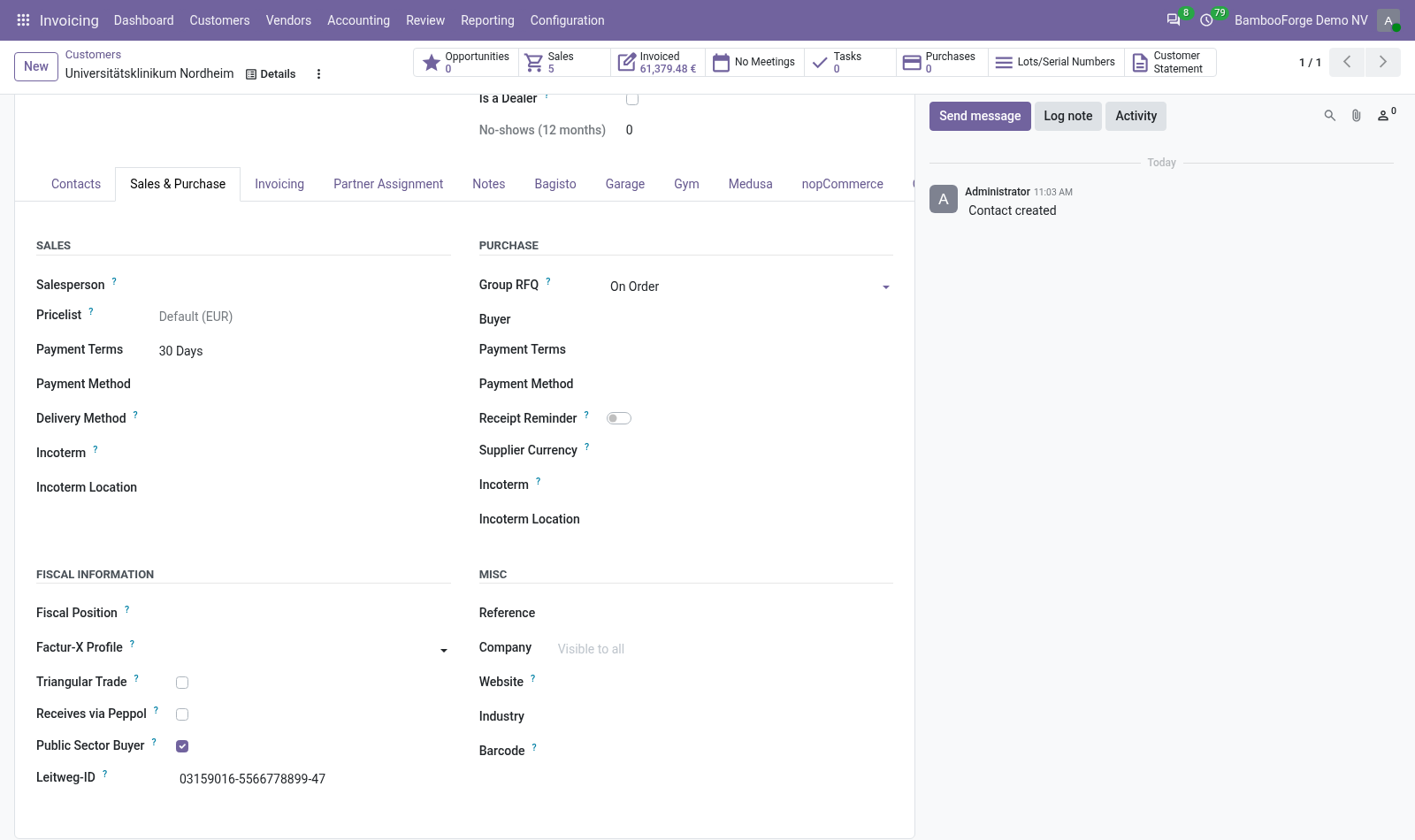
- Open the customer's Sales & Purchase tab and tick Public Sector Buyer under Fiscal Information.
- Enter the Leitweg-ID the public body gave you, for example
04011000-1234512345-06. A value of another shape is refused. - Create an invoice for that customer: it carries the same Leitweg-ID, and you can change it on that invoice.
- Enter the identifier as the customer's address for e-invoices too, with the scheme Germany Leitweg-ID: Odoo's XRechnung file takes its buyer reference from there.
Flow 02
What gets checked
On a document of a customer ticked Public Sector Buyer.
- Press Check E-Invoice: with a blocking finding, a red block lists each finding with its code, its severity and a detail.
- Fill in what is missing: the Leitweg-ID on the invoice, payment terms or the recipient bank, the telephone and the e-mail of your own company.
- With a warning only there is no red block: E-invoice issues at the top of the invoice opens it.
- In E-Invoice Checks, set the severity of a check or switch it off.
Price and where to buy
318 EUR, one payment per Odoo series, on the Odoo Apps Store. Pick your series:
Twelve months of support by the people who wrote the code; bug fixes and improvements within the series free for as long as it is published. Report a bug within two months of purchase and, if it is not resolved within fifteen days, you get a full refund. Full source under OPL-1, no licence key, no phone-home. The whole promise.