 BambooForge Labs
Document Management System (DMS) & Cloud Sync
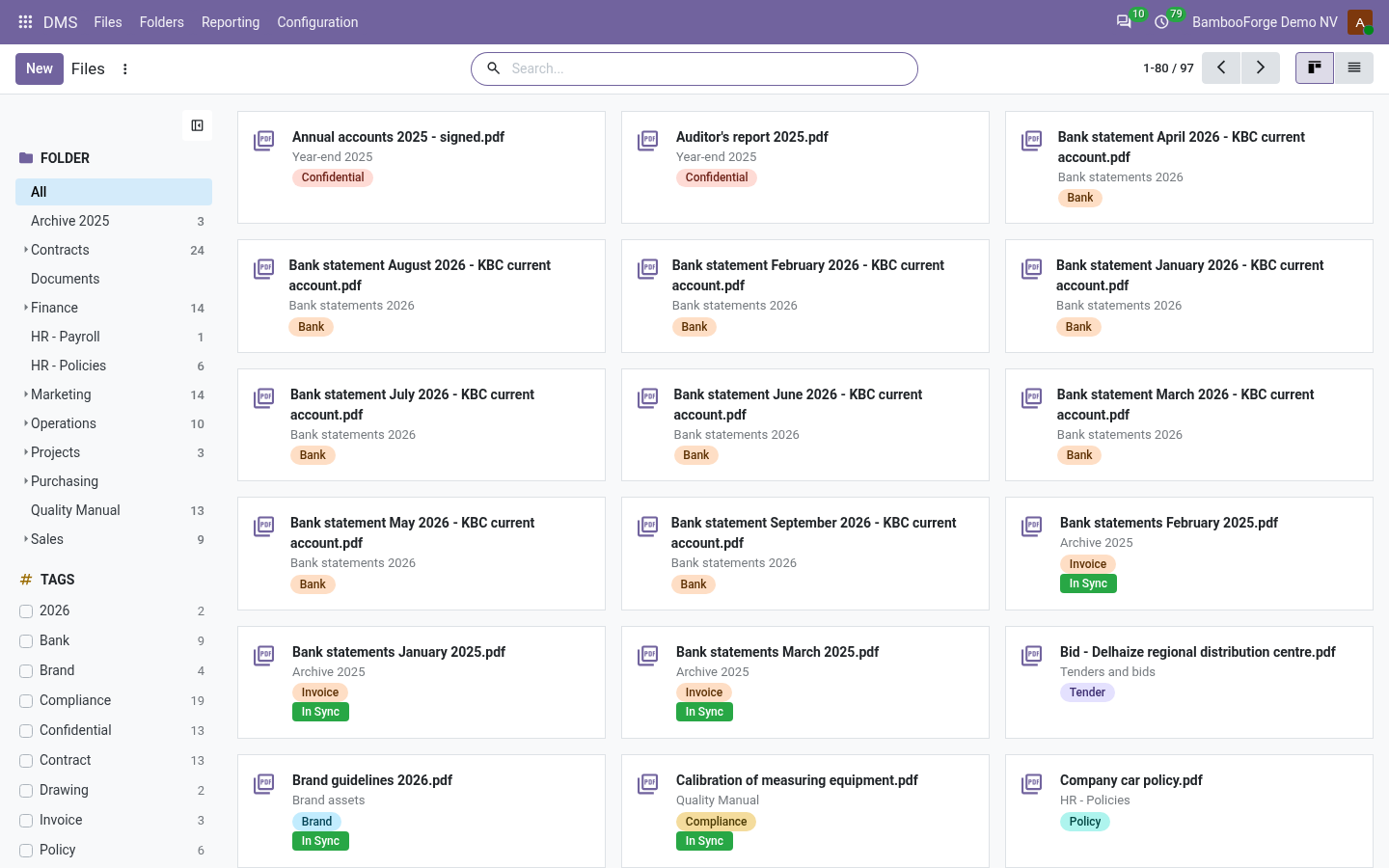
Folders with per-group access, tags, versions with one-click revert and locking - synced to Nextcloud, ownCloud, S3, Google Drive or OneDrive / SharePoint.
Attachments scattered over chatter are not a filing system. This app gives Odoo folders with per-group access, files with versions and locks, a review workflow for controlled documents, and a sync that mirrors each folder to Nextcloud, ownCloud, an S3 bucket, Google Drive or OneDrive / SharePoint and brings the changes made there back.
- A user does not see a folder, or its files
- The folder has access groups and the user is in none of them. Add the user to one of the groups (for groups of your own: Settings > Users & Companies > Groups, developer mode), or clear the folder's Access Groups. With several companies, the folder may also belong to a company the user does not work in.
- A user cannot create a folder, delete a file or add a tag
- Those are a DMS manager's. Users file, lock, version and archive documents in the folders open to them, and put existing tags on them.
- "Connected as" says "Connection failed:..."
- The sign-in could not be turned into a working connection; the rest of the message is the provider's answer. The usual causes are a wrong or expired client secret, a redirect address registered with the provider that is not exactly the one in Oauth Redirect Uri, or, with "HTTP 403 for Google Drive", a Drive API that is not enabled in the Google Cloud project. Fix it and press Connect again.
Attachment Preview: Office & PDF Viewer
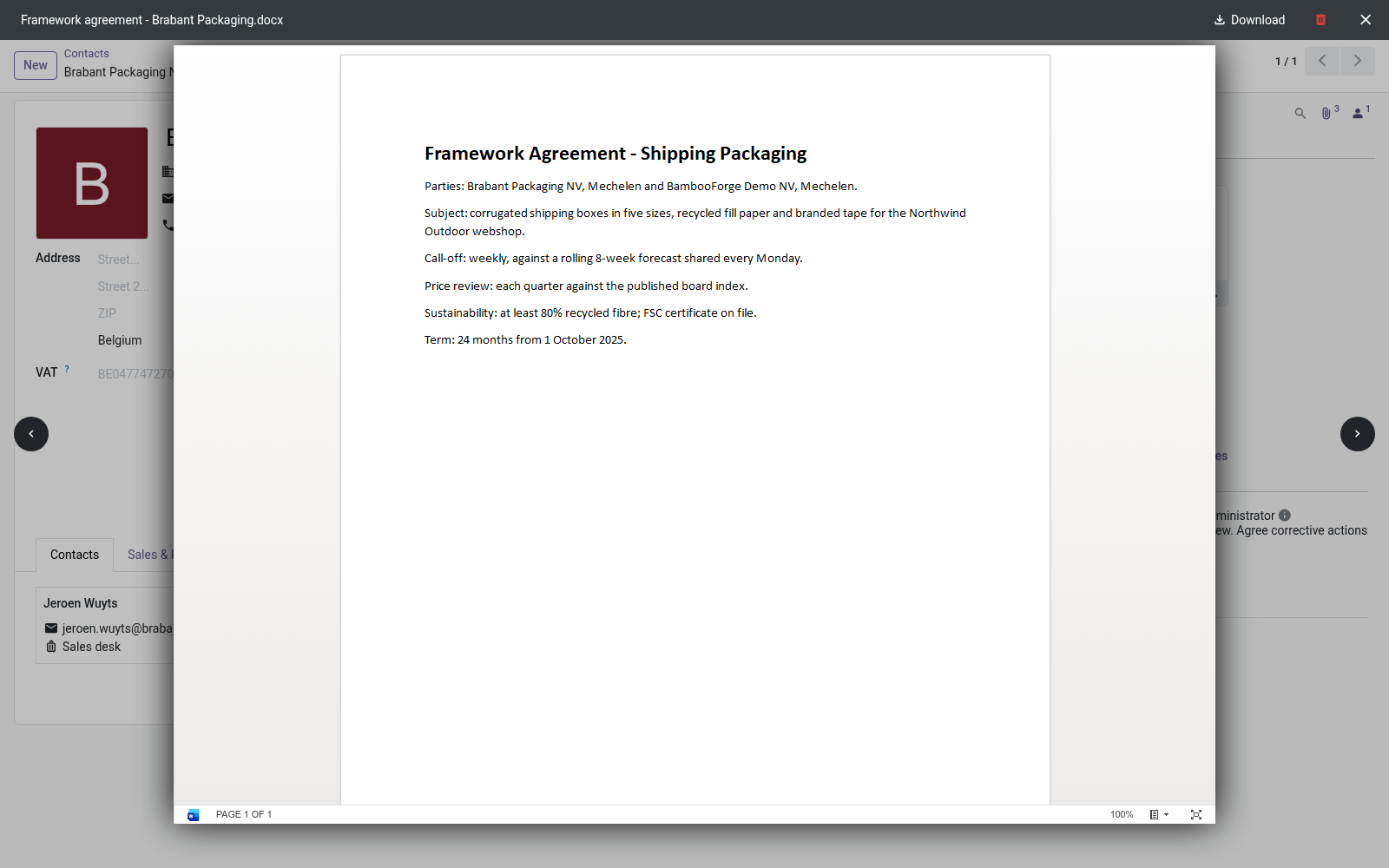
Read Word, Excel, PowerPoint and OpenDocument attachments in Odoo's own file viewer, without downloading them first. One switch keeps every file on your server.
Read Word, Excel, PowerPoint and OpenDocument attachments in Odoo's file viewer instead of downloading them first. Office files and OpenDocument documents are drawn by Microsoft's Office Online viewer; OpenDocument templates are drawn in your browser by a viewer that ships with the app. PDFs and images keep Odoo's own viewer.
- The frame says "This Odoo server is not reachable from the internet"
- The address in web.base.url (or, without it, the one in the browser) is localhost, an IP address that is not public, a name without a dot or a name ending in.local. Put the public address in web.base.url. An administrator who signs in through an internal address writes that address there again: sign in through the public one, or add the system parameter web.base.url.freeze with the value True.
- The frame says "Previews through the Microsoft viewer are disabled on this database"
- Keep documents on this server is ticked. Untick it in Settings > Office Preview if files may go to Microsoft.
- The frame says "The file is larger than the Microsoft viewer accepts (~10 MB)"
- The file is over 9,500,000 bytes. Download it with the button on the card.
Document Retention & Hash-Chained Archive
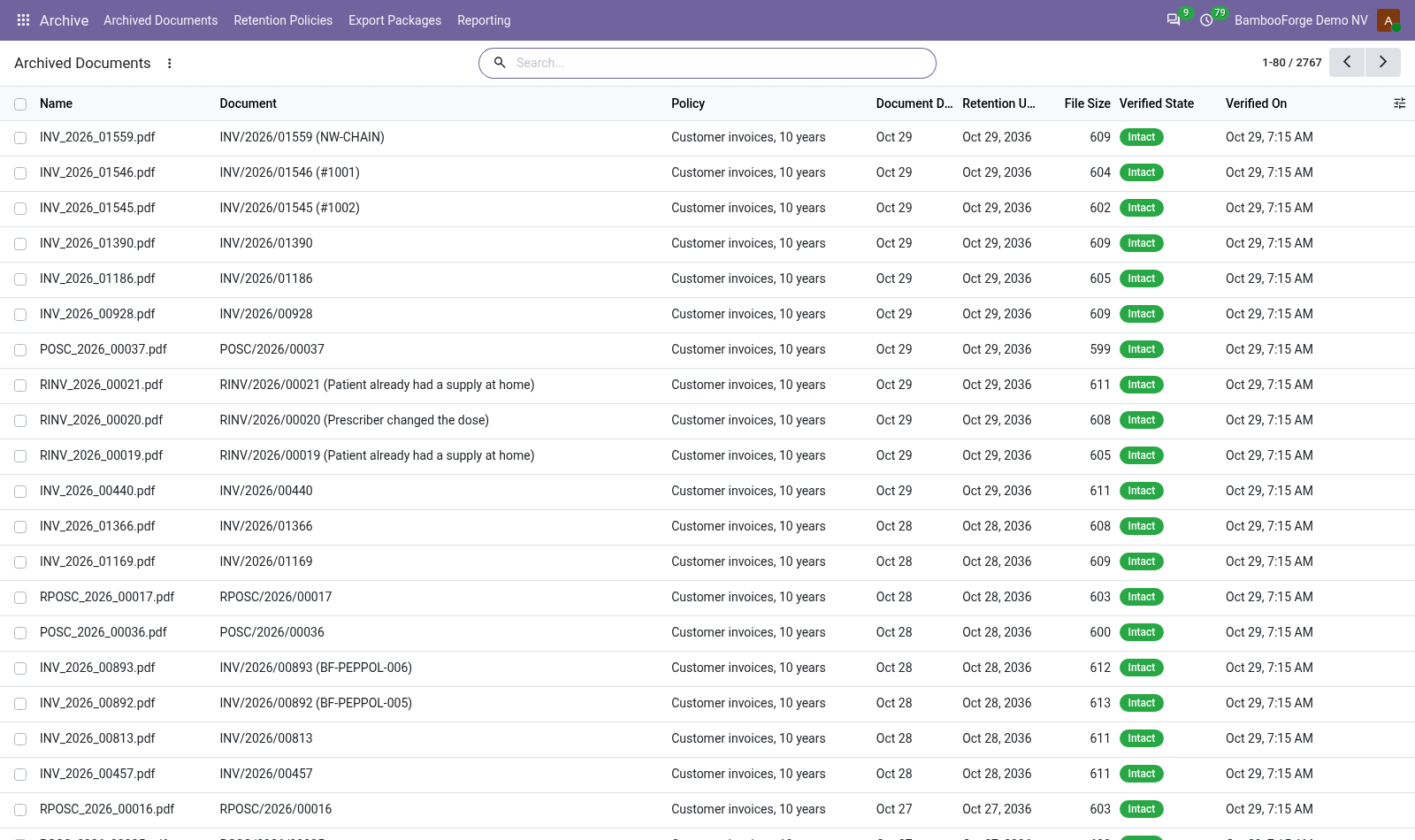
Keep issued documents as long as the law requires and show whether they were touched: hash chain, retention dates, deletion blocked.
Most EU jurisdictions require accounting documents to be produceable for years, unaltered. Odoo 20 stores attachments; it proves nothing about them, and anyone allowed to delete one can. This app takes the attachments of the records you name into an archive: each file's SHA-256, chained to the entry before it, a retention date from the document's own date, deletion blocked until then, a weekly check of every file, and a zip an auditor can check with sha256sum.
Paperless-ngx Connector
Turn Paperless-ngx documents into draft vendor bills with their PDF attached: never posted, one per document, nothing written to Paperless.
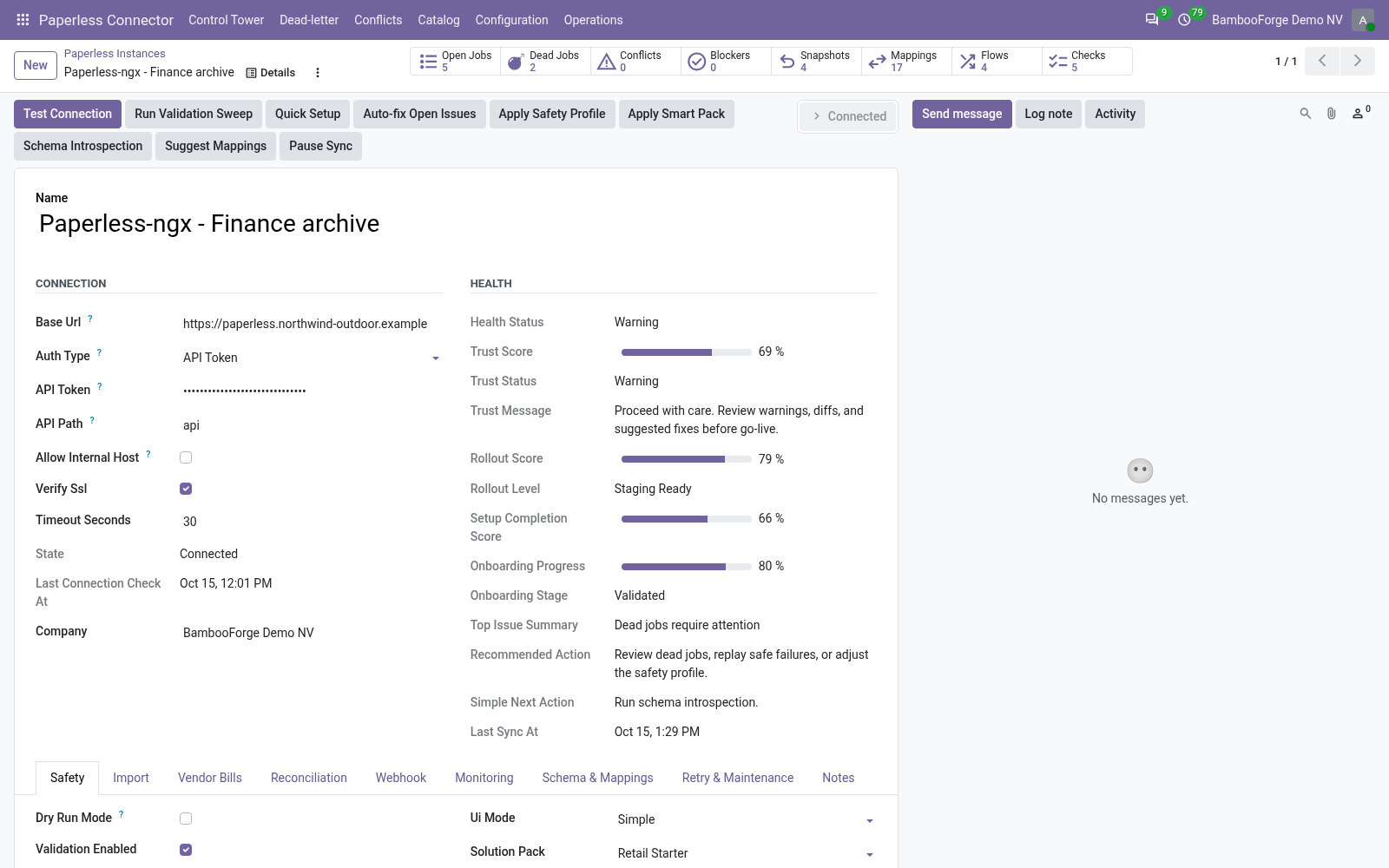
Paperless-ngx's correspondents, document types, tags and documents, with their OCR text, come into Odoo 20 as a catalog you can search and group. With Create Vendor Bills ticked, each imported document also gets a draft vendor bill with its PDF attached, for an accountant to check and post. Nothing is written to Paperless, and every import is a job in a queue that runs in dry-run first.
- What you see
- Why
- Paperless API token (Authorization: Token) is required.
- API Token is empty.
- Paperless auth failed, or Paperless's own answer, on a job or a test
- Paperless refused the token (401 or 403).
Other questions we answer
Odoo access control: who can see whatAudit trail for OdooPrint from Odoo without an IoT boxShopify and Odoo in syncWooCommerce and Odoo in syncPrestaShop and Odoo in syncConnect Odoo to n8n, Make and ZapierPeppol e-invoicing in OdooE-invoice checks before an invoice leaves OdooKPI dashboards for OdooFinancial statements on Odoo CommunityGDPR and cookie consent for OdooApproval workflows in Odoo CommunityQuality management for ISO 9001 in OdooAI translation for an Odoo website and catalogueOdoo for a dental clinicOdoo for a hotelOdoo for a restaurantOdoo for a garage or used-car dealerOdoo for construction: BoQ and job costingSubscriptions and recurring invoicing on Odoo CommunityHelpdesk for Odoo CommunityField sales on a phone with Odoo