 BambooForge Labs
Direct Print | Print to Network Printers Without IoT Box
Send any report, label or receipt from Odoo straight to a network printer: IPP, CUPS, AirPrint, Zebra, ESC/POS. No IoT Box. A retrying queue, auto-print rules.
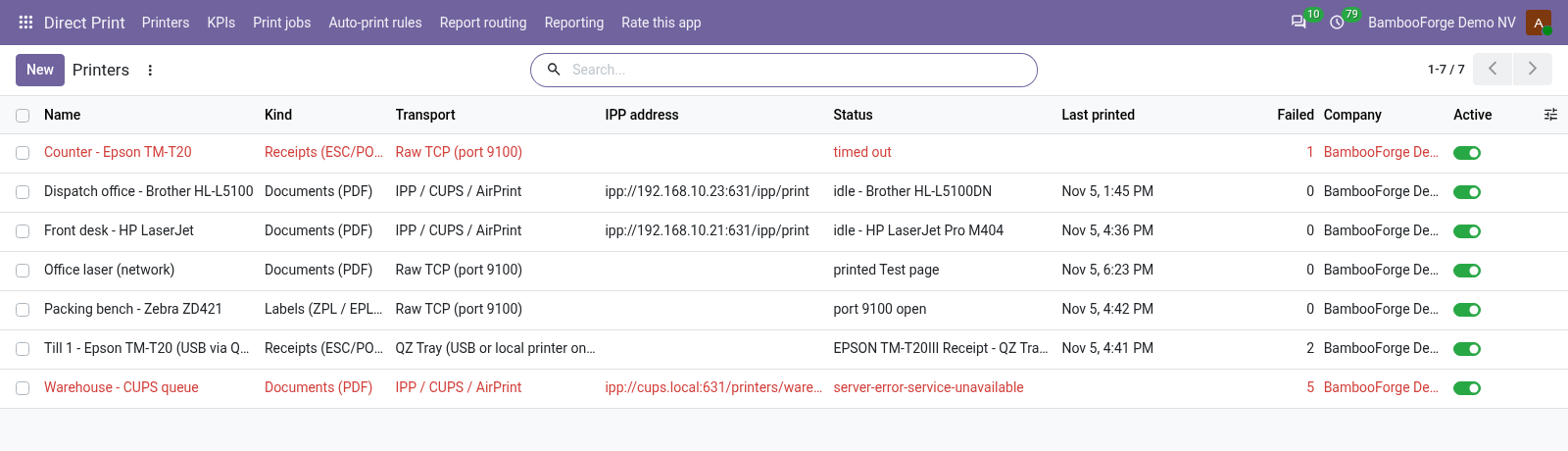
Send any report, label or receipt straight from Odoo to a printer. No IoT Box, no print-server subscription, no agent on a desktop: the Odoo server speaks IPP to network printers, CUPS servers and AirPrint devices, and raw TCP to Zebra and ESC/POS printers. A printer plugged into a PC by USB is reached through the free QZ Tray program on that PC. Every job is on record, the document for 30 days and the line for 400 by default, with retries and a Print again button; auto-print rules print a delivery slip when a transfer is validated or an invoice when it is posted, before anyone reaches a desk. With the POS Receipts add-on, the receipt of every paid Point of Sale order prints itself.
- Test connection says "did not answer", with "Connection refused"
- The Odoo server cannot reach the printer's port. Check the address, the port (631 for IPP, 9100 for raw) and that no firewall sits between the server and the printer.
- "client-error-document-format-not-supported"
- The printer does not take the format sent. For a PDF printer, try application/octet-stream as document format (under debug mode on the printer form); for ZPL on CUPS, make the queue raw.
- "server-error-not-accepting-jobs"
- The queue is paused on the printer or the CUPS server; resume it there.
Direct Print All in One with POS Receipts
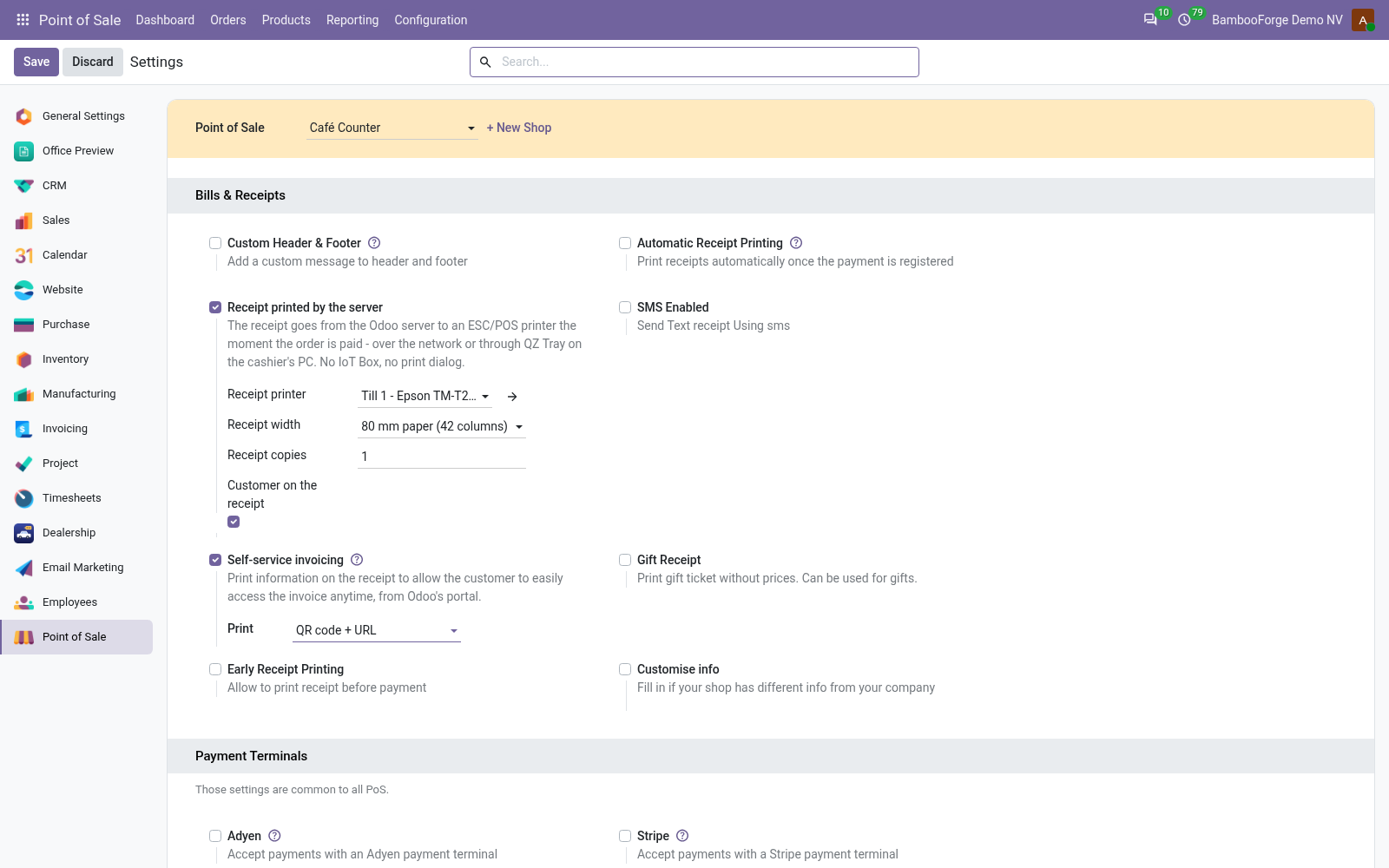
The receipt of every paid POS order printed by the Odoo server on an ESC/POS printer, over the network or through QZ Tray. No IoT Box, no browser print dialog.
The receipt of every paid Point of Sale order, printed by the Odoo server on an ESC/POS receipt printer the moment the order is paid. No IoT Box, no browser print dialog, no preview screen to click through, no cloud print service. The printer is on the network, on a CUPS server, or plugged into the till's PC through QZ Tray. Every receipt is a job in Direct Print's queue: retried when the printer is down, reprinted exactly from the order.
- Nothing prints when the order is paid
- The shop's Receipt printed by the server is off, or no printer is named on the shop or as the company default for receipts. Open the order: a Receipts counter with a Retrying job means the printer refused - the job's error says why.
- The receipt prints twice
- Odoo's Automatic Receipt Printing is on as well.
- Question marks instead of letters
- Pick the printer's Receipt character set on the printer in Direct Print (CP437, CP850/858, Windows-1252, 1250, 1251, 1254, 1258...); the receipt is encoded in it and the printer switched to it. Letters the chosen page cannot show are folded to plain letters, a currency sign it lacks prints as the currency's code, other symbols print as?.
Product Label Designer & Barcode Printing
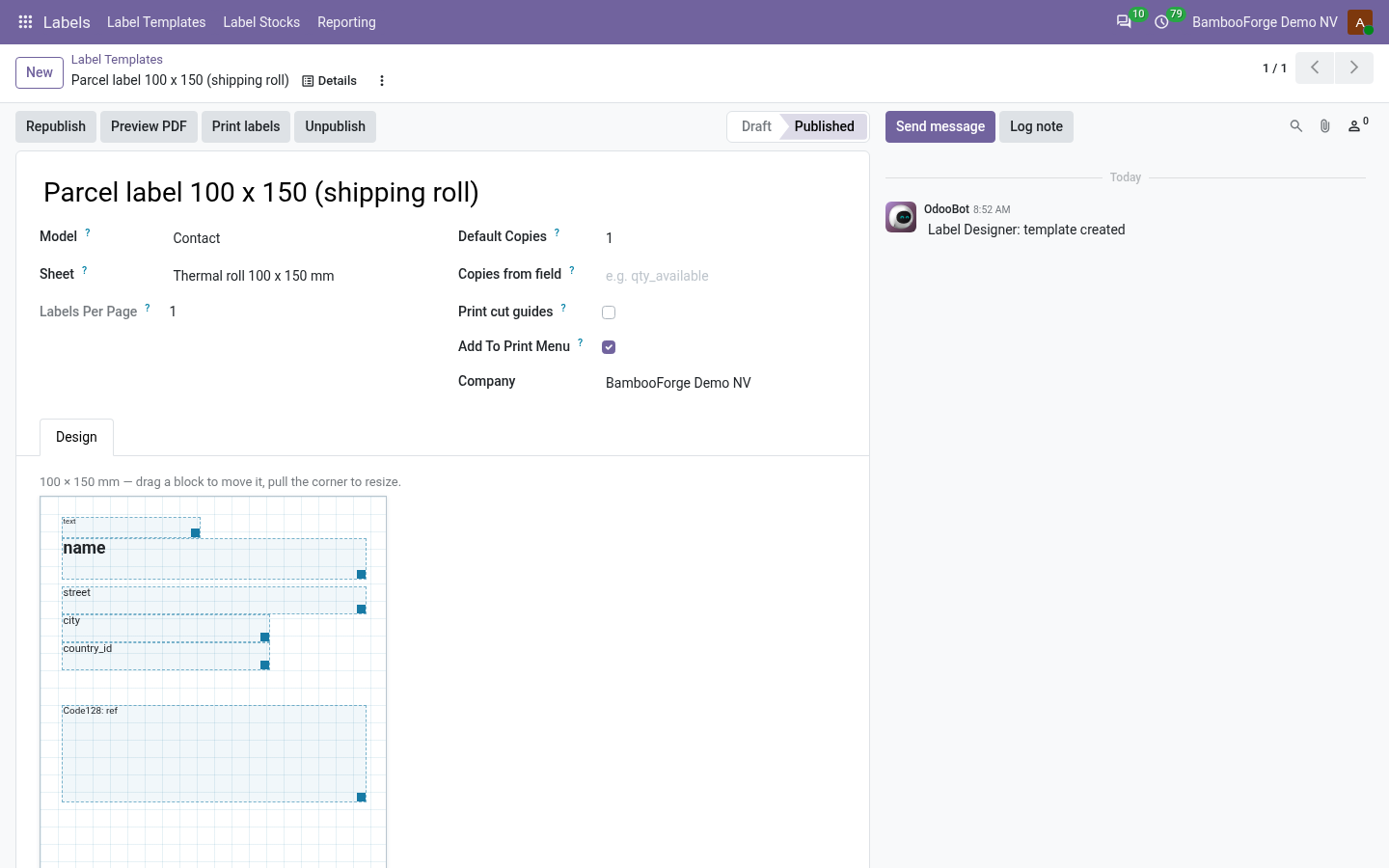
Design and print product labels and barcodes without XML: drag-and-drop designer, 31 ready stocks (Avery, Dymo, Zebra), QR codes, start-at-label.
Design labels for any Odoo record - products, lots, pickings, assets, members - and print them on the stock you already buy. Blocks are placed in millimetres, barcodes are drawn by Odoo itself, and the print dialog can start half way down a sheet you already used.
- Everything is shifted by a few millimetres
- Print one page with cut guides and compare against the sheet. If the whole grid is offset, adjust the stock's top/left margin; if the spacing is wrong, adjust the gaps. Some printers also apply their own scaling: check that the print dialog is at 100% and not "fit to page".
- "'x' is not a field of model.y"
- A block points at a field the model does not have - usually after changing the template's model. Open the block and pick the field again.
- "Unsupported barcode symbology"
- Only Code128, EAN13 and QR are supported. EAN13 needs exactly 13 digits (12 plus the check digit); Odoo prints nothing for an invalid value, so check the field's content first.
Other questions we answer
Odoo access control: who can see whatAudit trail for OdooShopify and Odoo in syncWooCommerce and Odoo in syncPrestaShop and Odoo in syncConnect Odoo to n8n, Make and ZapierPeppol e-invoicing in OdooE-invoice checks before an invoice leaves OdooDocument management in OdooKPI dashboards for OdooFinancial statements on Odoo CommunityGDPR and cookie consent for OdooApproval workflows in Odoo CommunityQuality management for ISO 9001 in OdooAI translation for an Odoo website and catalogueOdoo for a dental clinicOdoo for a hotelOdoo for a restaurantOdoo for a garage or used-car dealerOdoo for construction: BoQ and job costingSubscriptions and recurring invoicing on Odoo CommunityHelpdesk for Odoo CommunityField sales on a phone with Odoo