 BambooForge Labs
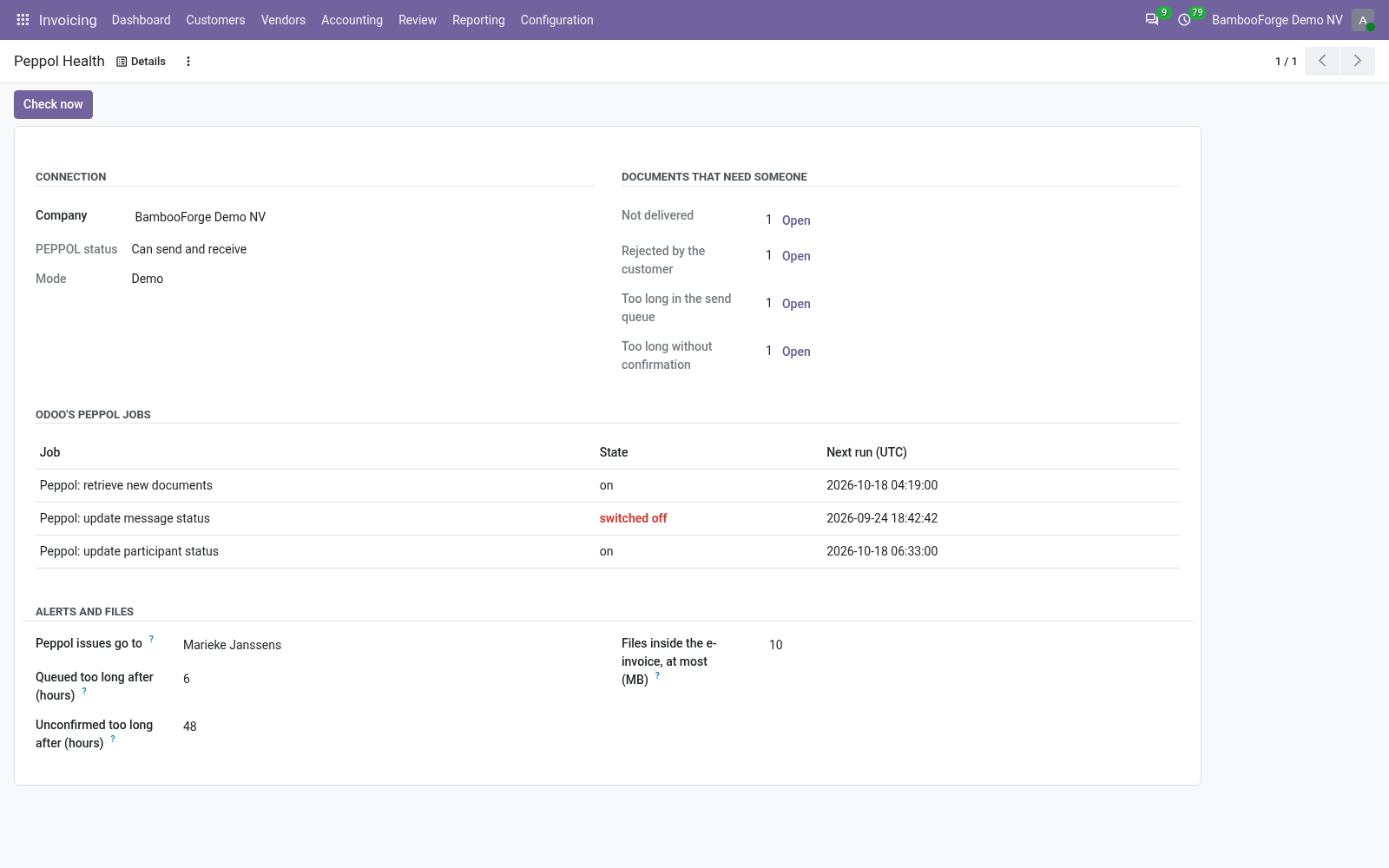
Peppol Alerts, Attachments and Copy Guard
Know when a Peppol invoice fails, is rejected or waits too long; embed the files you choose in the e-invoice; keep a database copy off the live connection.
Odoo sends invoices over Peppol with its own account_peppol. This app adds three things on top of it, without changing how Odoo sends: a person is told when an invoice fails, is rejected or waits too long; the files chosen on an invoice travel inside its e-invoice; and a copy of the database cannot use the live Peppol connection.
- The app is not in Apps
- Apps opens with the filter Apps, and this is an add-on. Remove the filter and search again.
- Peppol Health is not in the menu
- The entry is for accounting administrators. It is under Invoicing > Configuration, or Accounting > Configuration with Odoo Enterprise's Accounting app.
- No alert on an invoice that is in error
- The watch looks at companies whose PEPPOL status lets them send, and at customer invoices and credit notes. Check under Settings > Technical > Scheduled Actions that Peppol: watch documents and jobs is active, or press Check now.
Peppol Address Check
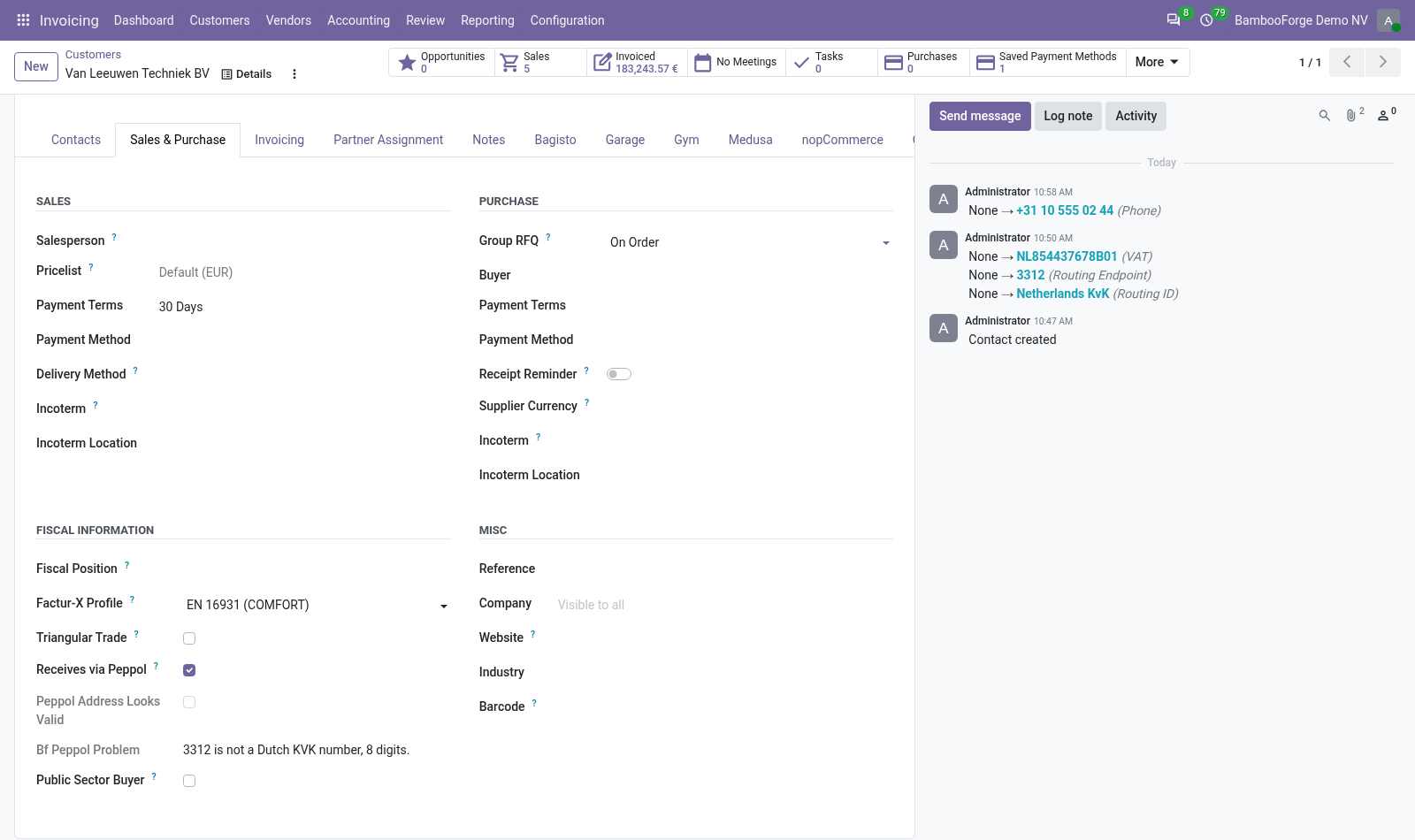
Check that the Peppol address of each customer you mark has the shape of its scheme: on the customer, on their invoices and in one list.
An add-on to E-Invoice Pre-Flight Checks. For the customers you mark as receiving over Peppol it compares the Peppol address with the shape of its scheme, and says what is wrong: on the customer, on their invoices and in one list of every marked customer.
- The app is not in Apps
- Apps opens with the filter Apps, and this is an add-on. Remove the filter and search again.
- Peppol Readiness is not in the menu
- The entry is for accounting administrators. It is under Invoicing > Configuration, or Accounting > Configuration with Odoo Enterprise's Accounting app.
- "No Peppol scheme or identifier."
- The contact has no scheme or no identifier. Enter both on its Invoicing tab.
E-Invoice Pre-Flight Checks
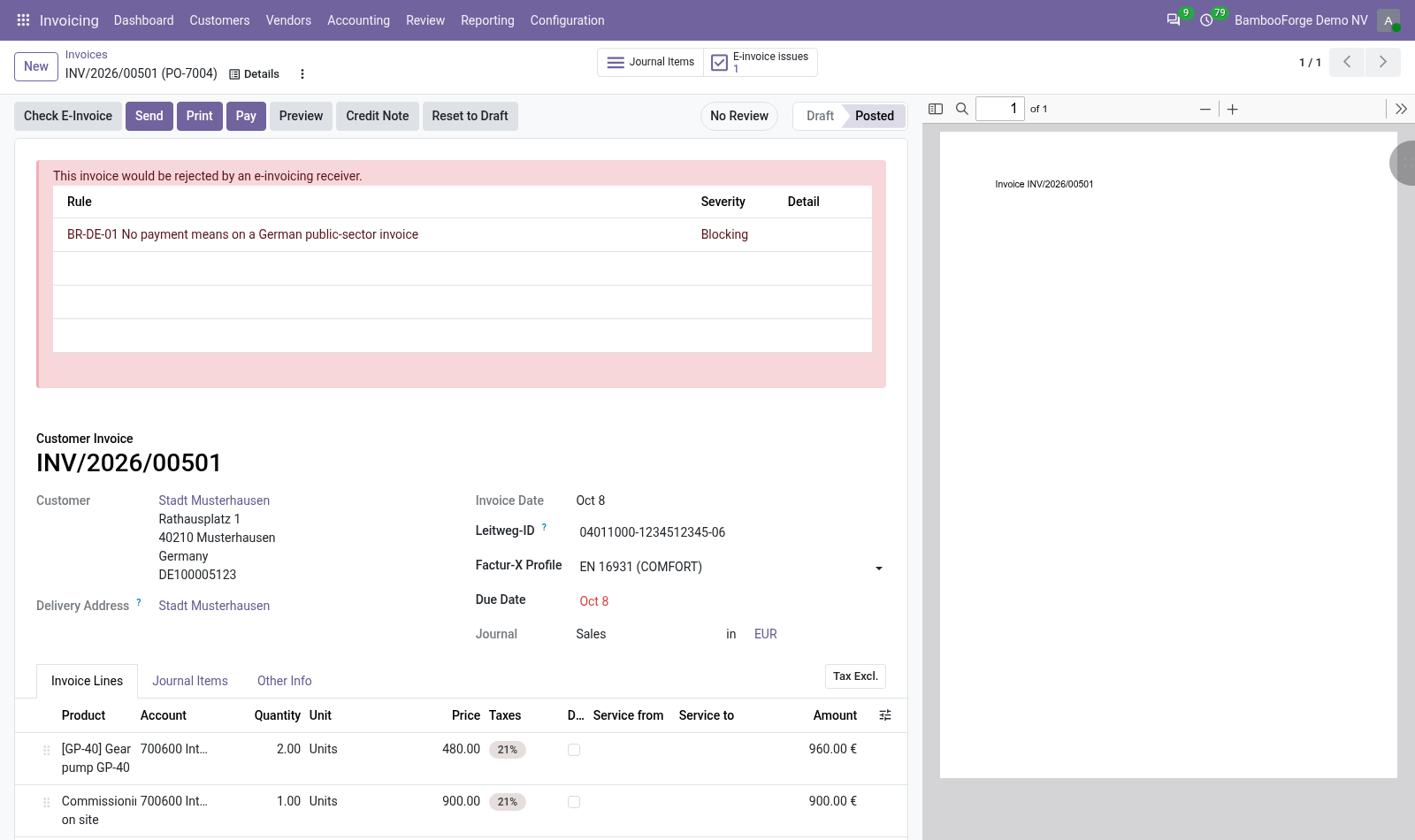
Eleven checks on each customer invoice before it is sent as UBL, Factur-X or XRechnung: every failed check names what to fill in, and every invoice that would be rejected is in one list.
Eleven checks a customer invoice or credit note meets before it is sent as an e-invoice, on Odoo 20, Community or Enterprise. Nine are named after rules of the European standard EN 16931, two are BambooForge's own. Each failed check is a finding on the invoice that names what to fill in, and the blocking findings of every invoice are in one list.
- Symptom or message
- Cause and what to do
- would be rejected:;...
- A program of yours called bf_einvoice_assert_ready() and the invoice has a blocking finding. Fix what the findings name and send again.
- That check code already exists.
- A check with that code is in E-Invoice Checks, perhaps switched off: the filter Switched off shows it.
Other questions we answer
Odoo access control: who can see whatAudit trail for OdooPrint from Odoo without an IoT boxShopify and Odoo in syncWooCommerce and Odoo in syncPrestaShop and Odoo in syncConnect Odoo to n8n, Make and ZapierE-invoice checks before an invoice leaves OdooDocument management in OdooKPI dashboards for OdooFinancial statements on Odoo CommunityGDPR and cookie consent for OdooApproval workflows in Odoo CommunityQuality management for ISO 9001 in OdooAI translation for an Odoo website and catalogueOdoo for a dental clinicOdoo for a hotelOdoo for a restaurantOdoo for a garage or used-car dealerOdoo for construction: BoQ and job costingSubscriptions and recurring invoicing on Odoo CommunityHelpdesk for Odoo CommunityField sales on a phone with Odoo