 BambooForge Labs
User Access Management & Access Rights Manager
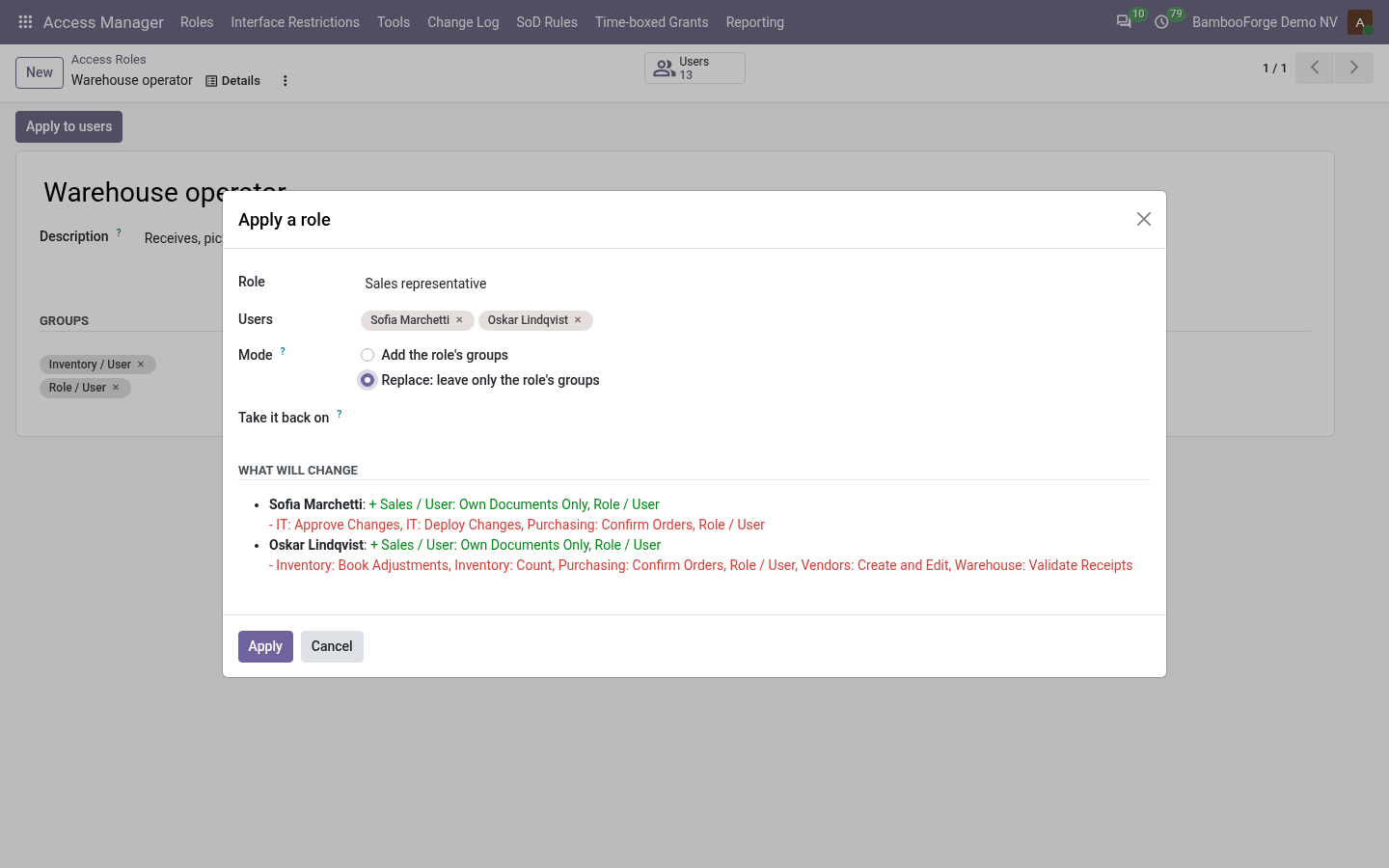
Access by named role with a preview of every group gained and lost, the rule that blocked a user named in words, and screens trimmed per role with no code.
Odoo's access rights are precise and unreadable. This app makes them manageable: roles instead of guesswork, a preview before anything is written, an explainer that says which rule blocked a user, and a log of who changed whose groups.
- A role shows zero users though people clearly have those groups
- The count is users holding every group of the role. A role with a group almost nobody has will count almost nobody.
- Replace removed more than expected
- Replace leaves only the role's groups and what they imply. Check the preview before applying; the change log lists every group it removed, so they can be put back.
- Explain says the user may read, but they still see an error
- Check the record id: model access can be fine while a record rule excludes that one record. That is what the record-level answer is for.
Segregation of Duties: Access Conflict Control
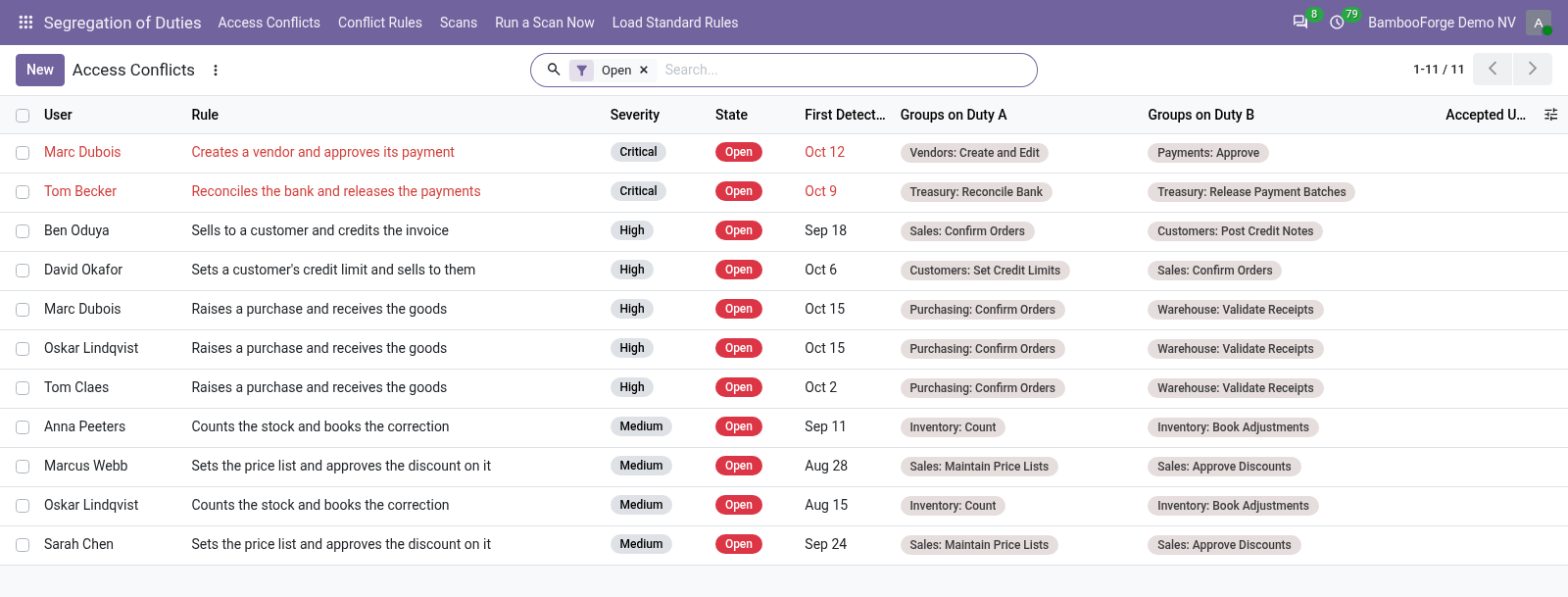
Find the people who can both raise a payment and approve it: conflict rules over groups, a dated scan for the auditor, and expiring acceptances.
For whom. Whoever answers for access in an Odoo database and has to show it to an auditor: the internal controller, the IT manager, the finance lead of a company too small to split every duty. Odoo 16 to 20, Community or Enterprise. It depends on base and mail only.
- Does anything leave my server?
- No. It makes no call outside your Odoo server: no telemetry, no licence check, no third-party service.
- What happens if I uninstall it?
- Odoo drops the app's own tables and the exemption fields it added to users. Users keep the groups they have.
- Which Odoo versions does it run on?
- Odoo 16.0, 17.0, 18.0, 19.0, 20.0, on the series you buy it for; each series is its own listing.
Audit Log & Audit Trail for Odoo
Audit log and audit trail with field-level tracking, hash chaining, anomaly detection, alerts, PII masking, retention and a compliance PDF.
A complete audit trail for Odoo 20: log every create, write, delete and read on the models you choose, watch logins, raise alerts on suspicious activity, gate sensitive edits behind an approval workflow, push alerts to Slack/Discord/Teams, and archive logs off-system before they are purged, all from one Audit app.
- Nothing is logged
- The rule is still in Draft. Open it and click Subscribe. Logging only starts once the state is Subscribed.
- A specific operation is not logged
- The matching Log Reads / Writes / Deletes / Creates toggle is off, the acting user is in Users to Exclude, or the field is in Fields to Exclude. Reads are off by default.
- Too much is logged / the system feels slow
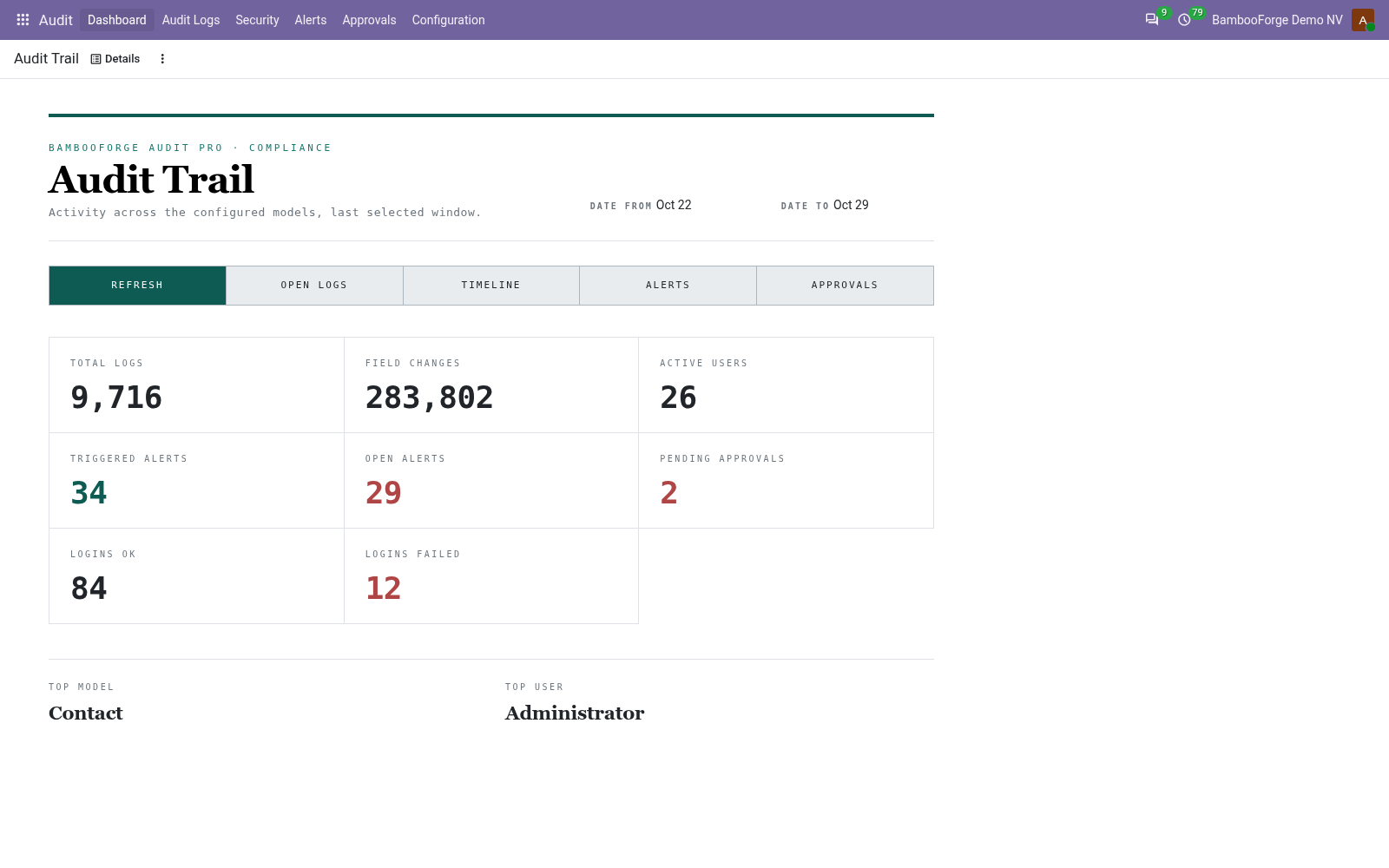
- Full log and especially Log Reads are heavy. Switch the rule to Fast log, turn Reads off, exclude noisy fields/users, and scope anomaly rules tightly. The dashboard's Top Model / Top User show where the volume comes from.
Access Rights All in One with an Audit Trail
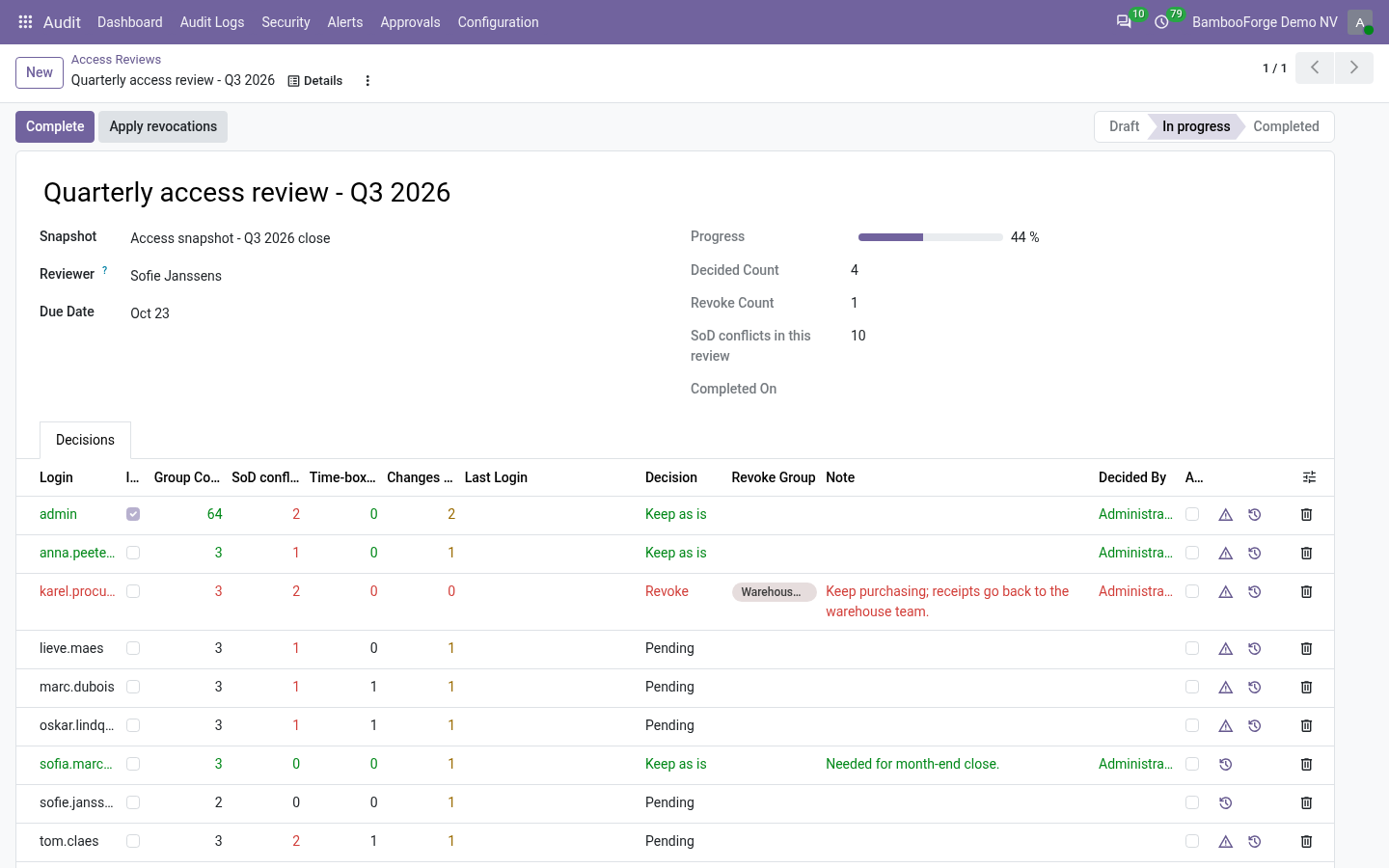
Access reviews with the evidence attached: SoD conflicts, time-boxed grants and every rights change since the last snapshot, on one line.
For whom. Whoever runs access reviews in Odoo with both of our apps installed: the reviewer who decides keep or revoke for each user, and the auditor who reads the result afterwards. Odoo 16 to 20, Community or Enterprise. It depends on bambooforge_access_manager and bambooforge_audit_pro and on nothing else.
- Does anything leave my server?
- No. It makes no call outside your Odoo server: no telemetry, no licence check, no third-party service.
- What happens if I uninstall it?
- Odoo removes the columns and buttons it added to the access review; the reviews, their decisions and Access Manager's change log stay as they are.
- Which Odoo versions does it run on?
- Odoo 16.0, 17.0, 18.0, 19.0, 20.0, on the series you buy it for; each series is its own listing.
Other questions we answer
Audit trail for OdooPrint from Odoo without an IoT boxShopify and Odoo in syncWooCommerce and Odoo in syncPrestaShop and Odoo in syncConnect Odoo to n8n, Make and ZapierPeppol e-invoicing in OdooE-invoice checks before an invoice leaves OdooDocument management in OdooKPI dashboards for OdooFinancial statements on Odoo CommunityGDPR and cookie consent for OdooApproval workflows in Odoo CommunityQuality management for ISO 9001 in OdooAI translation for an Odoo website and catalogueOdoo for a dental clinicOdoo for a hotelOdoo for a restaurantOdoo for a garage or used-car dealerOdoo for construction: BoQ and job costingSubscriptions and recurring invoicing on Odoo CommunityHelpdesk for Odoo CommunityField sales on a phone with Odoo