 BambooForge Labs
Subscription Billing & Recurring Invoices
Recurring invoicing on Odoo Community: plans, subscriptions, a daily billing job, and a record of every billed period whose unique index refuses a second invoice for the same period.
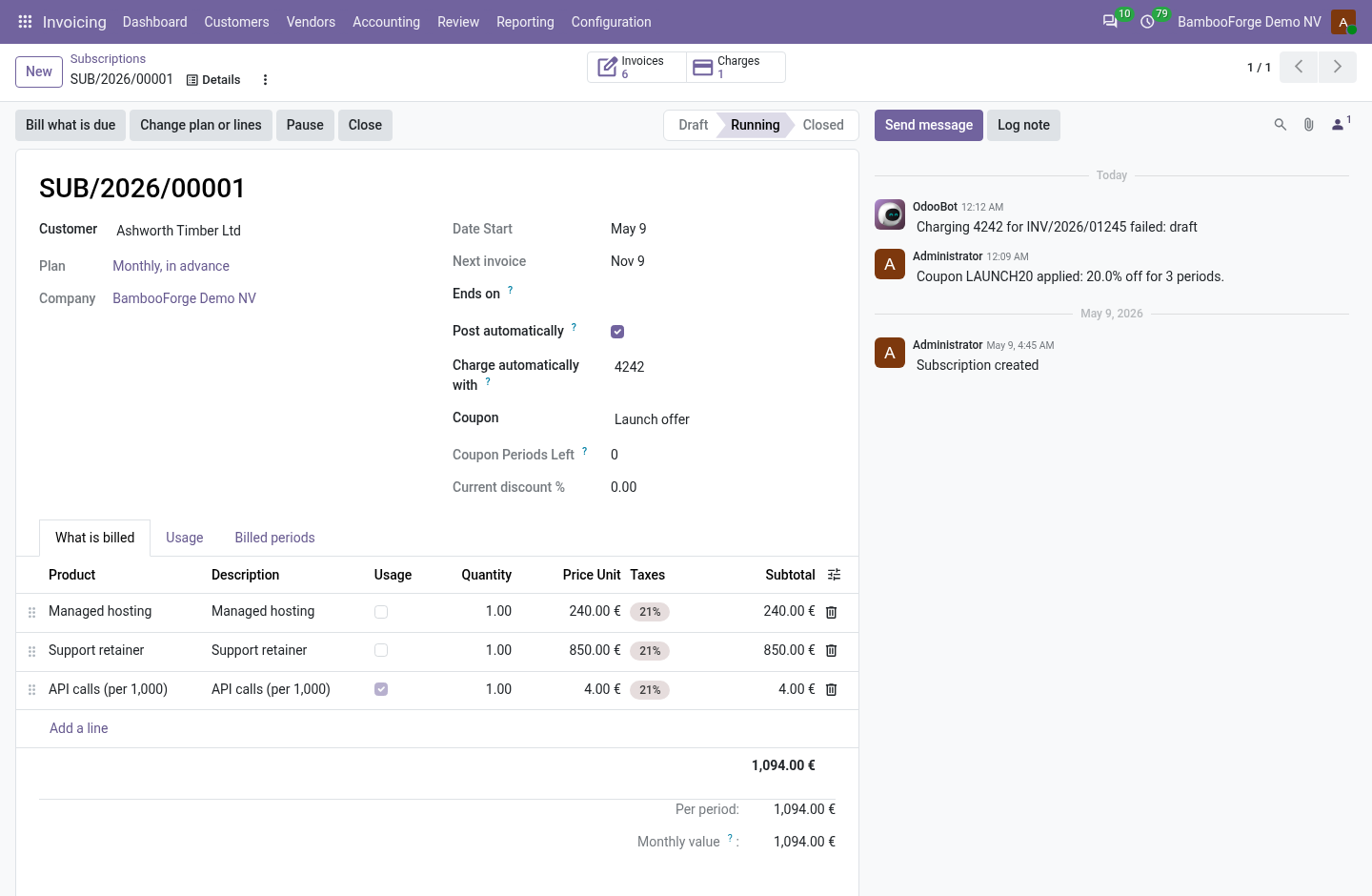
Odoo raises an invoice one at a time. This app bills on a rhythm: a plan says how long a period is, a subscription says what to bill each period, and a daily job makes the invoice of every period that has come. Each billed period is a row of its own with a unique index, so a job that runs twice still makes one invoice. For Odoo 20, Community or Enterprise.
Subscription Billing All in One with Card Charging
A subscription with a saved payment method is charged the moment its invoice is posted, and charged again on the dunning rung that says so. Installed by itself alongside Subscription Billing and Odoo's invoice payments.
A subscription bills the same customer every period; this add-on charges the card that customer saved. Pick one of the customer's saved payment methods on the subscription, and each invoice the billing posts is charged with it through your payment provider. A refused charge is written on the subscription, and the dunning rung that charges again tries once more. It installs by itself with Subscription Billing on Odoo 20.
Recurring Sales Orders
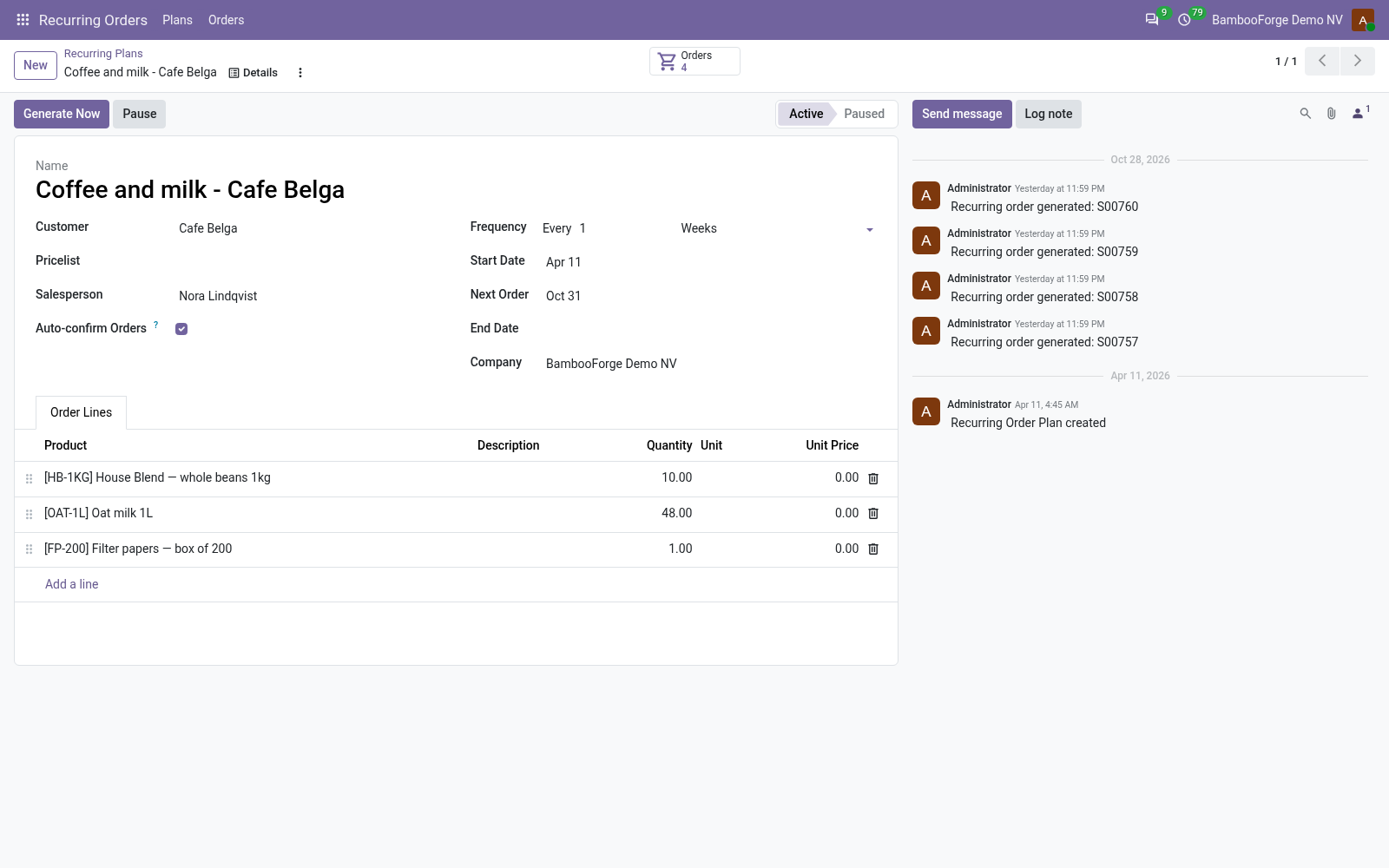
Generate repeat sales orders on a schedule from reusable plans, and let customers pause, skip or modify their standing order from the portal.
A customer who orders the same goods every week or month should not be typed in again every time. A recurring plan holds the customer, the products and the rhythm; a daily job turns it into a sales order on the day, as a quotation to check or a confirmed order. From the portal the customer pauses, skips the next order, or changes quantities and the next date within your limits. For Odoo 20, Community or Enterprise.
Revenue Recognition: Deferred Revenue & SaaS Metrics
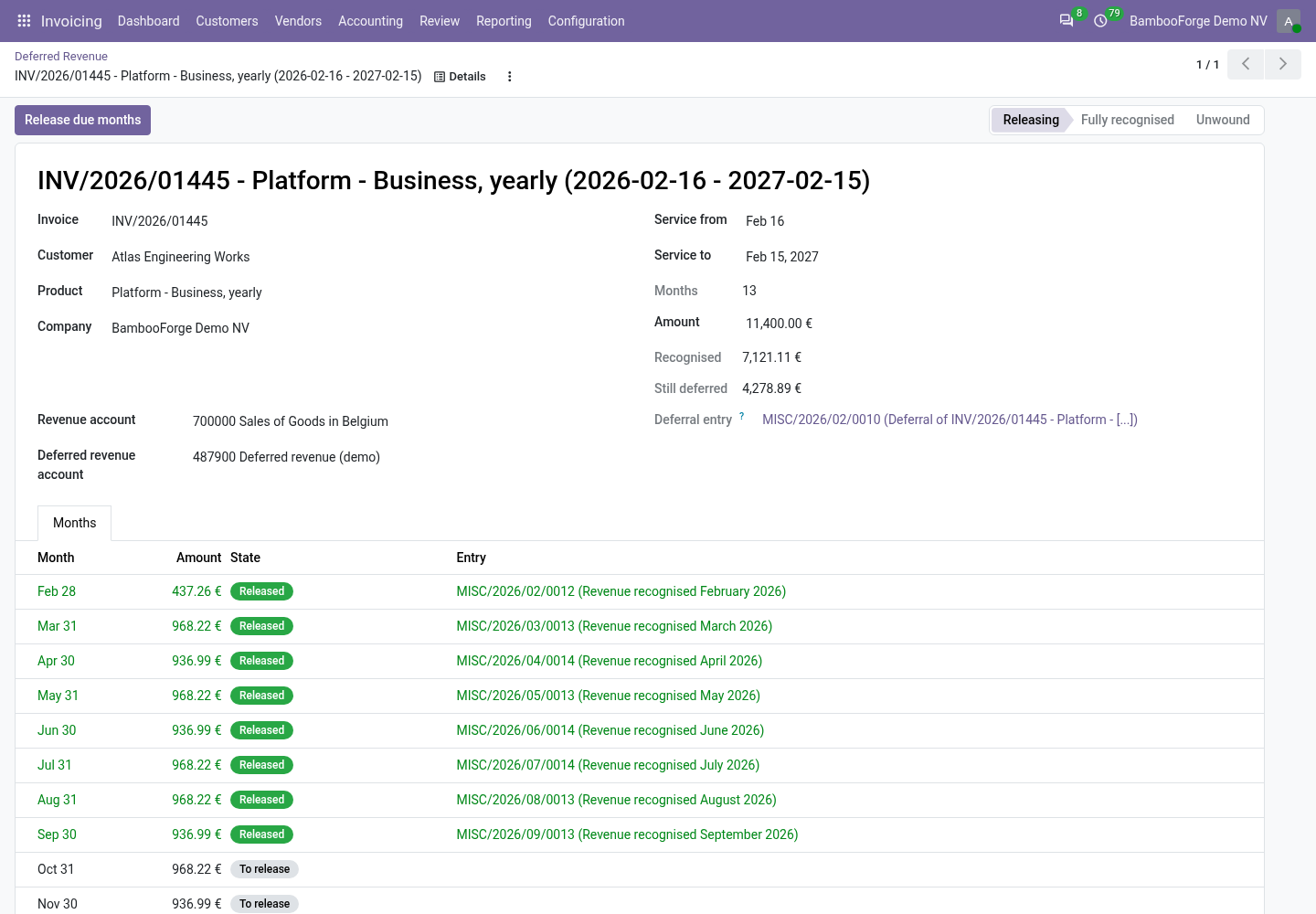
Recognise revenue straight-line over the service period on Odoo Community, for users in Odoo's accounting groups: a year of service books to deferred revenue and a job releases it month by month, with a waterfall and MRR, ARR, churn and net revenue retention.
A customer pays in January for twelve months of service. Odoo books the whole invoice as January's revenue; the auditor, the bank and the board want it spread over the months it is earned in. This app parks the revenue of such a line in a deferred revenue account when the invoice is posted, and releases it month by month, straight-line by days. It reads monthly recurring revenue, churn and retention off the same months. For Odoo 20, Community or Enterprise.
Other questions we answer
Odoo access control: who can see whatAudit trail for OdooPrint from Odoo without an IoT boxShopify and Odoo in syncWooCommerce and Odoo in syncPrestaShop and Odoo in syncConnect Odoo to n8n, Make and ZapierPeppol e-invoicing in OdooE-invoice checks before an invoice leaves OdooDocument management in OdooKPI dashboards for OdooFinancial statements on Odoo CommunityGDPR and cookie consent for OdooApproval workflows in Odoo CommunityQuality management for ISO 9001 in OdooAI translation for an Odoo website and catalogueOdoo for a dental clinicOdoo for a hotelOdoo for a restaurantOdoo for a garage or used-car dealerOdoo for construction: BoQ and job costingHelpdesk for Odoo CommunityField sales on a phone with Odoo